Account Deletion from Mobile Apps
New App Store guidelines from Apple require that new iOS apps or app updates submitted after June 30th, 2022 must allow deletion of accounts if the app allows for creation of accounts.
Punchh's new platform configurations allow brands to define which platforms (iOS or Android) should offer account deletion, along with the type of deletion (anonymization of data vs. full deletion of data). Platform configurations also allow for account deactivation and customization of the text used throughout the deletion and deactivation flows.
These configurations can only be made by Punchh admins and will require an app update. Once your mobile apps have been updated and released with this functionality, most of the configurations and text can be updated from the Platform at any time. Please contact Punchh if you would like to request configuration or text changes for a live app.
The platform configurations and app behavior described below are accurate for customers using the Punchh Mobile Framework. If your mobile apps were developed by a third-party, please contact your developer for more information about how account deletion will work in your mobile apps.
Deletion Request Type
The Punchh Mobile Framework supports two ways to offer your guests the ability to delete their account from your mobile app:
-
Generate a pre-populated email to your business with a deletion request for the guest
-
Send a direct request to the Punchh platform to delete the guest's account. As with deletions you currently process in the Punchh platform today, the deletion of data is not processed immediately, but within a pre-configured number of days (typically seven).
Data Deletion Type
If you offer direct deletion from your app, you will also need to decide how Punchh should process those deletion requests. This is the same decision your business admins currently make in the Punchh Platform when manually processing a deletion request for a customer: "Anonymize associated transaction data" or "Full deletion"
Anonymize associated transaction data deletes all of the user's PII (personally identifiable information), while retaining anonymized transaction data for reporting integrity. This approach is in compliance with GDPR/CCPA standards.
Full deletion deletes the user AND all of their associated transaction data, permanently.
We recommend the "Anonymize associated transaction data" option, as it will preserve reporting integrity for your business in the Punchh platform.
Whichever option you select will apply to all direct deletion requests that come from your mobile apps.
Account Deactivation
The Punchh Mobile Framework now also supports account deactivation, to offer your guests a lower-impact alternative to account deletion. When guests deactivate their accounts, they can no longer sign in and will no longer receive communication from your brand, but their account can be reactivated at a later date.
If you offer Account Deactivation from your mobile app, you will also have the option to present both Account Deletion and Deactivation on the same screen, or to guide your users to Account Deactivation first. Screenshots of these flows are available later in this article.
Android Support
Although Google has not introduced the same requirements as Apple, the Punchh Mobile Framework also supports all of the same Account Deletion and Deactivation options for Android. Once you have updated your app, account deletion and deactivation can be turned on for Android at any time by a Punchh admin. This also means that if Google introduces a similar requirement at a future date, you will not need a second app update to enable the feature for your Android app.
Deletion & Deactivation Examples
Deletion via email request
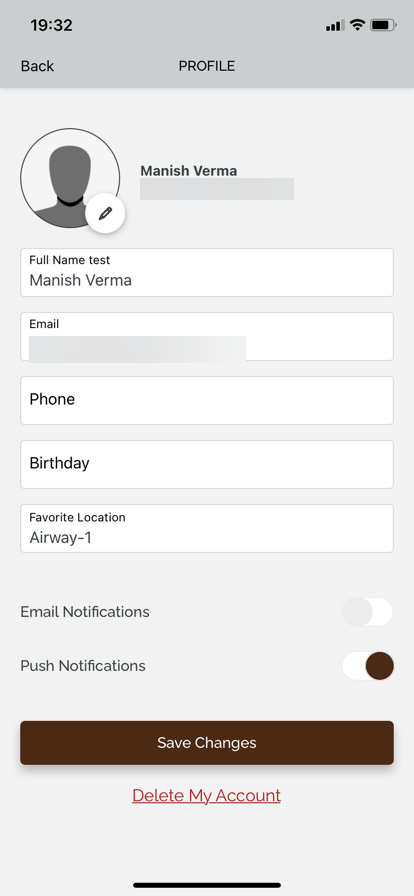
A text link to "Delete My Account" will be added at the bottom of the Edit Profile screen in the app. If you do not offer deletion on Android, your guests using the Android version of the app will see no change to the Edit Profile screen.
Tapping the "Delete My Account" link will open the phone's default email client, with a pre-populated email. The "To" address, the email subject, and the email body are all configurable by Punchh admins from the Platform. In this screenshot, the program name ("Master App") and email address seen in the email body are using dynamic tags to populate the guest's email address and the program name from the Punchh Platform.
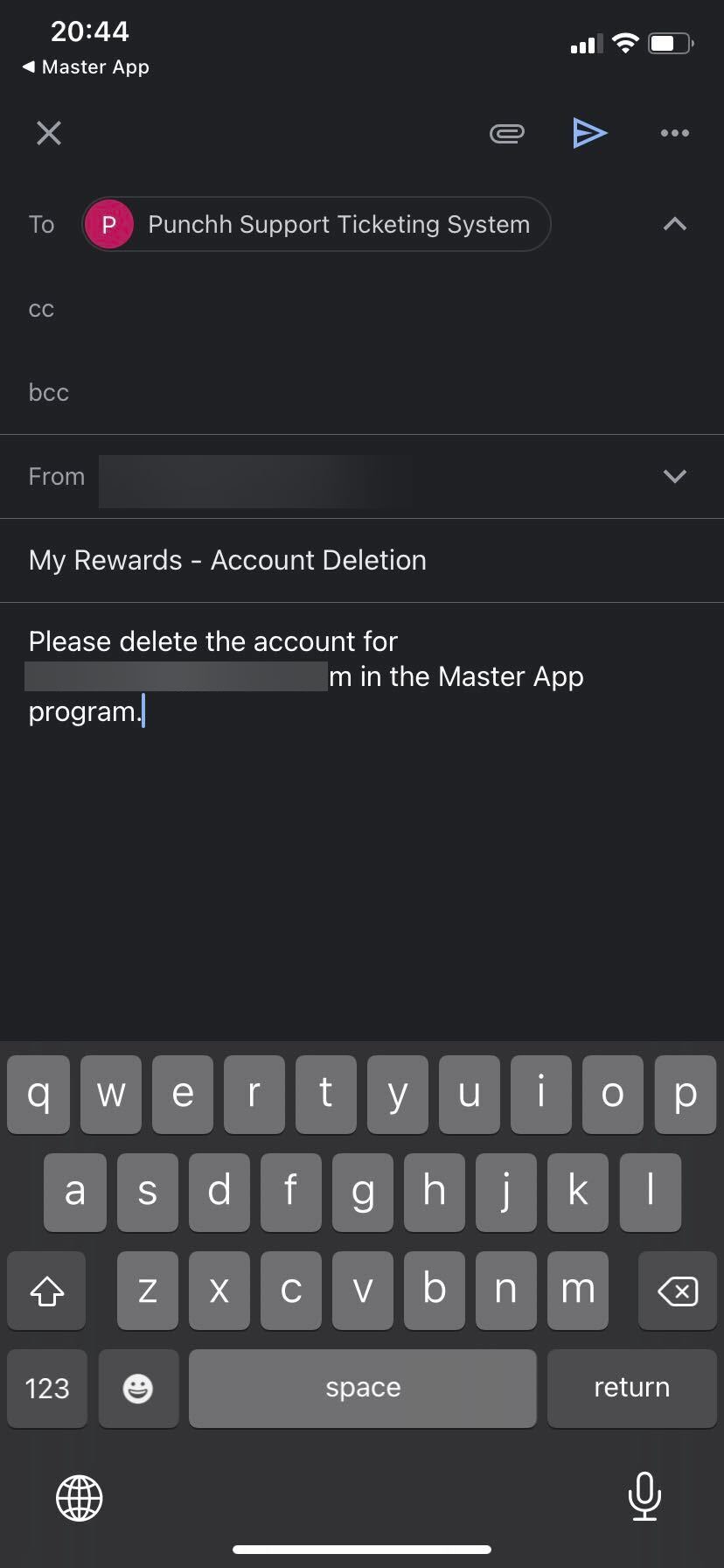
If the guest proceeds to send the email, your business should then process the request in the Punchh Platform, as you do for all of your inbound deletion requests today.
Direct deletion from the app
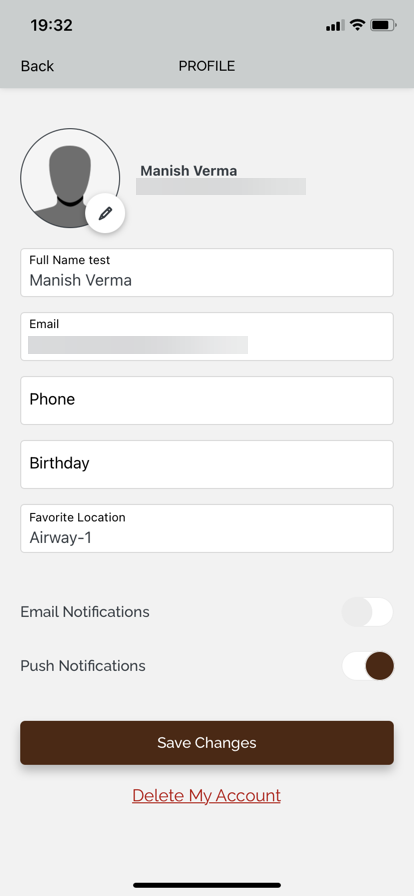
As with the email option, a text link to "Delete My Account" will be added at the bottom of the Edit Profile screen in the app. If you do not offer deletion on Android, your guests using the Android version of the app will see no change to the Edit Profile screen.
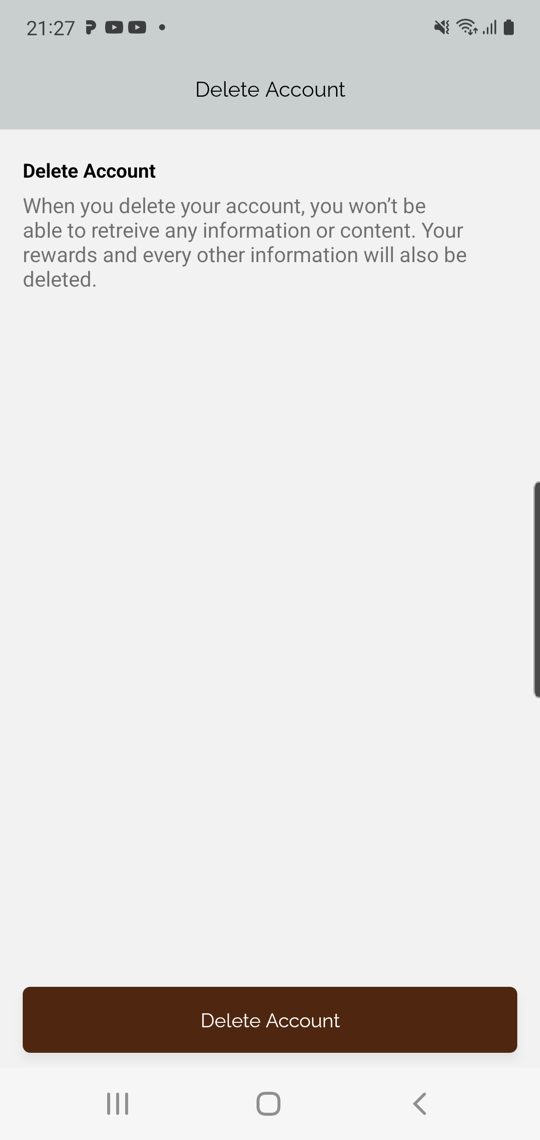
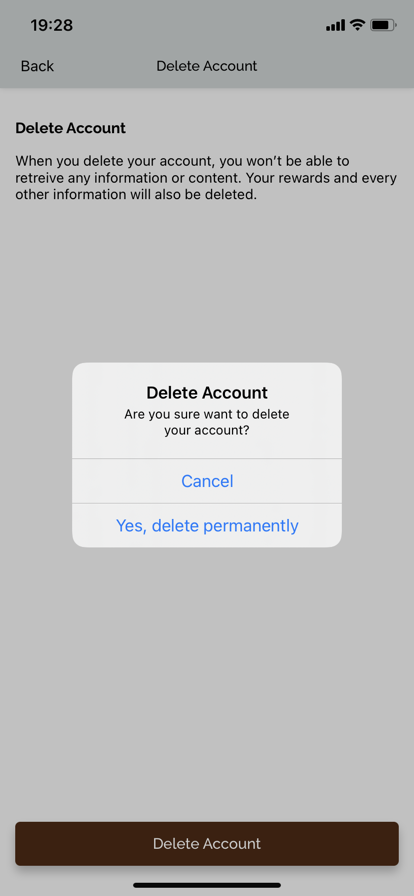
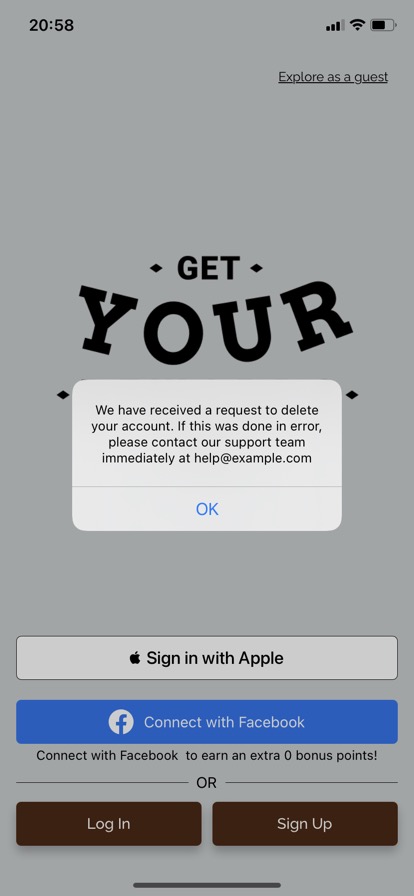
In the direct deletion option, tapping on the "Delete My Account" link will take the guest to a screen that describes what it means to delete their account. When they tap the CTA button at the bottom of the screen to "Delete My Account", a system pop-up will confirm their intent. After confirmation on the pop-up, their account will be marked for deletion and a confirmation email will be sent, and they will be logged out of the app. A system pop-up will also confirm the deletion request has been submitted.
You can customize the confirmation email on the Notification Templates screen in the Platform. This template will only be visible if your business has enabled Account Deletion.
Deactivation and Deletion: Separate screens
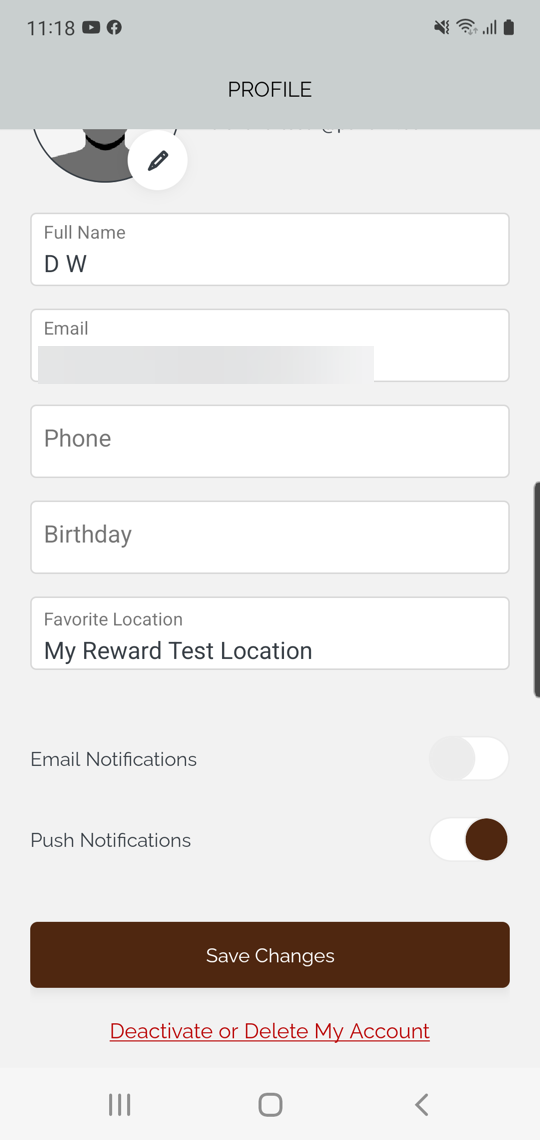
If you offer both deactivation and deletion in your iOS or Android app, a text link to "Deactivate or Delete My Account" will be added at the bottom of the Edit Profile screen.
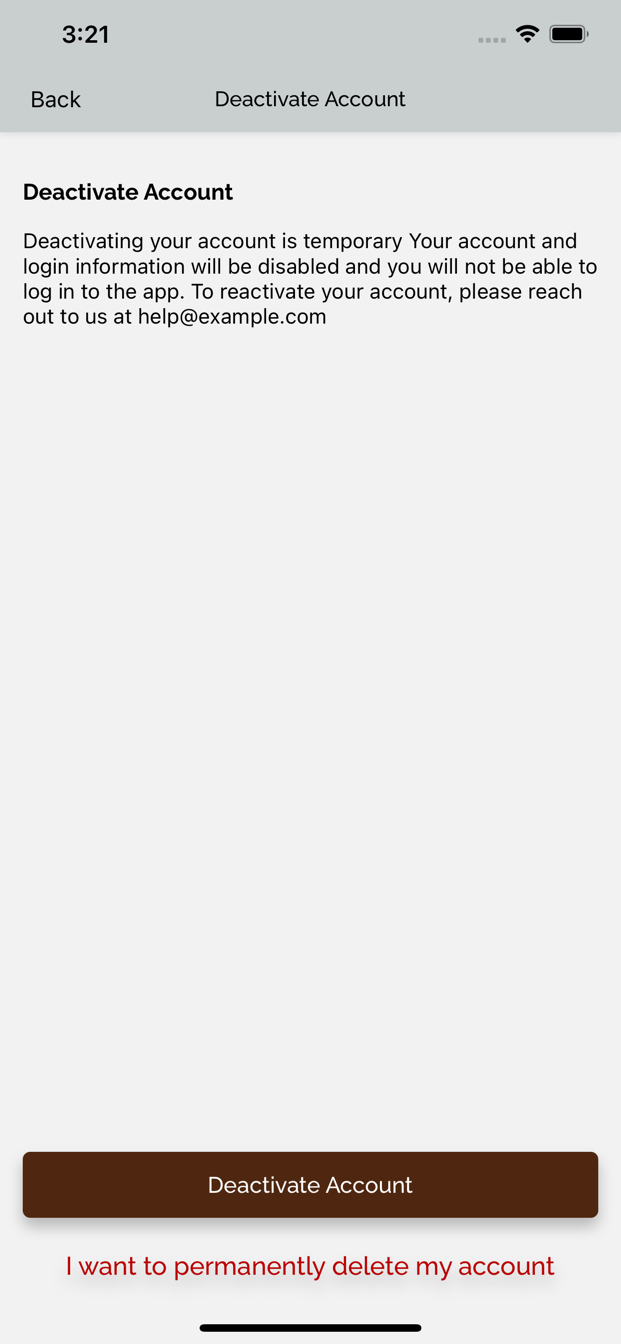
When you present these two options on separate screens, guests will first see a description of what it means to deactivate their account, with a CTA button to deactivate. This description of account deletion can be changed from the Platform by a Punchh admin. Under that CTA button, there will be a text link that says "I want to permanently delete my account".
If the guest taps the CTA button, they will be presented with a system pop-up to confirm the action. Upon confirmation, their account will be deactivated, a confirmation email will be sent, and they will be logged out of the app.
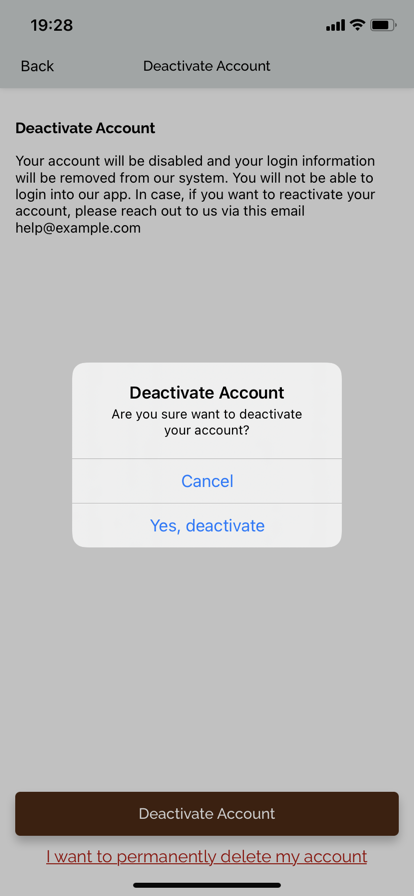
If the guest taps the "I want to permanently delete my account" text link, they will be taken to a second screen explaining what it means to delete their account. This description of account deletion can be changed from the Platform by a Punchh admin.
If the guest taps the "Delete Account" CTA button, they will be presented with a system pop-up to confirm. After confirmation on the pop-up, their account will be marked for deletion, a confirmation email will be sent, and they will be logged out of the app. A system pop-up will also confirm the deletion request has been submitted.
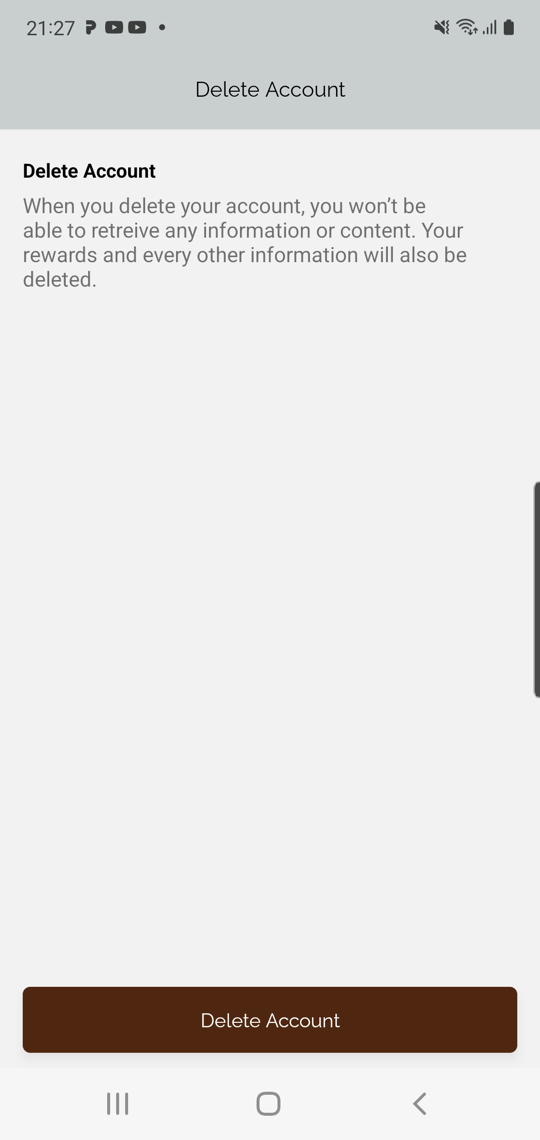
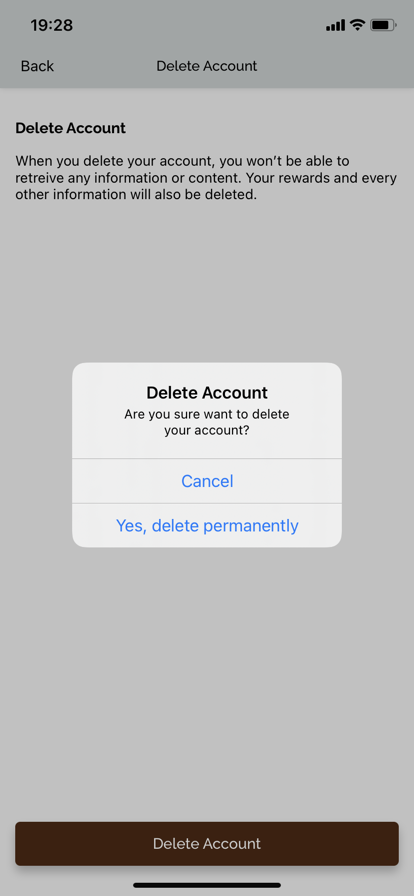
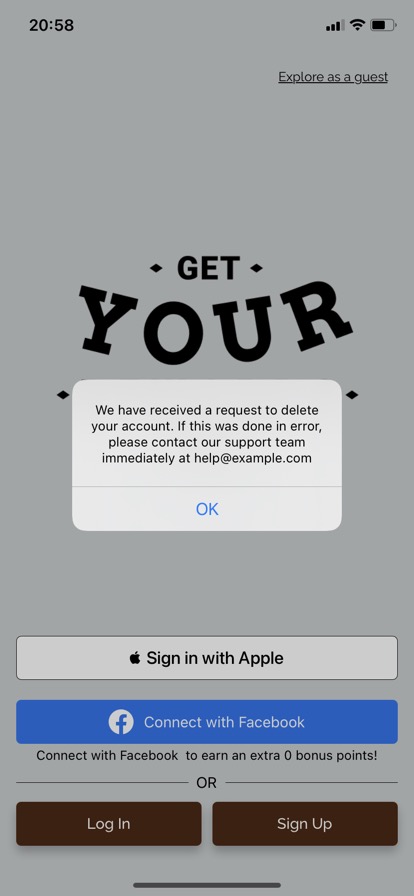
You can customize the confirmation emails on the Notification Templates screen in the Platform. These templates will only be visible if your business has enabled Account Deletion or Account Deactivation.
Deactivation and deletion: Single screen
If you offer both deactivation and deletion in your iOS or Android app, a text link to "Deactivate or Delete My Account" will be added at the bottom of the Edit Profile screen.
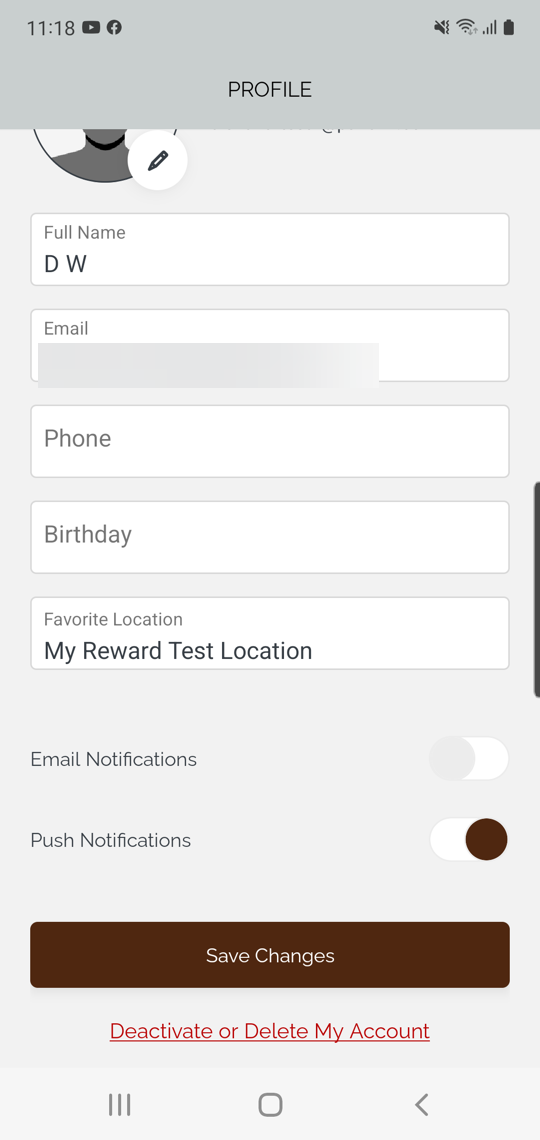
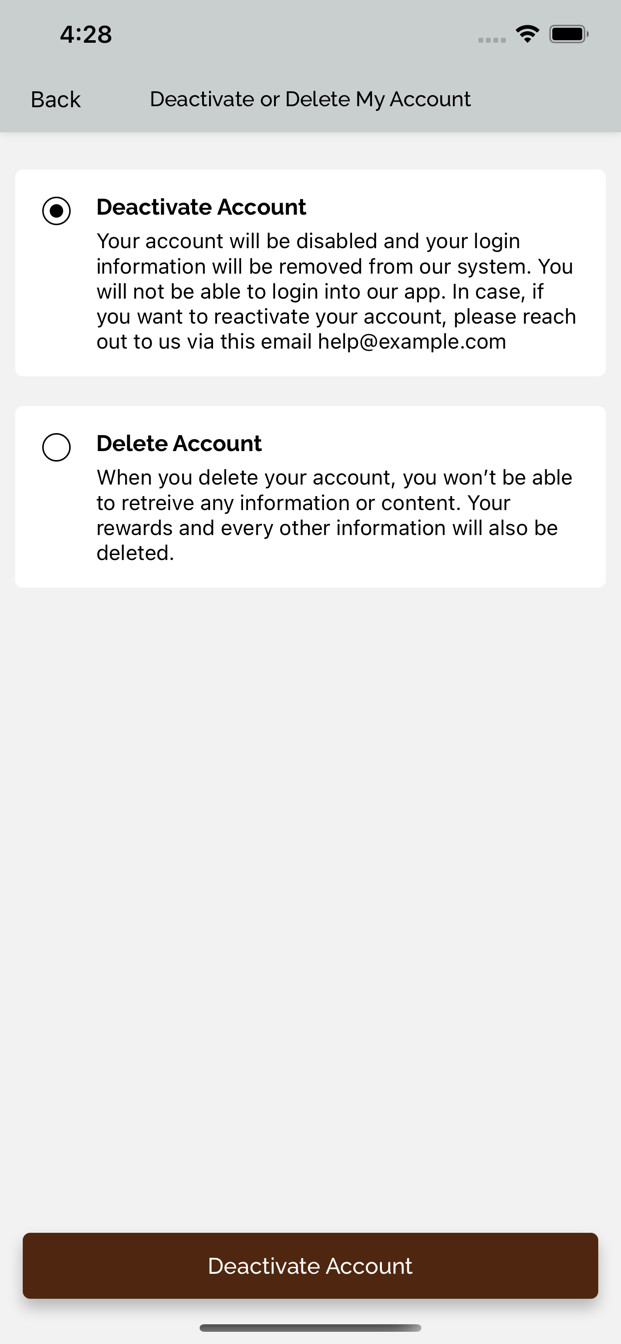
When you present these two options on a single screen, guests will see two boxes available for selection: one describing what it means to deactivate their account, and one describing what it means to delete their account. These descriptions of account deactivation and deletion can be changed from the Platform by a Punchh admin.
By default, the "Deactivate Account" option will be selected when the screen loads. At the bottom of the screen, there is a dynamic CTA button that says either "Deactivate Account" or "Delete Account", reflecting the option that is selected.
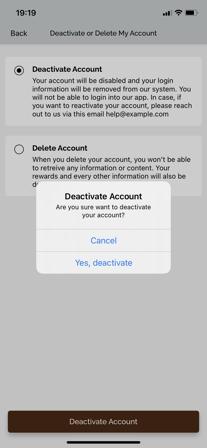
When a user taps the button for either option, a system pop-up will appear to confirm the action. After confirmation, their account will either be deactivated or deleted, a confirmation email will be sent, and they will be logged out of the app.
You can customize the confirmation emails on the Notification Templates screen in the Platform. These templates will only be visible if your business has enabled Account Deletion or Account Deactivation.
