How to Segment Non-Loyalty Members Using Ordering Data
 |
Check out Segment Types, Attributes, and Timeframe Definitions for an in-depth look at the different segment attributes and their definitions. |
|---|
Using the "Guests" Segment Type in the Segment Builder, you can target guests based on their online ordering behavior. The "Guests" option allows you to specifically target non-loyalty members so you can drive important loyalty KPIs. Targeting non-loyalty guests based on their online ordering history allows you to:
- Personalize your campaigns based on real transaction and location data even before guests sign up for loyalty
- Drive new signups by targeting non-loyalty guests from their very first visit
- Expand your marketing reach and improve ROI by engaging a larger and more relevant audience
A couple important call outs:
- This capability is possible for your brand only if you use Olo as your online ordering provider since segmenting non-loyalty members using ordering data requires Punchh ingest Olo webhooks.
- Segmenting non-loyalty members requires some backend business settings to be configured on the Punchh side. Contact your CSM to have these settings enabled.
Every online order, regardless of being placed by a loyalty member or a non-loyalty member using guest checkout, automatically creates and updates a profile in Punchh that houses loyalty member and non-member ordering data. When these guests opt in to receiving marketing communications, you can use these segments in your marketing campaigns to communicate with these guests.
Segment your non-loyalty members using visit attributes:
- Visit Count
- Visit Date
- Most Visited Location
- Last Visited Location
Here are some examples of segments configurations you can use to target your non-loyalty members.
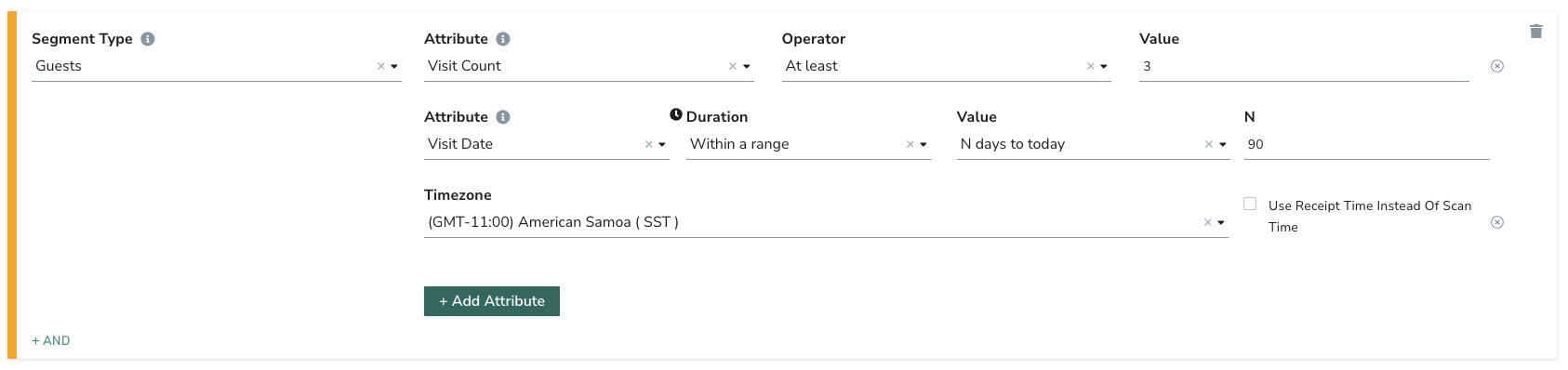
Non-loyalty guests who've visited at least 3x within the last 90 days:
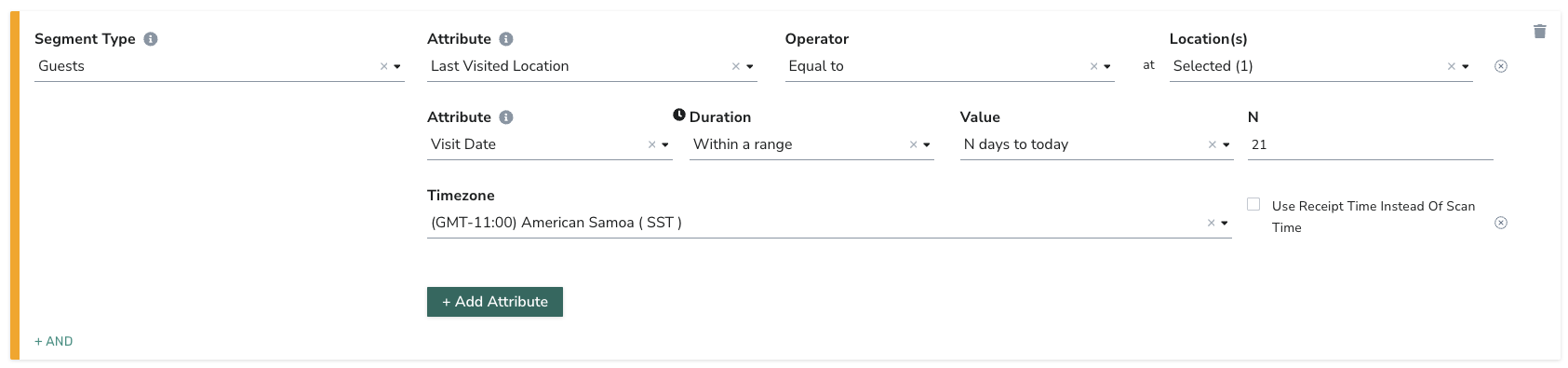
Non-loyalty guests whose most recent visit was within the last 21 days at a new store
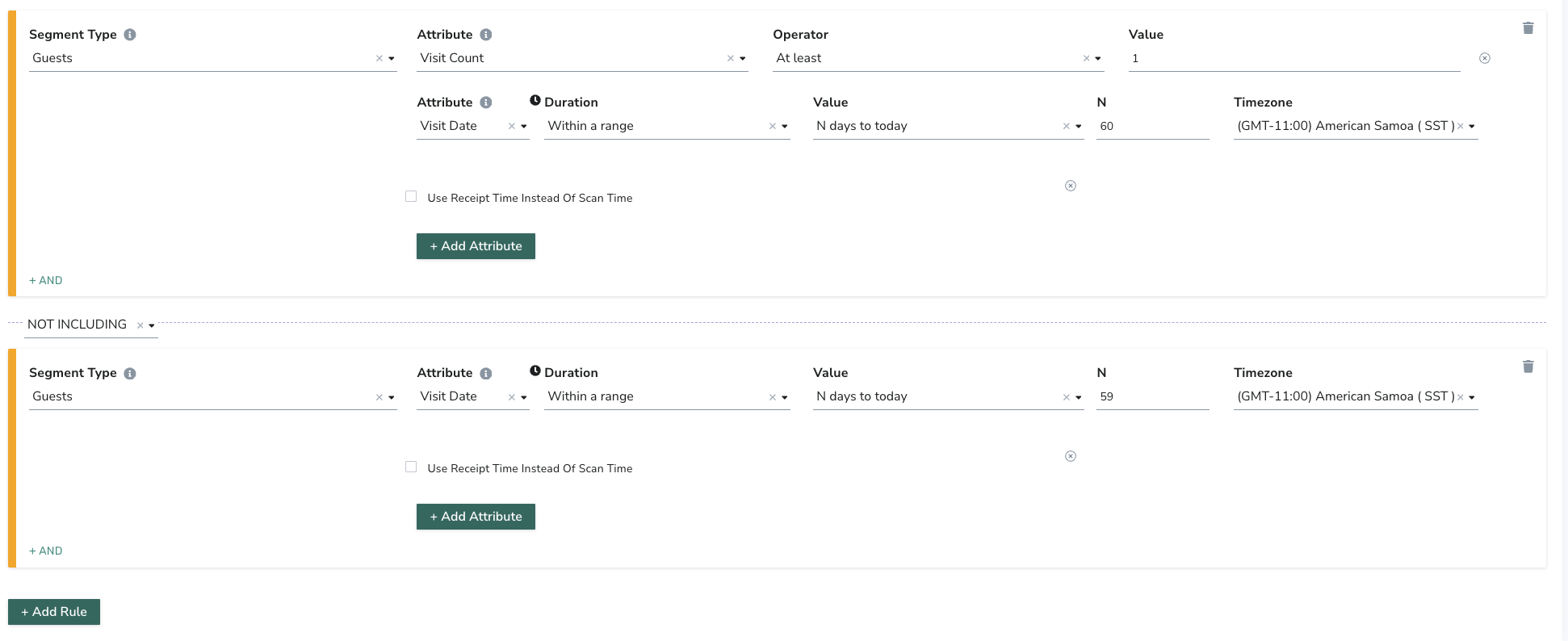
Non-loyalty guests who made their last online order 60 days ago