How to Segment Guests Based on What They Haven’t Done
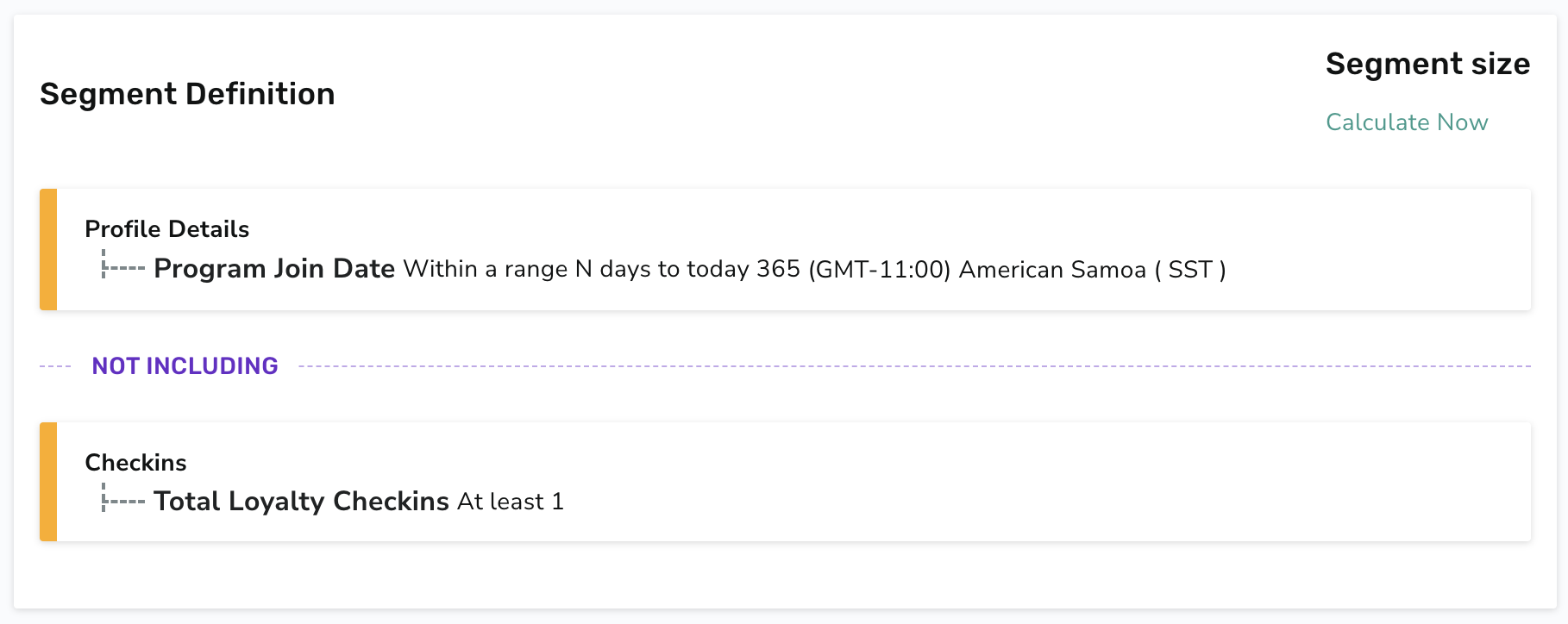
Many times when configuring segments for your campaigns, you're looking to target guests who have not performed a specific action. You might be trying to drive sales for a recently released menu item and you want to send an offer to guests who haven't purchased it yet. Or your goal may be to target guests who've signed up for your loyalty program but haven't made a visit yet because you want to nudge them to make their first order and start earning points.
In order to create a segment of guests who have not exhibited a certain behavior, the best practice is often to develop a segment where you simply exclude anyone who has performed that action. This is often the simplest approach since Punchh segments don't allow you to insert a value of 0 when using some attributes like Total Loyalty Checkins.
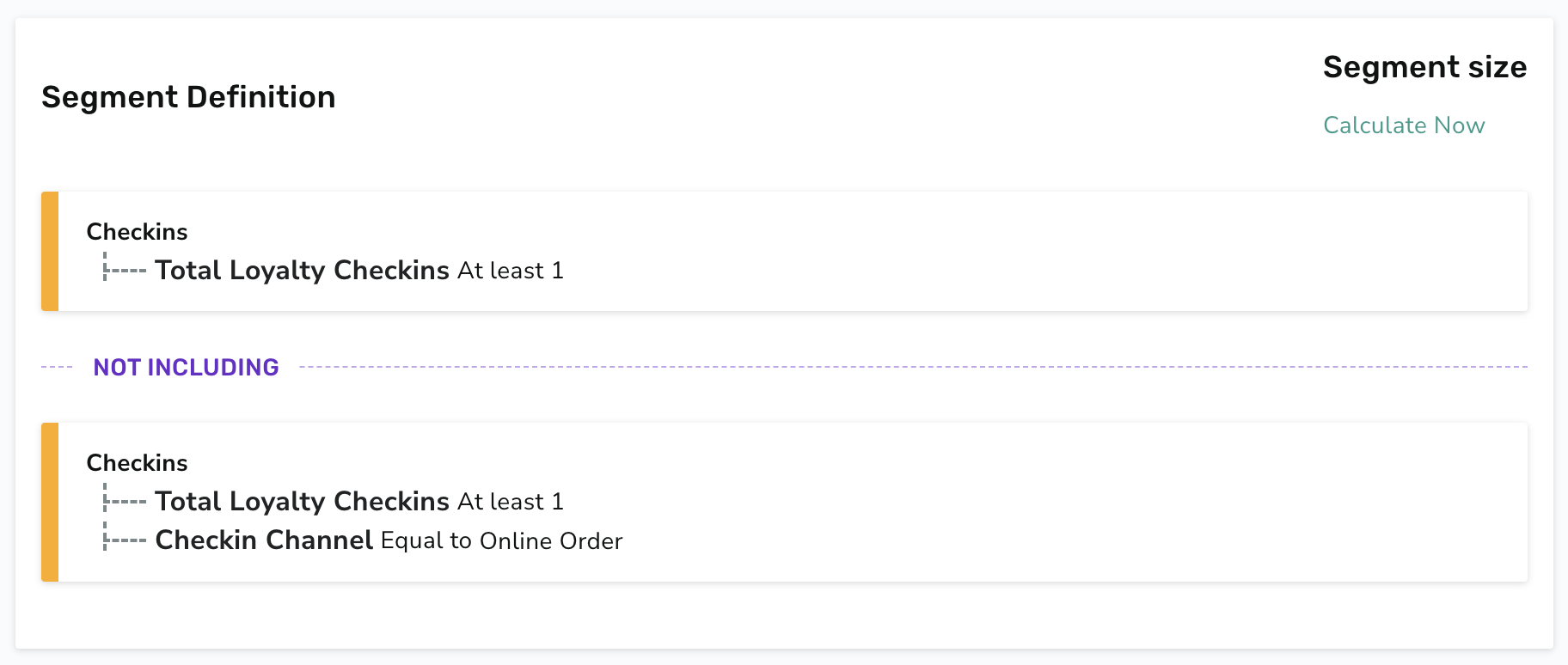
To do this, you'll need to set up your segment starting with a pool of guests so that then you can use the "Not Including" operator to exclude guests that you do not want to target. Check out the examples below to see how you'd create a segment like this.
Here's one example of a segment configured to target guests who haven't ordered online. This segment is set up to only include those with at least one visit so that it only includes guests with at least some purchase history.
Here's a second example of a segment targeting guests who've signed up for loyalty within the last year but haven't made their first visit yet.