Platform Navigation Overview
The Punchh Platform has been organized and designed in a way to make it easier to navigate and find what you're looking for. The platform utilizes a left-side panel to house all major sections of the platform. The contents of each section are now grouped based on related functionality with corresponding reports and analytics found in the same section.
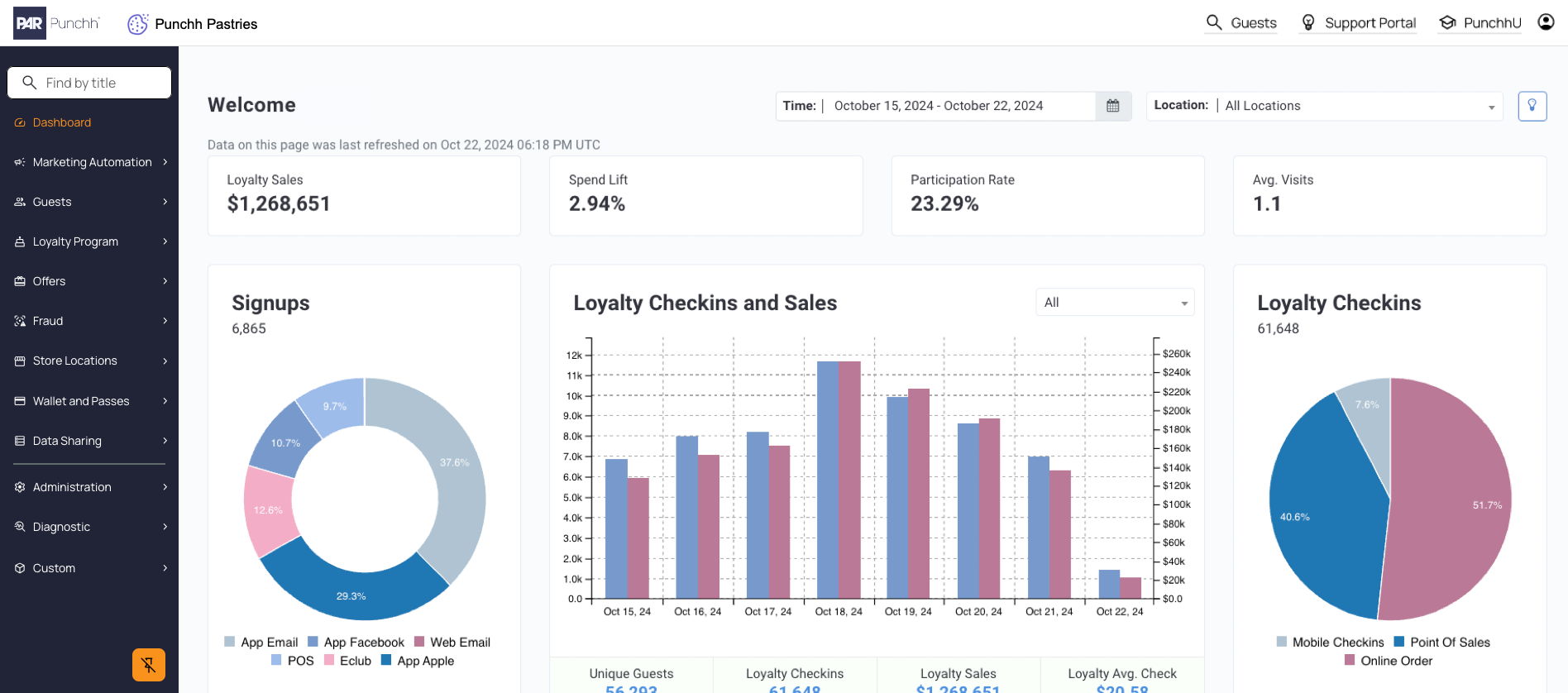
Main Sections
The main sections of the Punchh Platform house all the necessary tools to run a successful loyalty program. These sections are grouped together by common functionality and include any relevant metrics in the Analytics & Reporting sub-section.
Note: You may not see all these sections depending on your brand configuration, as well as your platform permissions.
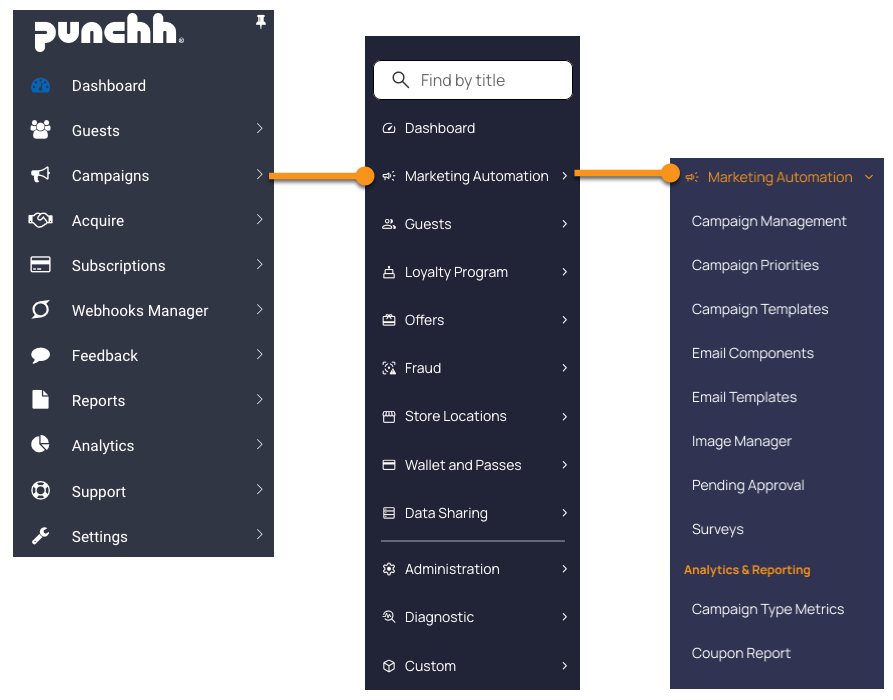
Dashboard
A comprehensive landing page with key loyalty program metrics and trends is at the top of the left side panel.
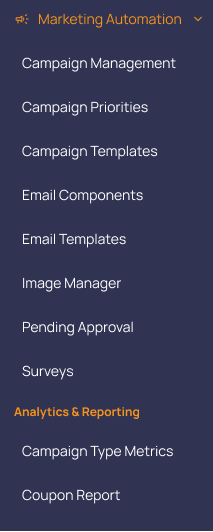
Marketing Automation
The Marketing Automation section encompasses all your Campaign, Email, and Marketing tools and reporting.
What's inside?
Note: You may not see all these pages depending on your brand configuration, as well as your platform permissions.
Guests
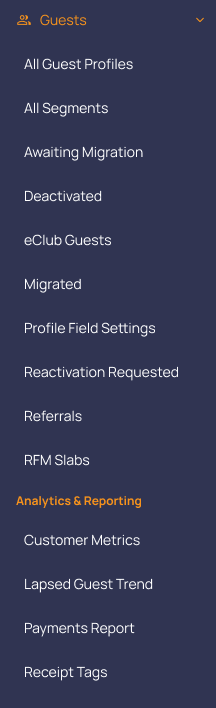
The Guests section is similar to the legacy version and contains your guest management tools, segmentation, and guest-based metrics.
What's inside?
Note: You may not see all these pages depending on your brand configuration, as well as your platform permissions.
Loyalty Program
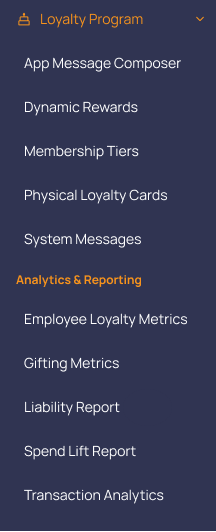
The Loyalty Program section contains all the tools you need to manage your loyalty program such as automatic messaging, membership tiers, and loyalty program metrics.
What's inside?
Note: You may not see all these pages depending on your brand configuration, as well as your platform permissions.
Offers
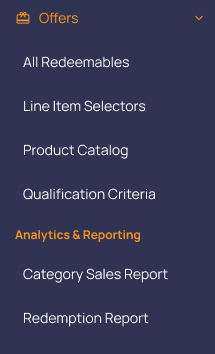
The Offers section is where you can find the tools for managing and creating redeemables, line item selectors, and qualification criteria.
What's inside?
Note: You may not see all these pages depending on your brand configuration, as well as your platform permissions.
Fraud
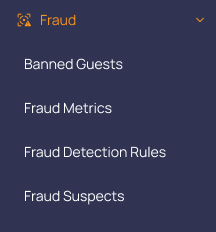
The Fraud section is where you can ban guests, review fraud suspects, and create fraud detection rules.
What's inside?
Note: You may not see all these pages depending on your brand configuration, as well as your platform permissions.
Store Locations
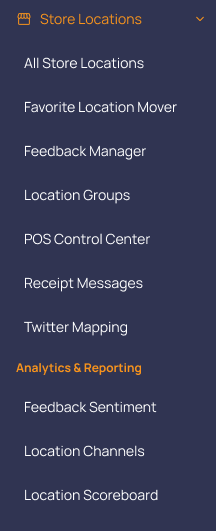
The Store Location section houses all your tools to create and manage your locations, including location groups, feedback management, and receipt messages.
What's inside?
Note: You may not see all these pages depending on your brand configuration, as well as your platform permissions.
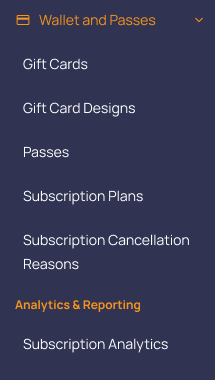
Wallet and Passes
The Wallet and Passes section is available to those who have Loyalty Pay, Digital Stored Value, Smart Passes, and/or Memberships.
What's inside?
Note: You may not see all these pages depending on your brand configuration, as well as your platform permissions.
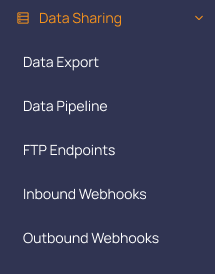
Data Sharing
The Data Sharing section contains all your data-related tools such as Data Exports, Data Pipeline, and Webhooks.
What's inside?
Note: You may not see all these pages depending on your brand configuration, as well as your platform permissions.
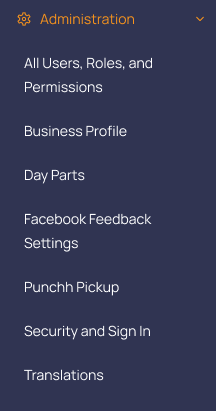
Administration
The Administration section allows you to manage your business settings within the Punchh Platform.
What's inside?
Note: You may not see all these pages depending on your brand configuration, as well as your platform permissions.
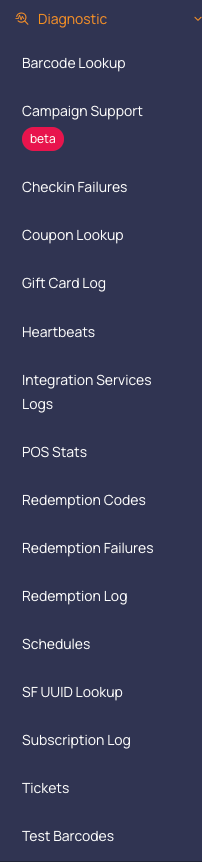
Diagnostic
The Diagnostic section serves the same function as the legacy "Support" section. Here you will find tools such as barcode or coupon lookup, and redemption codes.
What's inside?
Note: You may not see all these pages depending on your brand configuration, as well as your platform permissions.
Custom
If your business previously had any custom development done with Punchh, you may find those pages under the Custom section.
How to Find What You Need
We have added a new feature to our platform to help you find the page you need quickly. Use the Find by title field at the top of the left-side panel to find pages either by their existing or legacy name.
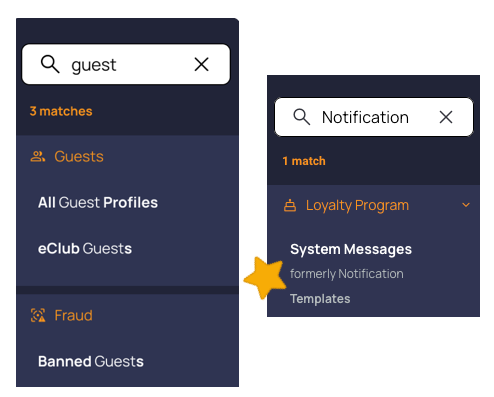
If you can't remember what a page name was changed to, or where it now sits in the platform, this feature will show you both the section and matching page names, as well as what it might have previously been called. This works even if you only enter a legacy page name.
