Printing: Credit, Electronic Receipt, Gift Card & Checkout
Credit
Contains printing controls for credit card drafts.
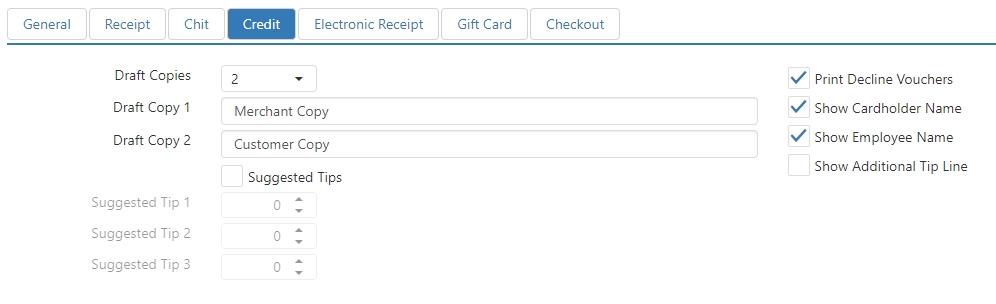
- Draft Copies: Number of credit drafts to print after a successful credit transaction.
- Draft Copy 1: Text to appear at the bottom of the first credit draft.
- Draft Copy 2: Text to appear at the bottom of the second credit draft. Only appears if Draft Copies is set to 2 or higher.
- Draft Copy 3: Text to appear at the bottom of the third credit draft. Only appears if Draft Copies is set to 3 or higher.
- Draft Copy 4: Text to appear at the bottom of the fourth credit draft. Only appears if Draft Copies is set to 4.
- Suggested Tips: Print sample tip calculations on the credit drafts as a percent of the order total.
- Print Decline Vouchers: Print a voucher when a credit transaction fails.
- Show Cardholder Name: Print the cardholder name read from the magnetic strip along with the transaction details on the receipt and credit drafts.
- Show Employee Name: Print the display name of the employee who processed the transaction in the header of the credit draft.
- Show Additional Tip Line: Prints a line to enter an additional tip amount when the credit draft's payment already has a tip entered.
Electronic Receipt
Contains controls for sending an electronic receipt to the customer.
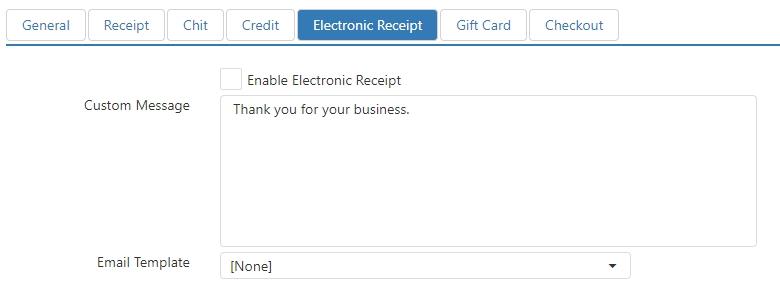
- Enable Electronic Receipt: `Electronic Receipt' button behavior can be executed.
- Custom Message: Message to be included in the body of the email, before the order details.
- Email Template: Email template to be used for the electronic receipt.
Gift Card
Contains printing controls for gift card drafts.
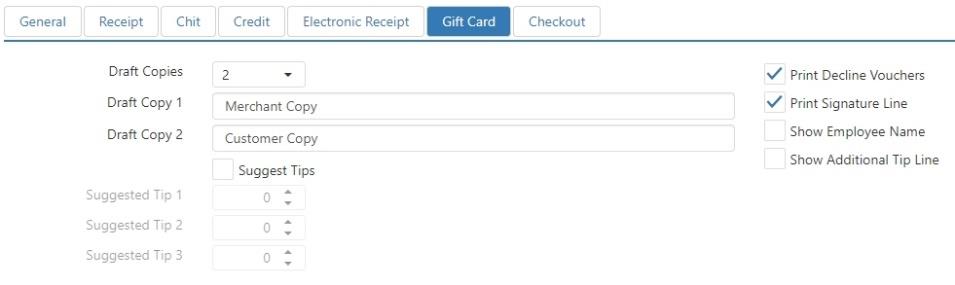
- Draft Copies: Number of gift card drafts to print after a successful gift card transaction.
- Draft Copy 1: Text to appear at the bottom of the first gift card draft.
- Draft Copy 2: Text to appear at the bottom of the second gift card draft. Only appears if Draft Copies is set to 2 or higher.
- Draft Copy 3: Text to appear at the bottom of the third gift card draft. Only appears if Draft Copies is set to 3 or higher.
- Draft Copy 4: Text to appear at the bottom of the fourth gift card draft. Only appears if Draft Copies is set to 4.
- Suggested Tips: Print sample tip calculations on the gift card drafts as a percent of the order total.
- Print Decline Vouchers: Print a voucher when a gift card transaction fails.
- Print Signature Line: Print a place to sign on the gift card drafts.
- Show Employee Name: Print the display name of the employee who processed the transaction in the header of the gift card draft.
- Show Additional Tip Line: Prints a line to enter an additional tip amount when the gift card draft's payment already has a tip entered.
Checkout
Contains printing controls for drawer checkout.
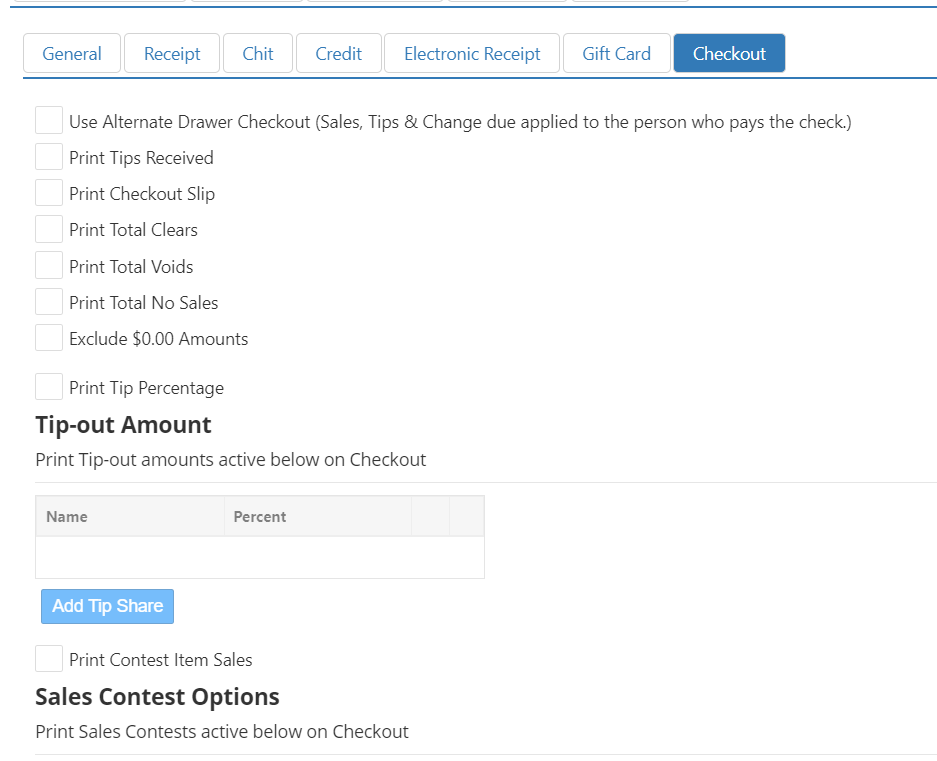
- Use Alternate Drawer Checkout: For Table Service. Applies check info (sales, tip, change, etc.) to the employee that closes out the check (if different from the employee that opened the check).
- Print Tips Received: Prints tip details on the bottom of the checkout slip, including tips received and tips owed.
- Print Checkout Slip: Prints checkout slip when cash drawer is checked out via `Manage Drawers' screen or by the end of day process.
- Print Total Clears: Prints the total number of items that were deleted from orders before the order was sent to the kitchen. This includes items deleted using the 'Clear' button behavior and the 'Delete' button behavior.
- Print Total Voids: Prints the total number of items that were deleted from orders after the order was sent to the kitchen.
- Print Total No Sales: Prints the total number of times the cash drawer was opened without a sale being rung up.
- Exclude $0.00 Amounts: Excludes any categories with zero balances from being printed on the checkout report.
- Print Tip Percentage: Prints suggested tip percentages on the guest check.
- Add Tip Share: Percent of employee's tips that are shared with other employees.
- Print Contest Item Sales: Includes item group sales on the employee checkout slip. Useful for contest tracking and promotes upselling.
