Staff: Security Levels
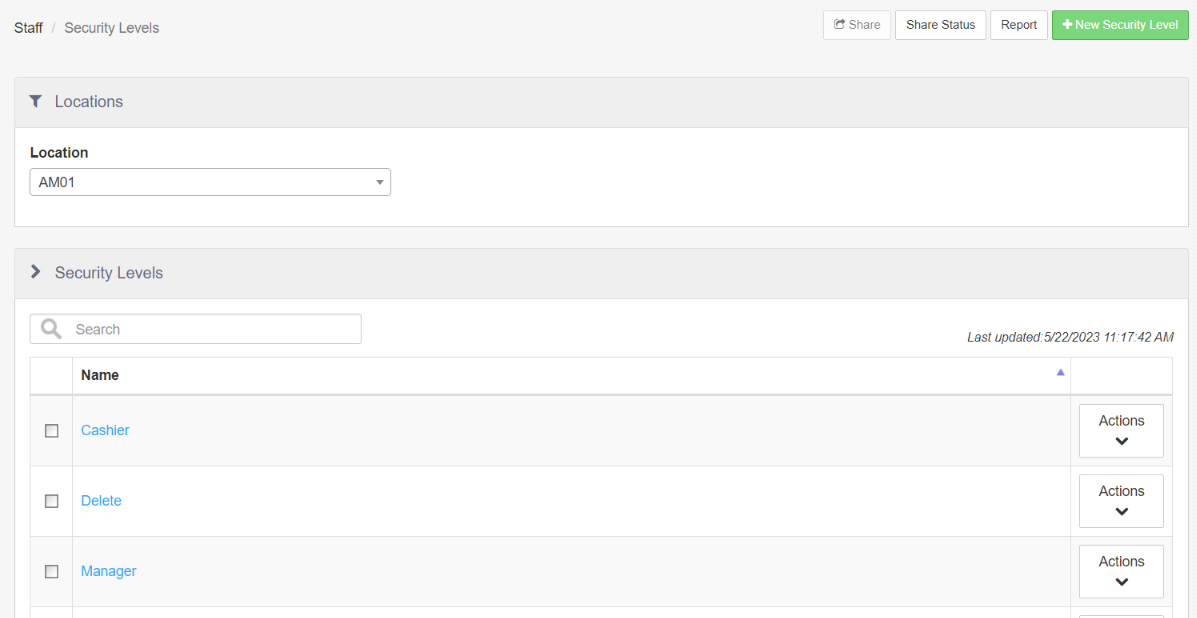
Actions available on the Security Levels landing page include:
-
Report: Links to the "Staff Sharing Audit" report.
-
Edit Security Level: Select a security level from the list to edit.
-
+ New Security Level: Allows the user to create a new security level.
-
Location: Location dropdown to access different locations.
Security Level Screen
- Name: Name of the security level.
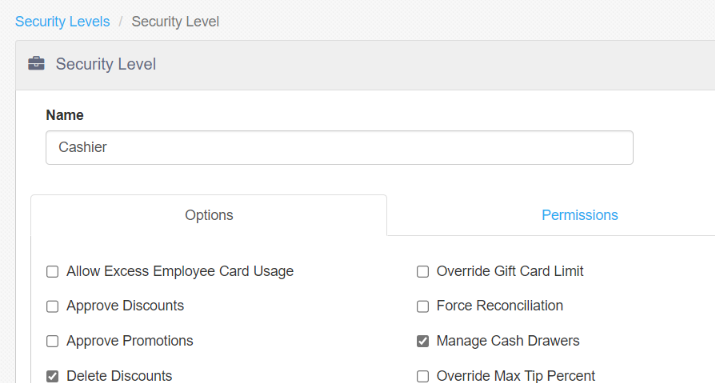
Options Tab
| Option | Description |
|---|---|
| Allow Excess Employee Card Usage | Employee can authorize employee discount amounts that exceed those defined for the receiving employee |
| Approve Discounts | Employee can apply discounts via the "Discount" button behavior that has "Requires Approval" enabled. |
| Approve Promotions | Employee can apply promotions via the "Promotion" button behavior that has "Requires Approval" enabled |
| Delete Discounts | Employee can delete discounts from any order |
| Delete Promotions | Employee can delete promotions from any order |
| Approve Clock In | Employee can authorize employees to clock in if job has "Requires Approval to Clock In" enabled, or the current time is outside of the allowable time variance for the employee's scheduled shift or break |
| Assign Charity | Employee can execute the "Assign Charity" button behavior |
| Add Surcharges | Employee can execute the "Surcharge" button behavior |
| Override Daily Loyalty Card Limit | No longer supported as of March 31st, 2024 |
| Delete Deposits | Employee can delete deposits on future date orders |
| Delete Payments | Employee can delete payments applied to any order |
| Force Authorization | Employee can select the Voice button on the "Credit Card" payment dialog used for offline credit authorizations |
| Approve Order Request Time | Employee can authorize future order request times that are outside of business hours defined in Options > Location |
| Can Close Orders Assigned to Delivery Drivers | Employee can close open orders that are assigned to employees clocked in under a job with "Delivery Driver" enabled. |
| Can Adjust Tips from any Till | Employee has access to all credit transactions via the "Adjust Tips" screen, rather than just the transactions processed on the till they currently have access to |
| Can Recall Orders Without Cash Drawer Assignment | Employee can recall and edit an EXTERNAL(API) order from the Recall Order screen, even if they are not currently assigned to a cash drawer |
| Can Take Non-Cash Payments Without Cash Drawer Assignment | Employee can adjust the tender of an EXTERNAl (API) order |
| Override Gift Card Limit | Employee can override amount limitations on gift card transactions, issuance, and reload |
| Force Reconciliation | Employee can authorize checkout when the declared cash amount is outside of the allowable variance |
| Manage Cash Drawers | Employee can execute the "Manage Cash Drawers" button behavior |
| Override Max Tip Percent | Employee can authorize tip adjustments that are greater than the allowable amount defined on the tender |
| Split Check | Employee can execute the "Split Order" button behavior |
| Split Items | Employee can split items from the "Split Order" screen |
| Void Items and Modifiers | Employee can delete sent items and modifiers from any order |
| Approve Clock Out and Tip Declaration | Employee can authorize clock-in and tip declaration for jobs that have "Requires Approval to Clock Out" enabled, or the current time is outside of the allowable time variance for the employee's scheduled shift or break |
| Delete Donations | Employee can delete charities assigned to any order |
| Delete Surcharges | Employee can delete surcharges from any order |
| Approve Checkout | Employee can authorize other employees, whose job has "Requires Approval to Checkout" enabled, to execute the "Checkout" button behavior |
| Approve Loyalty Cards | No longer supported as of March 31st, 2024 |
| Reopen Orders | Employee can reopen orders via the "Recall Order" screen, or by executing the "Reopen Order" button behavior |
| Can Open any Drawer | Employee can execute the "Open Cash Drawer" button behavior for any cash drawer that is not public and they are not assigned to |
| Can Use Tills Owned by Others | Employee can process transactions against tills assigned to other employees |
| Allow Enhanced Refunds | Presents the employee with Enhanced Refunds workflow on the register. |
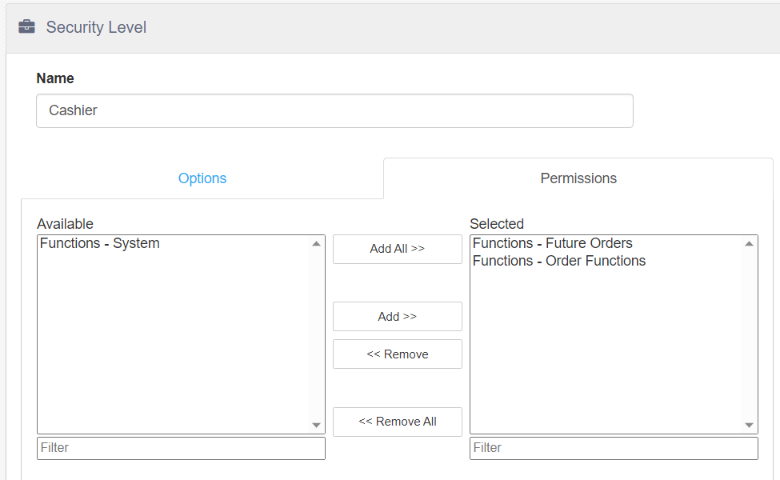
Permissions Tab
Permissions granted to employees logged in under the security level. Permissions are defined on the Permissions page (see Permissions). Permissions may be assigned to security levels either here or in the Edit Permission dialog. Changing it in one place automatically changes it in the other.