Sales and Labor by Hour Report
The Sales and Labor by Hour report displays net or gross sales data, labor statistics, and other information for the reporting period broken down by hour of the day. It is run by going to Reports > Sales Summaries > Hourly Sales and Labor in the Administrator Portal.
Example Sales and Labor by Hour report
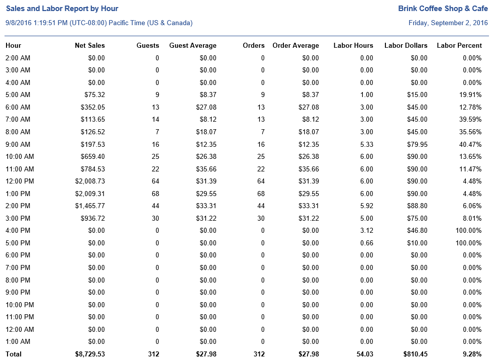
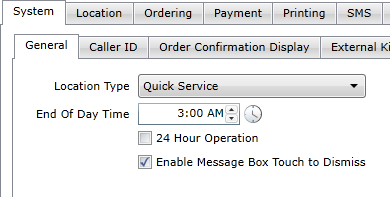
The hour that is displayed at the top of the report is the hour set in the End of Day Time field under Options > System > General. This defaults to 12:00 AM, but can be set to a different time if the location's hours extend past midnight.
End of Day Time field on the Options > System > General tab
Report Options
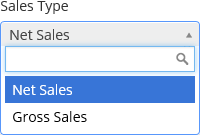
The Sales and Labor by Hour report can be configured to display either net sales or gross sales. This is set using the Sales Type drop-down list.
Sales Type drop-down list
| Field | Description |
|---|---|
| Hour | Displays the hour that each line represents. All hours are displayed, even if there are no sales or labor data to present. |
| Gross/Net Sales | Displays the gross sales or net sales reporting during that hour of the day for all days within the reporting period, with a total at the bottom. |
| Guests | The total number of orders multiplied by a factor defined in Options > Accounting > Guest Counts in Settings Editor, with a total at the bottom. |
| Guest Average | Gross/Net Sales ÷ Guests |
| Orders | The total number of orders for that hour of the day during the reporting period, with a total at the bottom. |
| Order Average | Gross/Net Sales ÷ Orders |
| Labor Hours | The total number of hours worked by all employees during that hour of the day for all days within the reporting period, with a total at the bottom. |
| Labor Dollars | The total cost of all labor during that hour of the day for all days within the reporting period, with a total at the bottom. |
| Labor Percent | Labor Dollars ÷ Gross/Net Sales × 100. For any hour that has no Labor Hours, the percentage displayed is 0.00%. For any hour that has Labor Hours but no Gross/Net Sales, the percentage displayed is 100.00%. |
