Hourly Sales by Destination Report
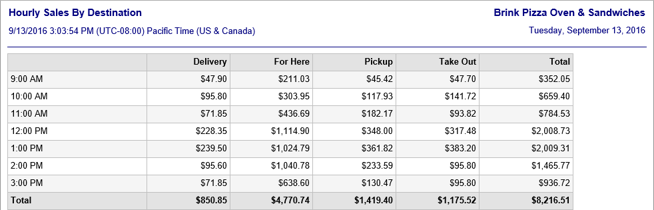
The Hourly Sales by Destination report displays gross sales or net sales data broken down by hour of the day and destination (as defined on the Destinations page of Settings Editor). It is run by going to Reports > Sales Summaries > Hourly Sales by Destination in the Administrator Portal.
Example Hour Sales by Destination report
Report Options
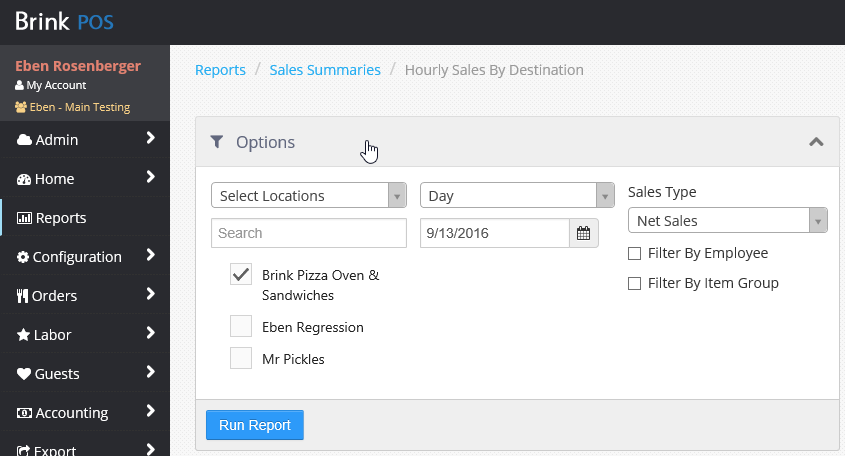
The Hourly Sales by Destination report is highly configurable. In addition to specifying location and time period, you can specify gross or net sales and you can filter by Employee or Item Group.
Hourly Sales by Destination report options
Sales Type
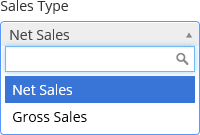
The Sales Type drop-down list allows you to select whether the report shows gross sales or net sales.
Sales Type drop-down list
Filters
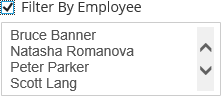
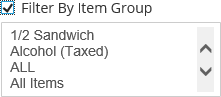
Checking the Filter By Employee check box or the Filter By Item Group check box allows you to narrow the scope of the report to specific employees, specific item groups, or both. The lists allow multiple selections. Select a range by Shift-clicking. Select multiple individual items in the list by Ctrl-clicking.
Filter by Employee (left) and Filter by Item Group (right)
| Field | Description |
|---|---|
| Hour | Displays the hour that each line represents. Hours for which there are no sales are not displayed. |
| Destination | There is one column for each destination defined on the Destinations page of Settings Editor. Each line displays the sales for each destination for that hour. A total for each destination is displayed at the bottom. |
| Total | Displays the total sales for each hour, with a grand total at the bottom. |
