Prior Day Partial Refund with PAR Pay
To process a partial refund for a previous day using PAR Pay, utilize the Virtual Terminal on the StorePlace portal.
- Login to StorePlace Portal.
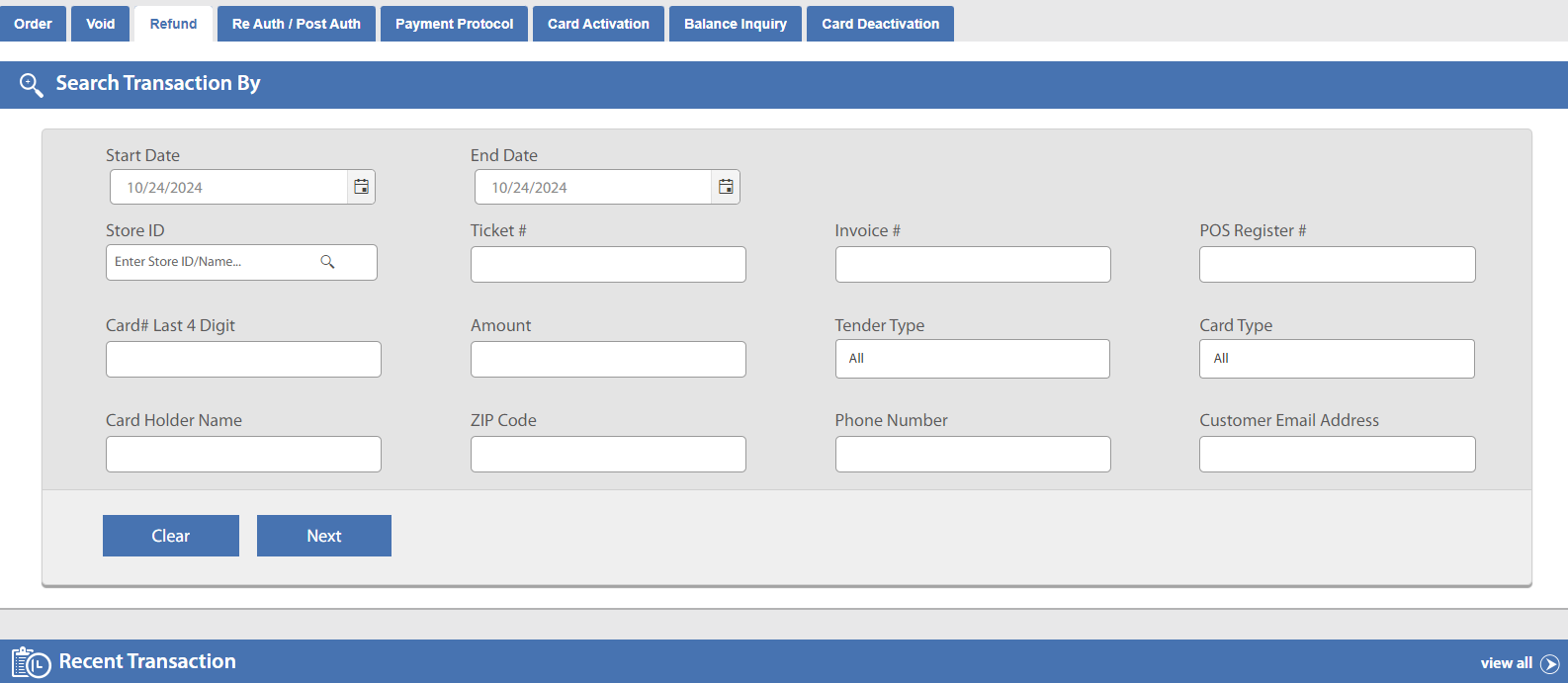
- Navigate to the Virtual Terminal tab and select the "Refund" tab.
- Users can refund by using:
- Transaction Details: Enter Ticket Number, Invoice Number, Amount, Tender Type, Card Type, Start Date, End Date, etc.
- Store Details: Enter Store ID, POS Register Number, Start Date, End Date.
- Card Info: Enter Last 4 Digits of the Card, Amount, Start Date, End Date.
- Customer Info: Enter Card Holder Name, Zip/Postal Code, Phone Number, Email.
-
Users may also find the desired transaction within "Recent Transaction (Today)" or by using "View All" (with the use of Advance Filter) field. Advance Filter allows the user to search transactions in a variety of various categories.
-
Once the transaction is located, click on the Ticket Number to open the Transaction Details page.
-
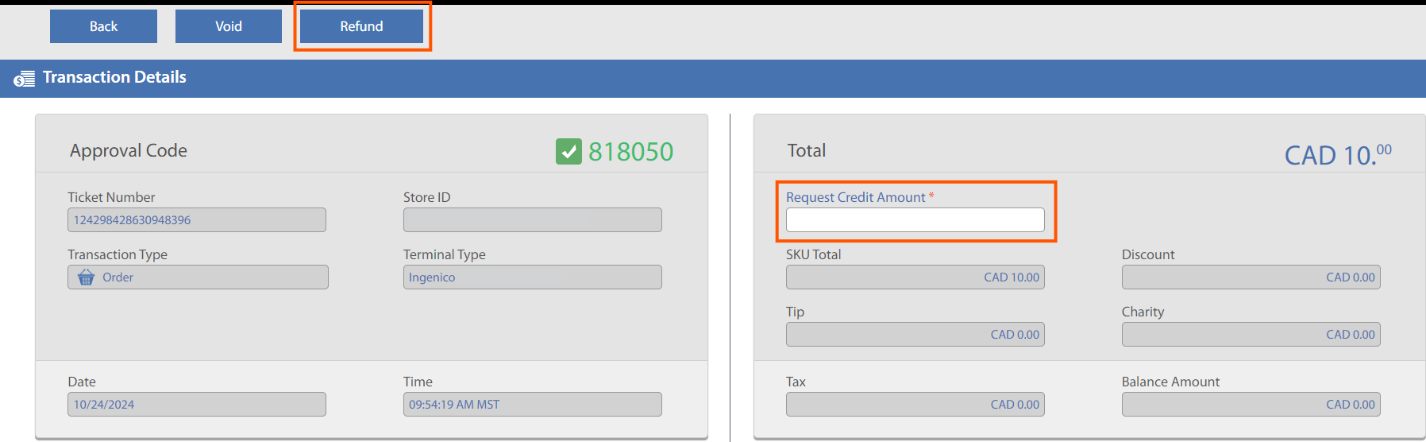
On the Transaction Details page, users can access card details, billing shipping info, SKU details, Transaction Notes, Transaction History, and Transaction logs. Under the SKU details grid, there is column for product description.
-
Enter the amount to be refunded in "Requested Amount" field and click the "Refund" button.
-
The transaction amount is refunded, the Portal displays the refund message along with all transaction details, and a receipt is sent to the user and store owner via their registered email ID along with all the transaction details like card info, amount details, audit trail, etc.
