PAR Pay Refund without Card Present Feature
Previously, processing a refund required the cashier to create a new order, add the items to be refunded, and ask the guest to present their card again to complete the refund.
With this new refund feature, PAR Pay enables customers to refund a guest's order without requiring the guest to provide their card again. Instead of creating a new order in PAR Pay when a refund is requested, a cashier can process item-based refunds by re-opening a closed order, selecting the item(s) to be refunded, and selecting the REFUND button.
Note:
- To enable this feature: Ensure the cashier has the necessary permissions granted to re-open closed orders.
- To disable this feature: Remove the permissions that allow the cashier to re-open closed orders.
Feature Workflow
- Re-open the closed order the refund is to be applied to.
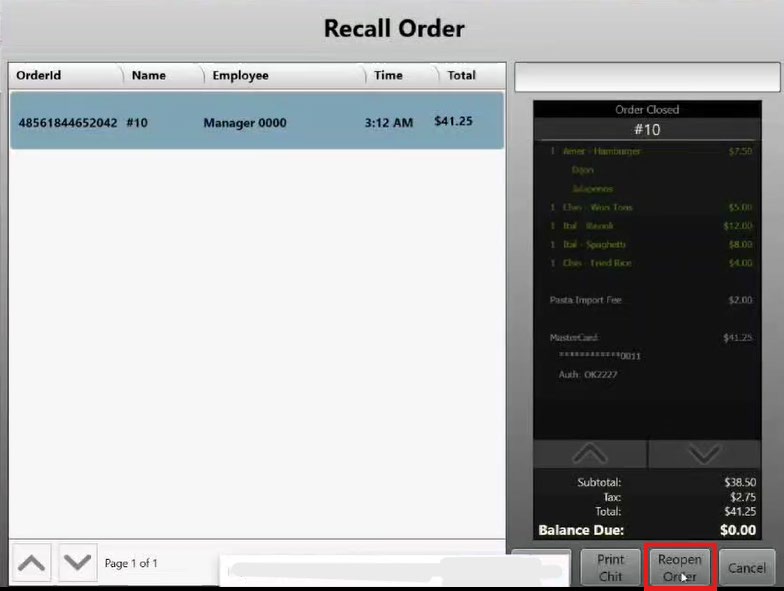
- Select the item(s) to be refunded on the order and select Delete.
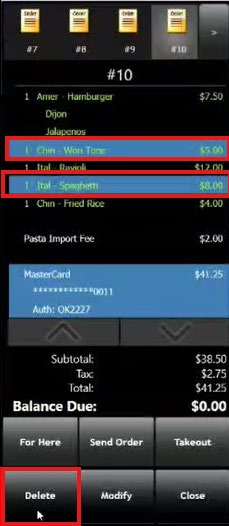
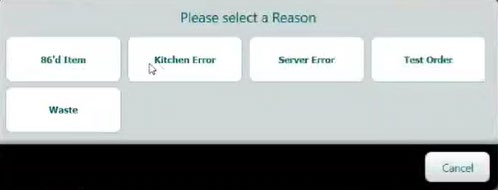
- Select a reason code for the deletion.
- Select the original payment method on the order and select Delete.
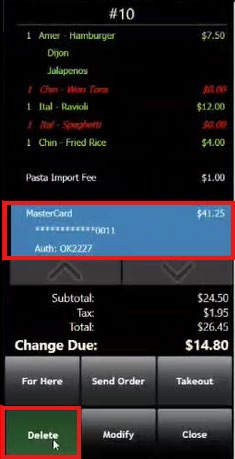
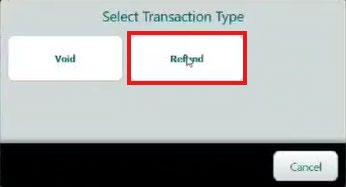
- Select the "Refund" transaction type.
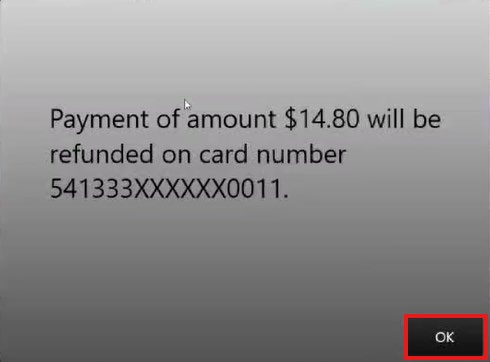
- The following message displays on the screen specifying the payment amount refunded to the card.
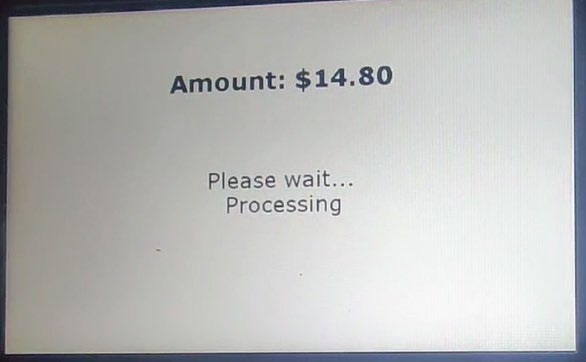
- The payment device will show the refund amount processing.
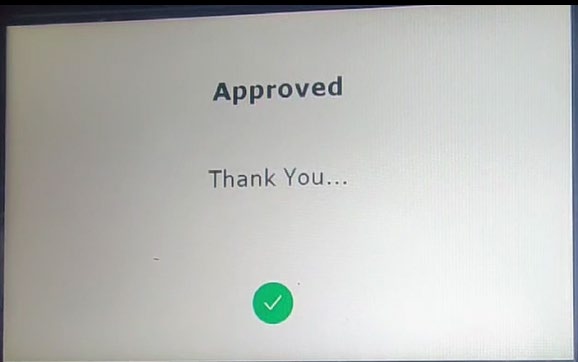
- Once complete, the payment device displays "Approved".
- On the POS, the refund amount is reflected on the order.
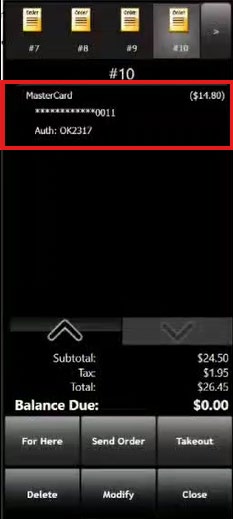
- Select Close to exit the order.
