Getting to Know the PAR Tablet 8
Take some time to review the features, buttons, and ports on the PAR Tablet 8.
Front View
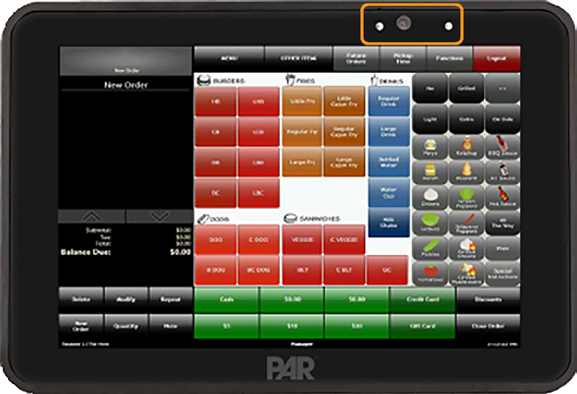
Features found on the front of the tablet:
- Ambient light sensor
- Front microphone
- Front camera
- Active camera LED indicator
Top View
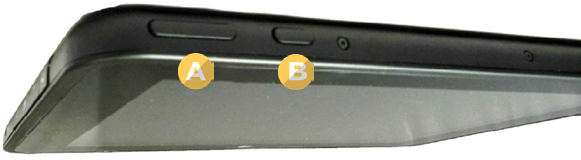
Buttons found on the top of the tablet:
- A. Volume buttons
- B. Power button
Bottom View
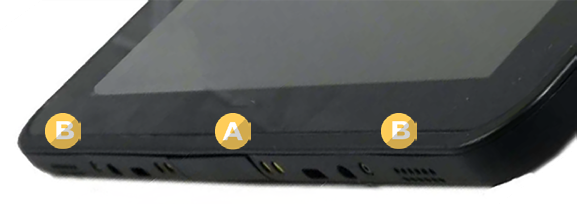
Features and ports found on the bottom of the tablet:
- A. Docking port
- B. Speakers (2)
Right View
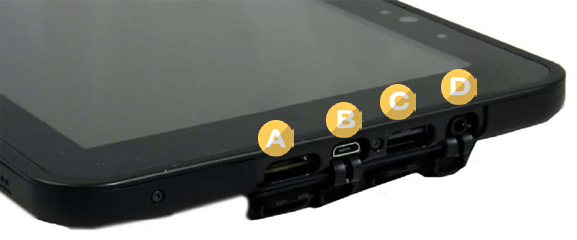
Ports found on the right side of the tablet:
- A. Micro-SDXC card slot
- B. Micro-USB port
- C. USB 2.0 port
- D. Audio jack
Rear View
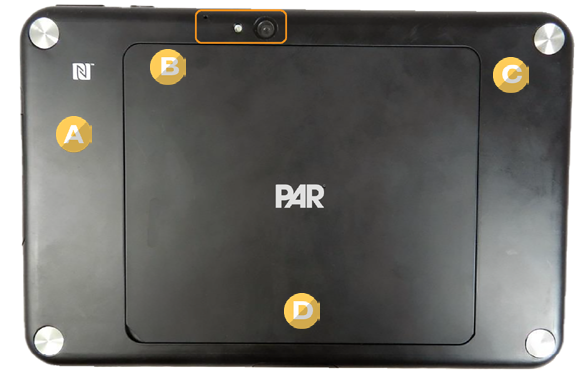
Features found on the back of the tablet:
- A. NFC antenna
- B. Rear microphone, flash, and camera
- C. Mechanical fix points (4 points located behind covers)
- D. Battery Cover
Accessories
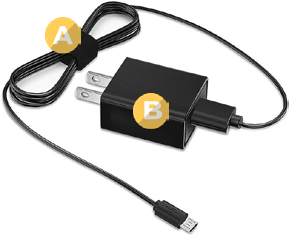
Micro-USB charging cable:
- A. Micro-USB interface cable
- B. Power plug
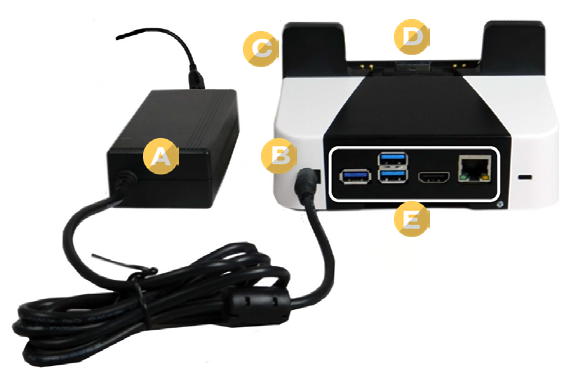
Docking Station (Optional):
- A. Power supply and cords
- B. Power connection
- C. Release button
- D. Tablet connection
- E. Connection panel
If you have more questions about this device, please reach out to our Support team by sending an email to support.parpossoftware@partech.com.
