Getting to Know the PAR Phase Terminal
Take some time to review the features, buttons, and ports on the PAR Phase Terminal.
Remove the terminal from the box by grasping the sides of the foam end caps to slide the terminal out. DO NOT pull the terminal out of the box by lifting the plastic bag. This may result in damage to the terminal.
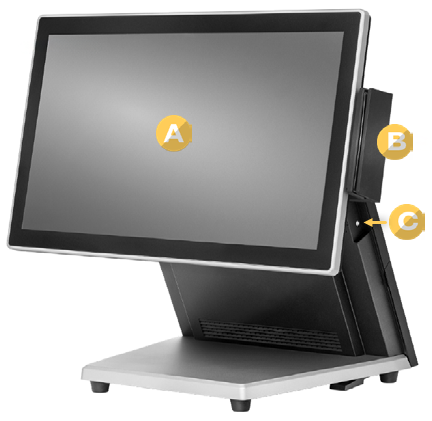
Front View
Features found on the front of the terminal:
- A. Touch Screen
- B. Magnetic Swipe Reader (optional)
- C. Power Button
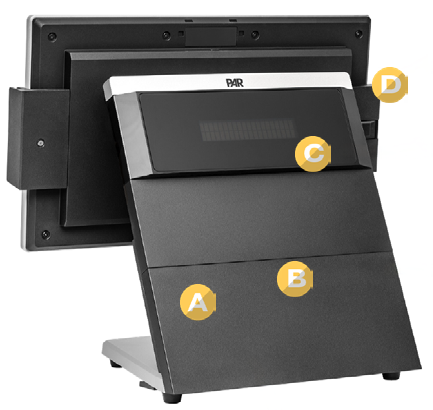
Back View
Features found on the back of the terminal:
- A. Access Door
- B. Cable Connections (concealed by access door)
- C. Customer Display
- D. Biometric Fingerprint Reader (optional)
If you have additional questions about the PAR Phase terminal, please reach out to our Support team by sending an email to support.parpossoftware@partech.com.
