How to Remove the Battery from the PAR Tablet 8
Follow these instructions if you need to remove the battery from your tablet.
Tablet Battery Removal
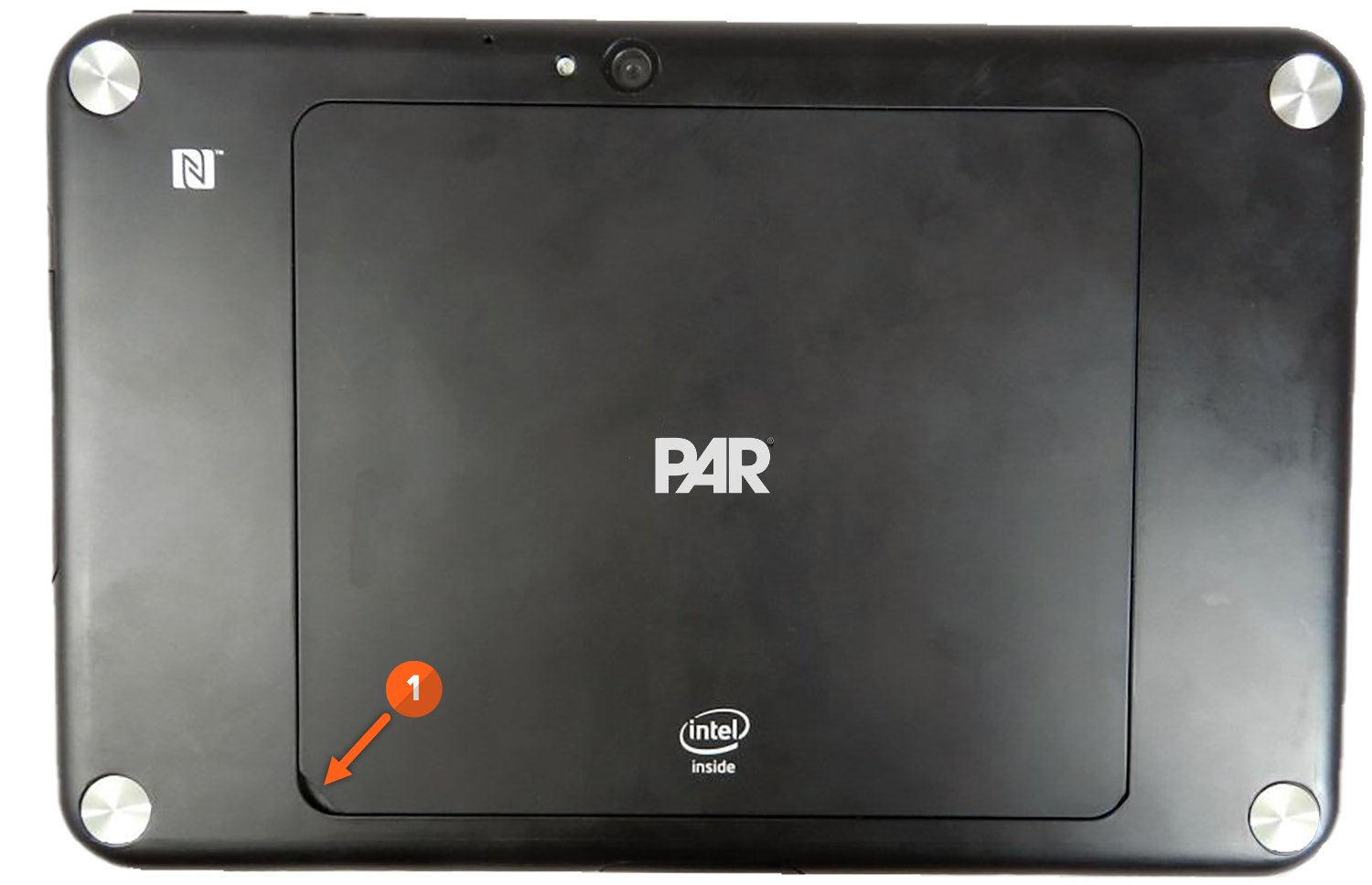
- Remove the Battery Door by lifting the small access area on the back cover.
Note: Do not use any tools or sharp instruments to remove the battery door.
- Pull the Red Tab to remove the battery from the tablet.
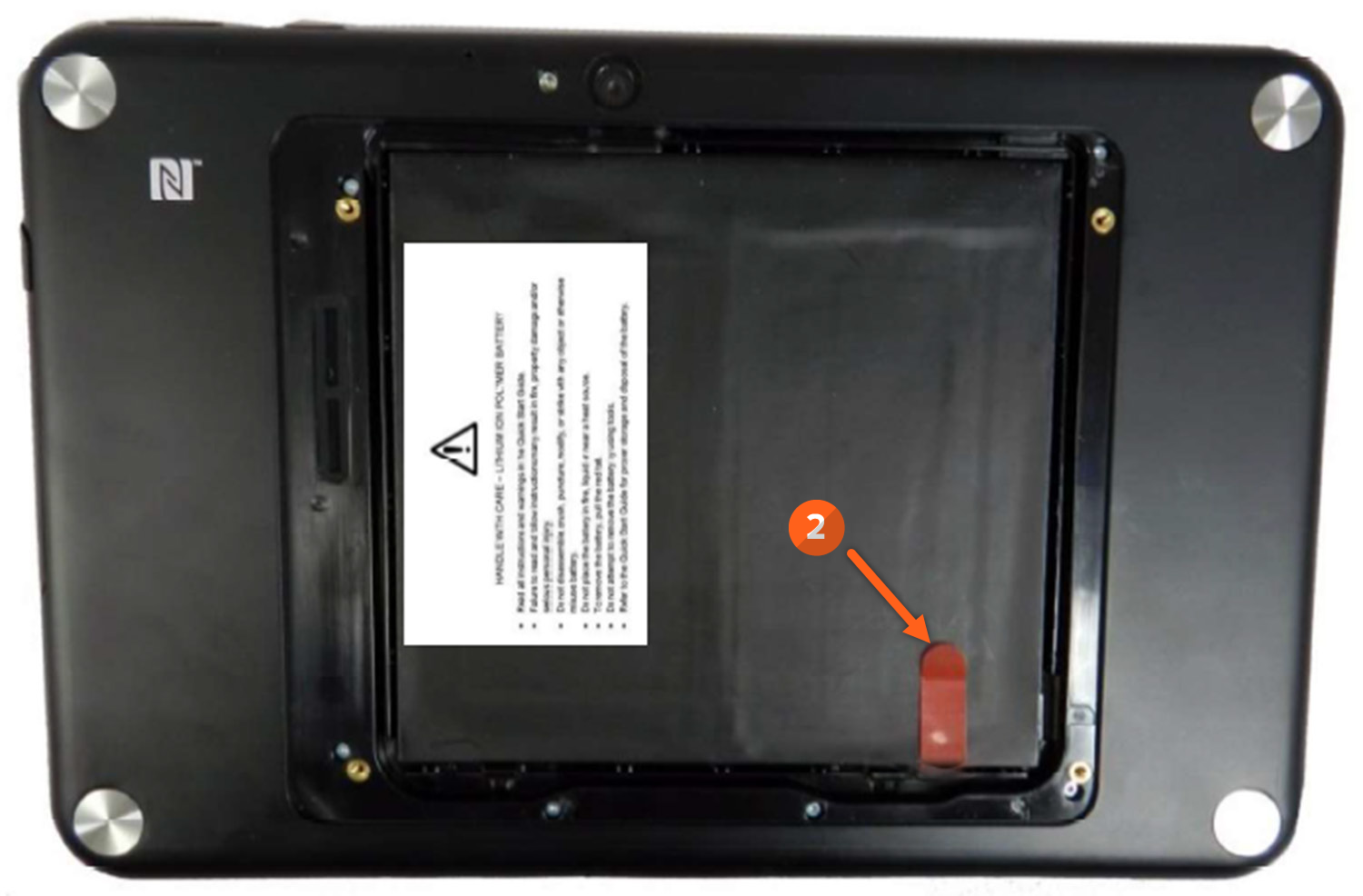
Refer to the owner's manual for important Product and Safety information as well as proper storage and recycling procedures.
If you have questions about battery removal or requesting service, please reach out to our Support team by sending an email to support.parpossoftware@partech.com.
