Install an Ingenico Payment Device With a ComBox
Introduction
By installing an Ingenico Payment Device with an Ingenico ComBox, you enable the Register and Payment Device to share a LAN connection, with the ComBox functioning as a two-port switch. To complete the installation, you will require:
-
Ingenico Payment Device
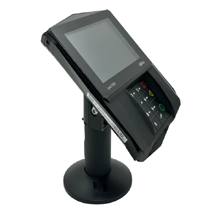
-
Ingenico ComBox
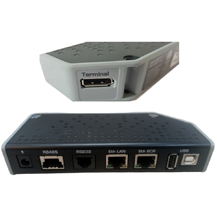
-
Ingenico Terminal Cable
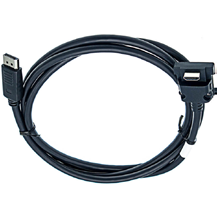
-
Ingenico ComBox Power Adapter
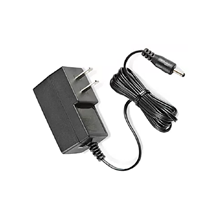
-
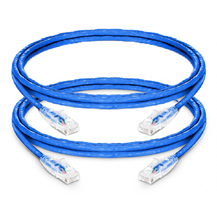
(2) RJ-45 LAN cables (color may vary)
-
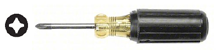
Phillips screwdriver
When an Ingenico Payment Device is staged as Registered, it is mapped to a specific POS Register. Registered Ingenico Payment Devices are labeled (i.e. Store XXXXXX REG1) so the end-user knows where to physically install the device.
If the device is staged as SPARE, then the device will need to be registered after the physical setup (see Step 6).
Step 1: Connect Terminal Cable to Device
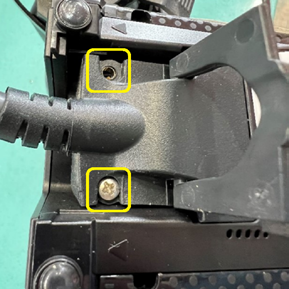
With the device off the stand, lift the handle to access the two screws holding the Terminal Cable in place.
Remove both screws with the screwdriver and lift the handle to remove it from the device.
Note: If present, remove the existing Y-Adapter.
Plug the HDMI end of the Terminal Cable into the payment device.
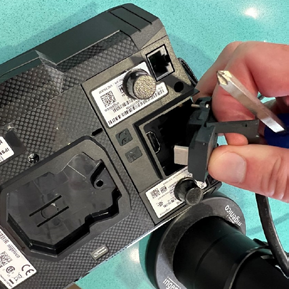
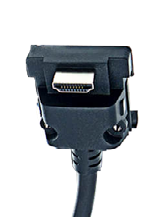
Screw in the 2 Phillips screws to secure in the Terminal Cable in place, then replace the handle.
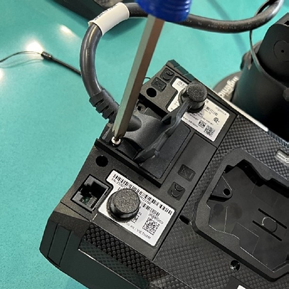
Step 2: Connect Terminal Cable to ComBox
Route the other end of the Terminal Cable through the counter (if applicable) and plug it into the Terminal port on the ComBox.
Note: The Terminal Cable provides LAN connectivity and power to the payment device.
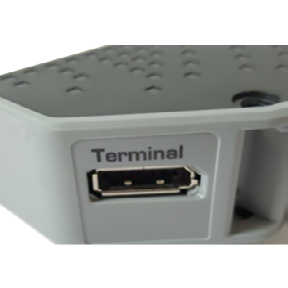
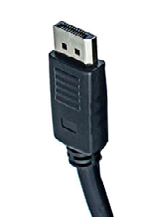
Step 3: Connect Register LAN Cable
Plug one end of the first LAN cable into the LAN Port on the register.
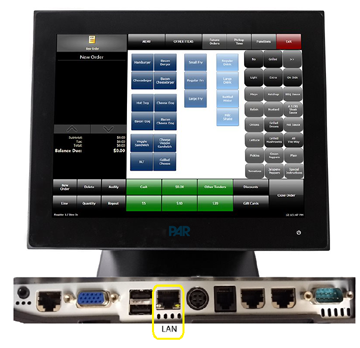
Plug the other end of the first LAN cable into the Eth ECR port on the ComBox.
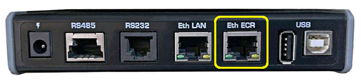
Step 4: Connect ComBox LAN Cable
Plug one end of the second LAN cable into the Eth LAN Port on ComBox.
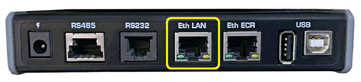
Plug the other end of the second LAN cable into the LAN port under the counter, or an open port on the switch, depending on the store layout.
Step 5: Connect AC Adapter to ComBox
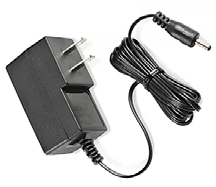
Plug the round end of the power adapter into the power port of the ComBox.
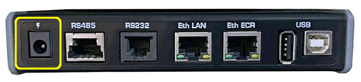
Plug the other end of the power cable adapter into the power wall AC outlet.
Note: Repeat steps 1 through 5 to install any other Ingenico Payment Devices using a ComBox.
Step 6: Register Device
If the device was sent to the store as a SPARE, contact PAR Support at 800-403-9027 to complete the registration of the device.
