How Do I Tender to Other Tender Types?
This guide will cover the options for two additional tender types: gift cards and personal checks.
Option 1: Tender to a Gift Card
-
Select Pay/Close to access the Tender menu

-
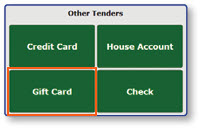
Select Gift Card
-
Swipe the gift card to populate the card number in the dialogue box
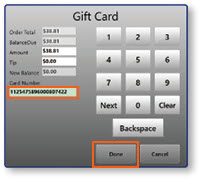
Note: Depending on your store's setup, this can be done either via the MSR on the register, or through the register's credit card terminal.
-
Select Done
Option 2: Tender to a Personal Check
-
Select Pay/Close to access the Tender menu

-
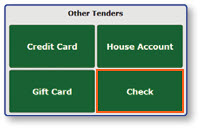
Select Check
-
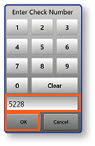
Enter the check number
-
Select OK
