How Do I Tender to a House Account?
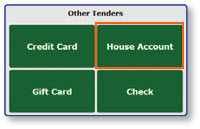
Select House Account
-
Select Pay/Close to access the Tender menu

-
Select House Account
Enter The Account Information
-
Enter the house account number provided by the customer
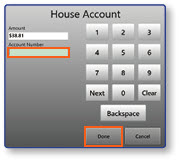
Note: The customer must provide their house account number to tender to a house account.
-
Select Done
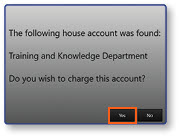
Confirm Tender to House Account
- Confirm that the order is being charged to the correct house account
- Select Yes