How Do I Tender an Order to Credit?
Select the Credit Card Button
-
Select the Pay/Close button

-
Select the Credit Card button
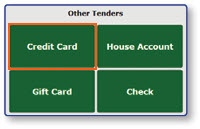
Terminal Transaction
-
A message will appear stating that the register is reaching out to the attached credit card terminal to complete the transaction
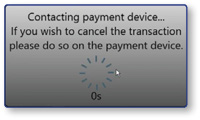
-
Once the customer completes the actions on the credit card terminal, the order will be updated with payment information and the order will be closed
Note: This action can also be quickly achieved by selecting the Credit Card button in the quick tender bar on the bottom of the screen.
