How Do I Log In to the Register?
Log In to the Register
-
To Log In with a 4 Digit PIN:
- Enter your PIN on the sign-in screen
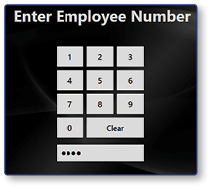
Note: You will be signed in automatically.
- Enter your PIN on the sign-in screen
-
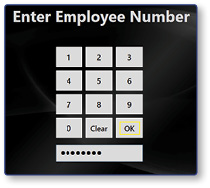
To Log In with a 3-12 Digit PIN:
- Enter your PIN on the sign-in screen
- Select OK
-
To Log In with a Swipe Card:
- With the register at the sign in screen, swipe your employee card through the MSR attached to the register
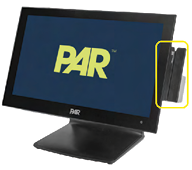
- With the register at the sign in screen, swipe your employee card through the MSR attached to the register
-
To Log In with a Fingerprint:
-
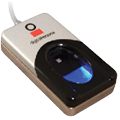
With the register at the sign in screen, scan your finger on the fingerprint reader attached to the register
-
With the register at the sign in screen, scan your finger on the fingerprint reader attached to the register
