How Do I Clock In?
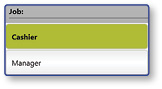
Select a Job
- Select a Job from the list
Select Clock-In
- Select Clock-In
Note: A clock-in receipt will print and the main register screen will be displayed. The Job selection screen will only appear if you are not yet clocked in.
