Sub Merchants
The Sub Merchants module displays a list of all merchants assigned to the user's account. It provides a quick overview of merchant details and account status, with tools to search, filter, sort, and export the data.
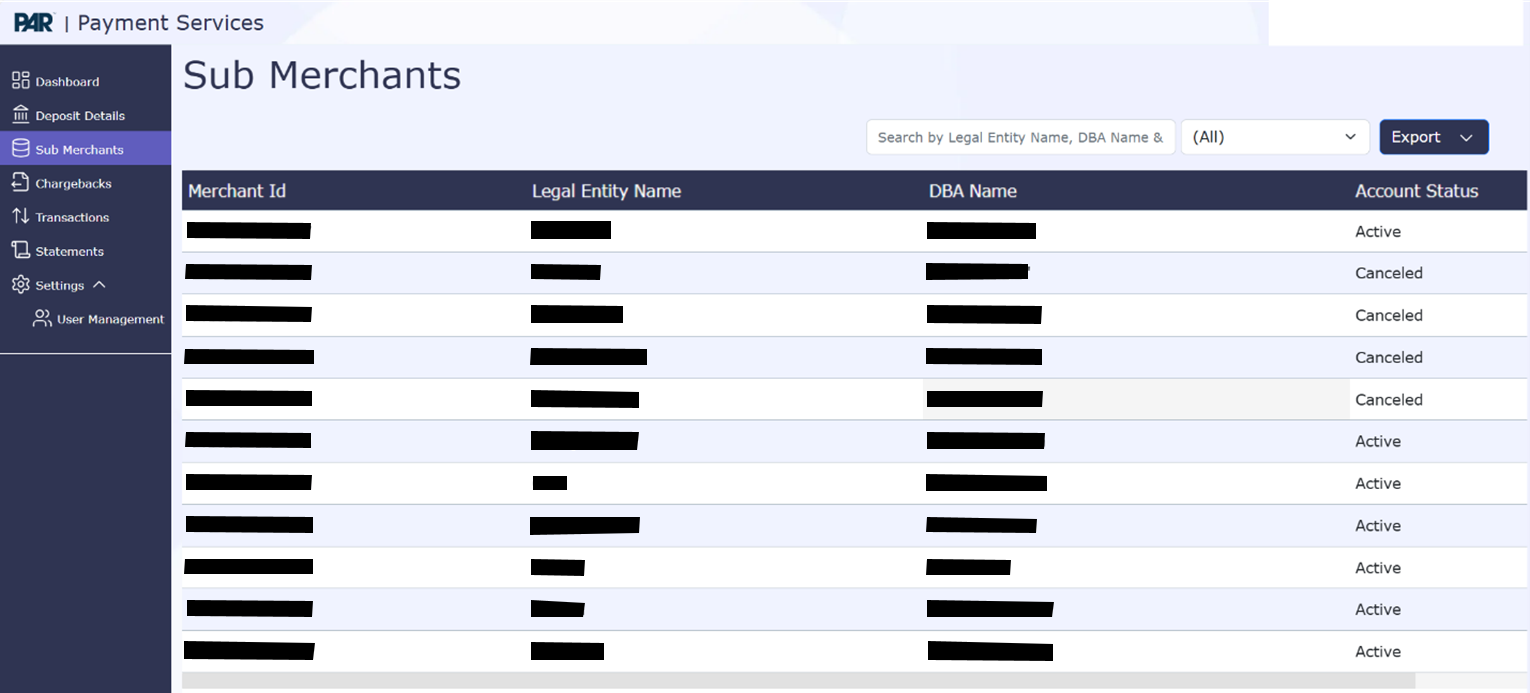
Displayed Fields
- Merchant ID: Unique identifier for the merchant.
- Legal Entity Name: The registered legal name of the merchant.
- DBA Name: The "Doing Business As" name used by the merchant.
- Account Status: Indicates the status of the merchant account (for example, Active, Hold All Funding, Cancelled, Unknown).
Search Functionality
Users can search for specific merchants using the text box. Searchable fields include:
- Legal Entity Name
- DBA Name
- Merchant ID

Filtering Options
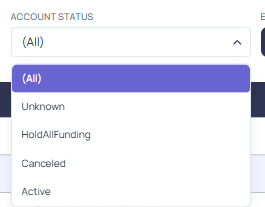
Users can filter the merchant list by Account Status, with the following options:
- Hold All Funding
- Active
- Cancelled
- Unknown
Sorting Options
All columns in the Sub Merchants table can be sorted in ascending or descending order. Click on any column header to toggle the sort direction.
Exporting Sub Merchants Data
To export the sub merchant list:
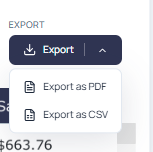
- Click the Export button
- Choose your preferred format: CSV or PDF
- Specify the view, scaling, page size, and orientation options as needed
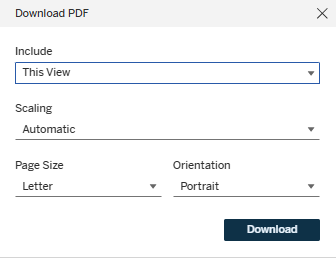
- Click Download to save the file locally
Sub-Merchant Details
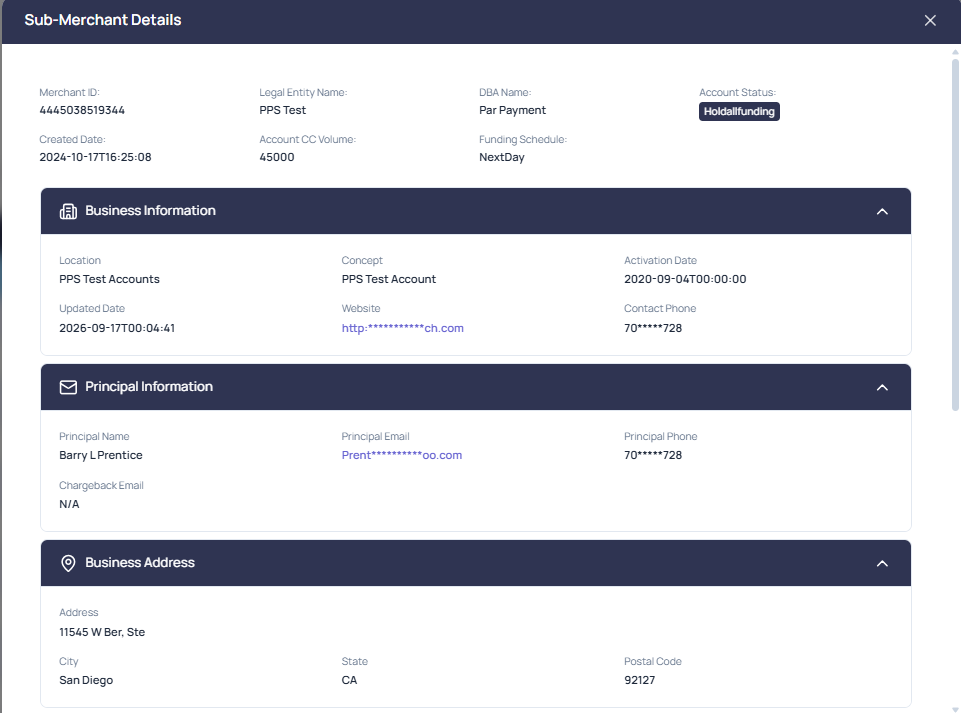
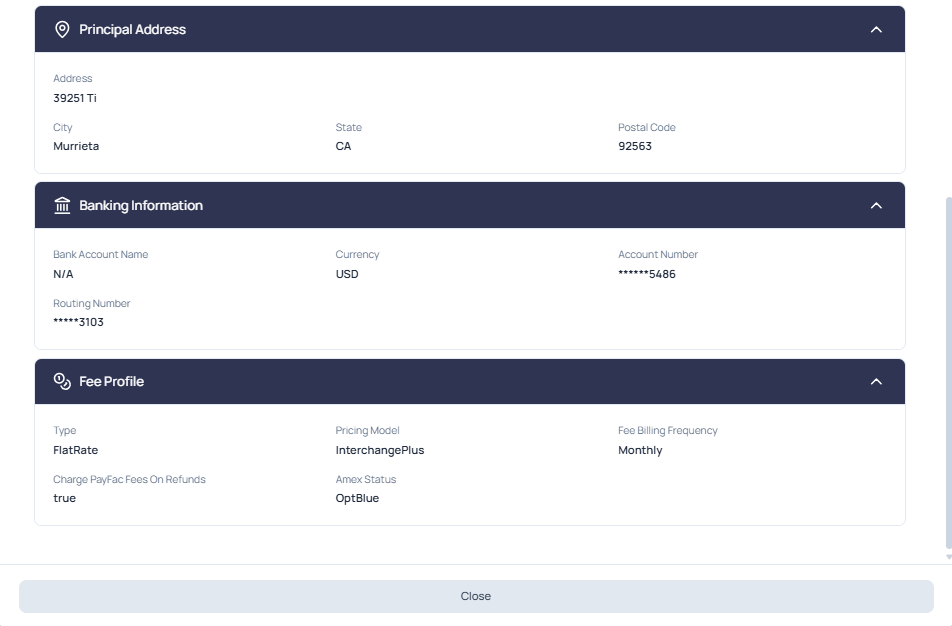
Click on any Merchant ID (MID) in the Sub Merchants list to open the Sub-Merchant Details view. This full-screen dialog displays complete profile information for the selected sub-merchant, organized into collapsible sections. Each section header can be expanded or collapsed using the chevron control on the right.
Summary Information
The top of the dialog shows key account-level details, including Merchant ID, Legal Entity Name, DBA Name, Account Status, Created Date, Account CC Volume, and Funding Schedule.
Detail Sections
The remaining information is grouped into the following expandable sections:
- Business Information: Location, Concept, Activation Date, Updated Date, Website, and Contact Phone.
- Principal Information: Principal Name, Principal Email, Principal Phone, and Chargeback Email.
- Business Address: Address, City, State, and Postal Code for the business.
- Principal Address: Address, City, State, and Postal Code for the principal.
- Banking Information: Bank Account Name, Currency, Account Number, and Routing Number. Sensitive values such as account and routing numbers are masked.
- Fee Profile: Type, Pricing Model, Fee Billing Frequency, Charge PayFac Fees On Refunds, and Amex Status.
