Offers & Rewards in the Checkout Screen
Context
- This feature introduces a dynamic loyalty carousel to the checkout screen allowing registered users and guests to view and redeem their loyalty rewards and offers directly from the checkout page without the need to navigate back to the menu
- The carousel automatically changes depending on the active loyalty program and the available offers, rewards or credits for the user
The feature is available on all ordering channels to brands using Menu v2.
How does it work?
Management Center (Brand Level)
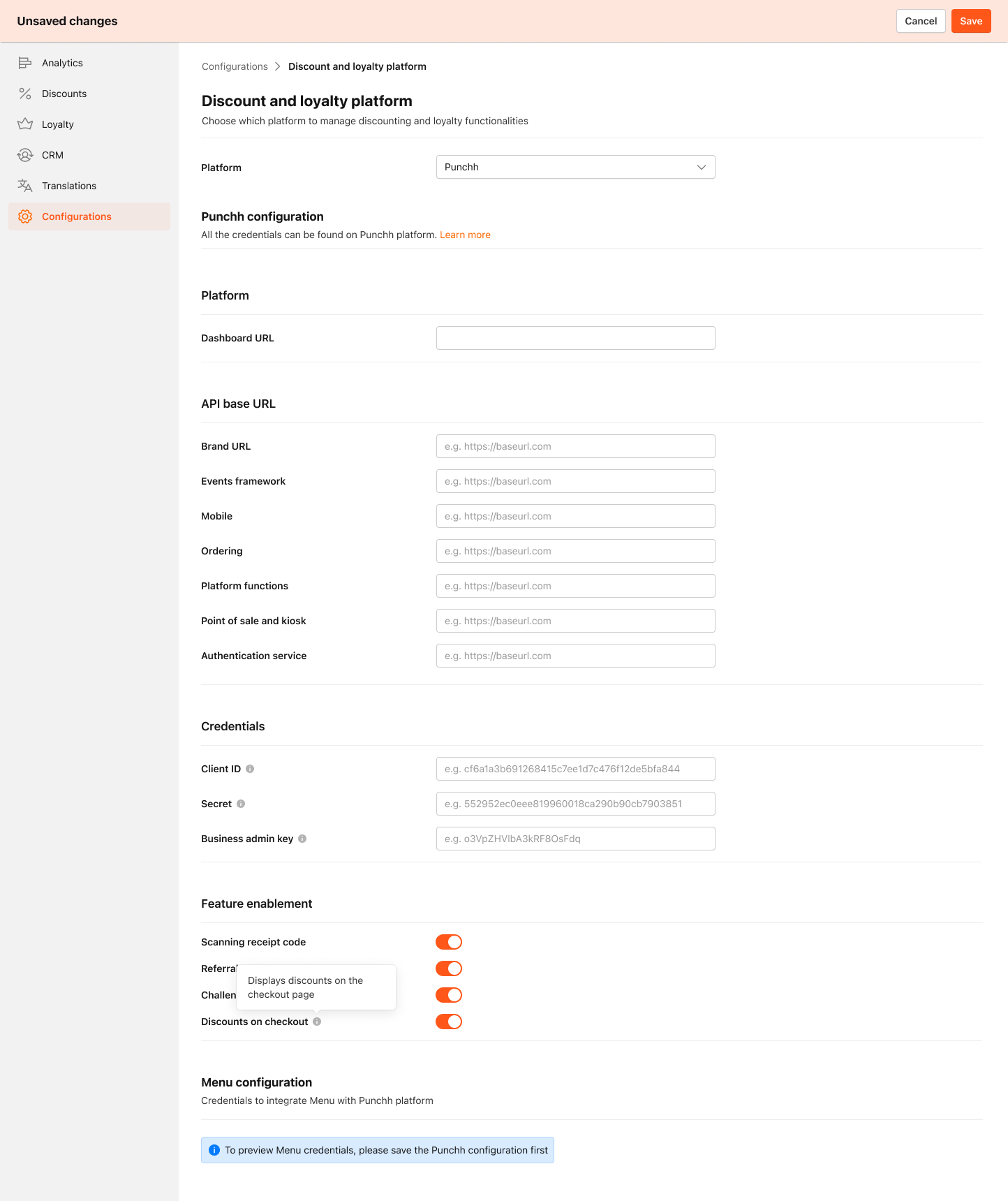
Brand managers can enable the loyalty carousel feature within the configuration settings on the Management Center. Follow these steps:
-
Access Loyalty Settings
- Navigate to the Brand Level of the dashboard.
- Go to Configuration > Discount and loyalty platform tab.
-
Enable the Feature
- By default, the feature flag is disabled.
- Toggle the button to enable the feature.
-
Save Settings
- After configuring the settings, click Save to apply the changes.
Once activated, customers can start using the feature within the ordering apps.