How to Delete Discount Conditions?
| User Role | Chain | Chain Venue |
|---|---|---|
| Brand Manager | ✅ | ❌ |
| Chain Manager | ❌ | ❌ |
| Company Manager | ❌ | ❌ |
| Local Manager | ❌ | ❌ |
Discount Conditions are used by restaurant Brands to define what needs to be fulfilled for a Discount to apply (under which circumstances the Discount will be applied). In that way, Brands can target the Customers in a better way with better defined offers.
Discount Conditions are available for all Discount Types: Coupons, Promotions and Loyalty Rewards. Also, they can be combined to create more complex requirements (e.g. Free dessert for Delivery Orders above 20€).
For more information on Discount Conditions, check out What are Discount Conditions?
To delete Discount Conditions:
- Select your Brand
- Select Discounts or Promotions tab depending on where you would like to delete the Condition
- Select the Discount/Promotion/Reward to which you would like to add the Discount Condition to
- Go to Discount Conditions section
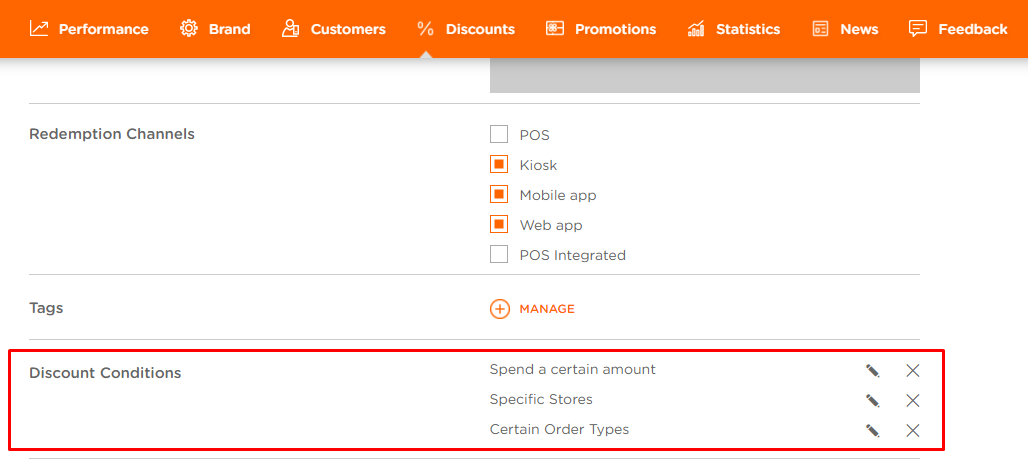
- Click on X next to the Condition you would like to delete
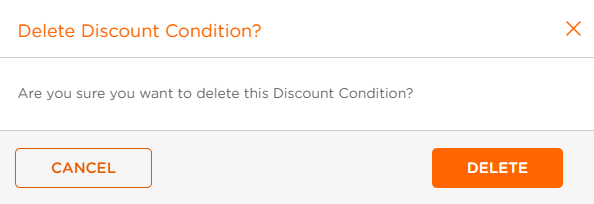
- Click DELETE in the Delete Discount Condition? modal for confirmation
You've successfully deleted a Discount Condition.
