How to Edit Combo Item Price in Price Group?
| User Role | Store Group | Store |
|---|---|---|
| Brand Manager | ✅ | ✅ |
| Area Manager | ✅ | ✅ |
| Store Manager | ❌ | ❌ |
- Select Store Group in which you want to edit Item price
- Click Overview at the left navigation bar
- Find the Combo of your interest
- Select Combo from the sidebar (e.g. Lapana Bowl)
- You will get the Combo Group form with the list of Items from the Main group and Side group that are combined into a Combo Meal
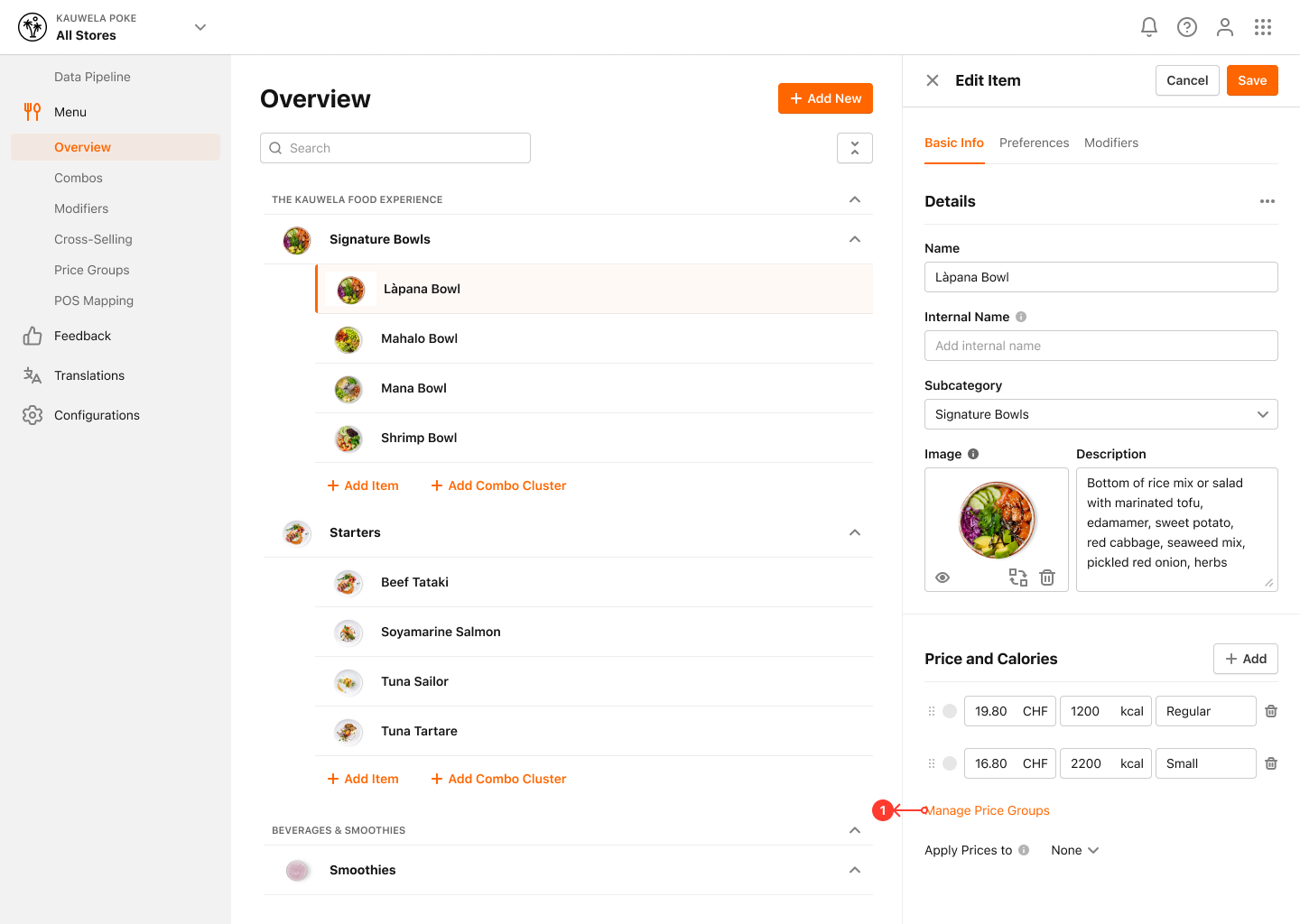
- Click on the Combo Item to edit its Price
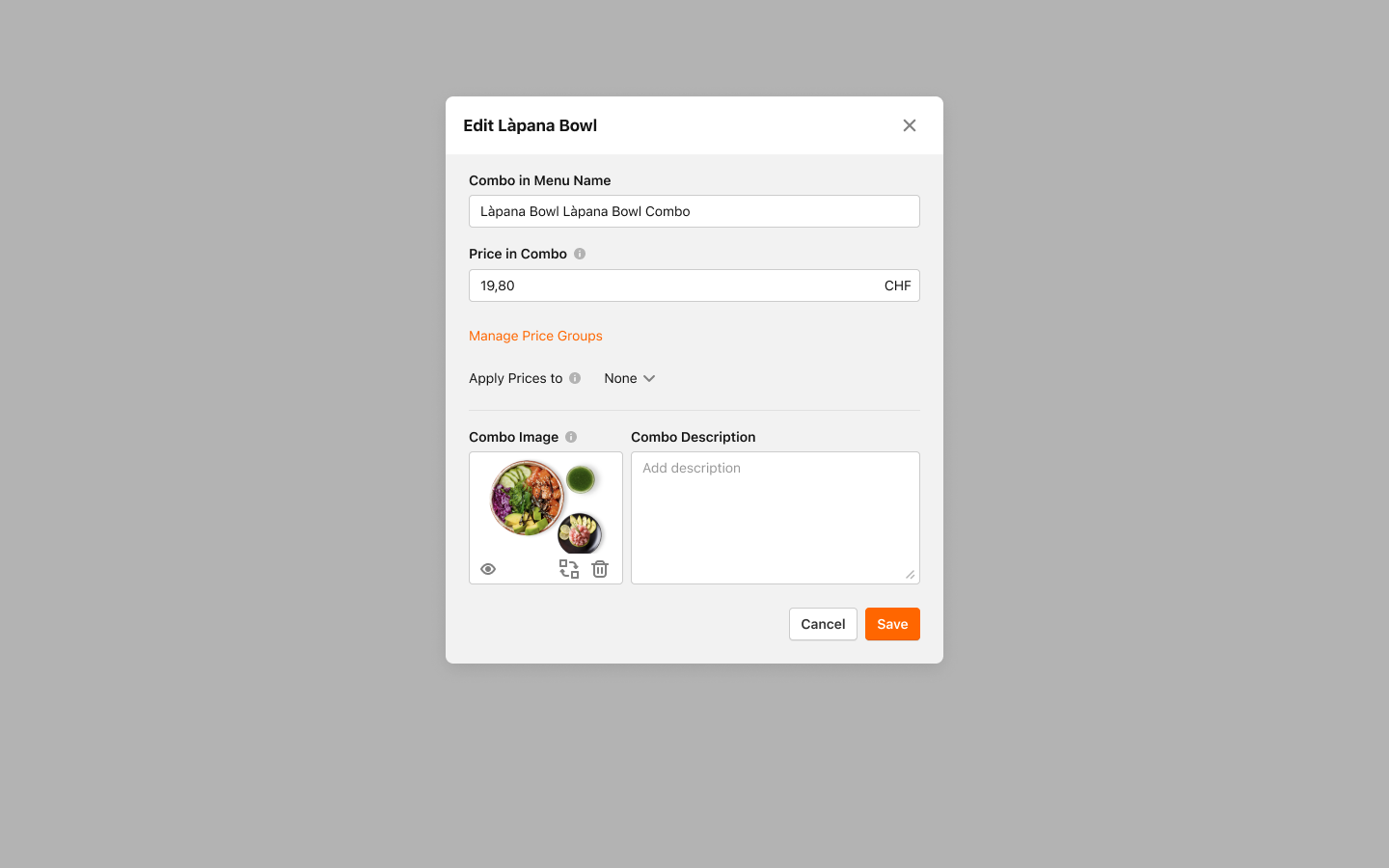
- Edit Combo Item form appears
- Click Manage Price Groups
- Manage Price Groups modal appears
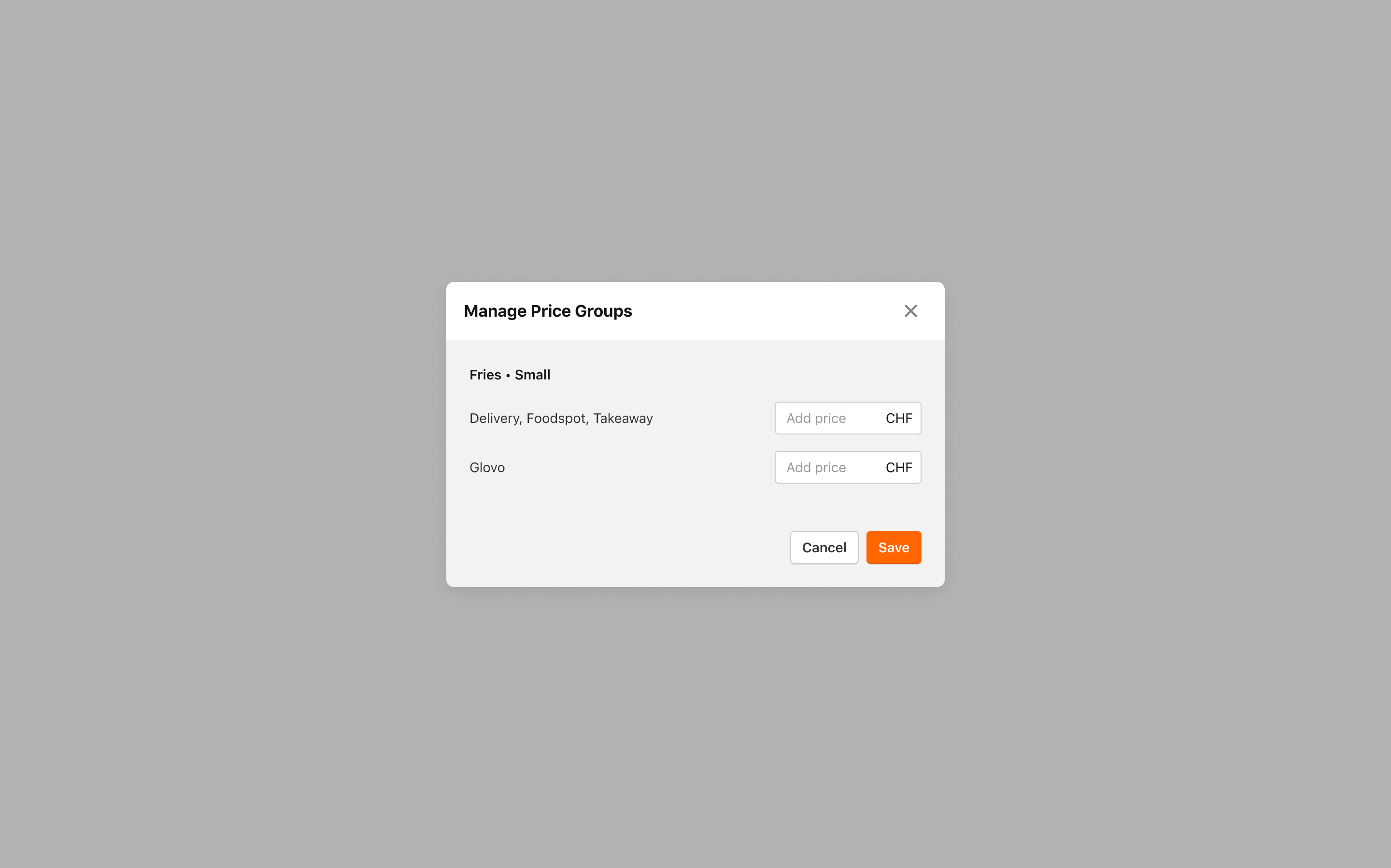
You can edit prices for Price Groups set for PAR Ordering Order Types and Price Groups set for External Channels.
- In Price fields enter new Prices
- Click Save to save the changes
You've successfully edited Combo Item Prices in Price Groups.
