How to Edit Item Price in Price Group?
| User Role | Store Group | Store |
|---|---|---|
| Brand Manager | ✅ | ✅ |
| Area Manager | ✅ | ✅ |
| Store Manager | ❌ | ❌ |
- Select Store Group in which you want to edit Item price
- Click Menu at the left navigation bar
- Select the Category/Subcategory/Item for which you want to edit price (e.g. The Kauwela Food Experience/Signature Bowls/Lápana Bowl)
- Edit Item form appears
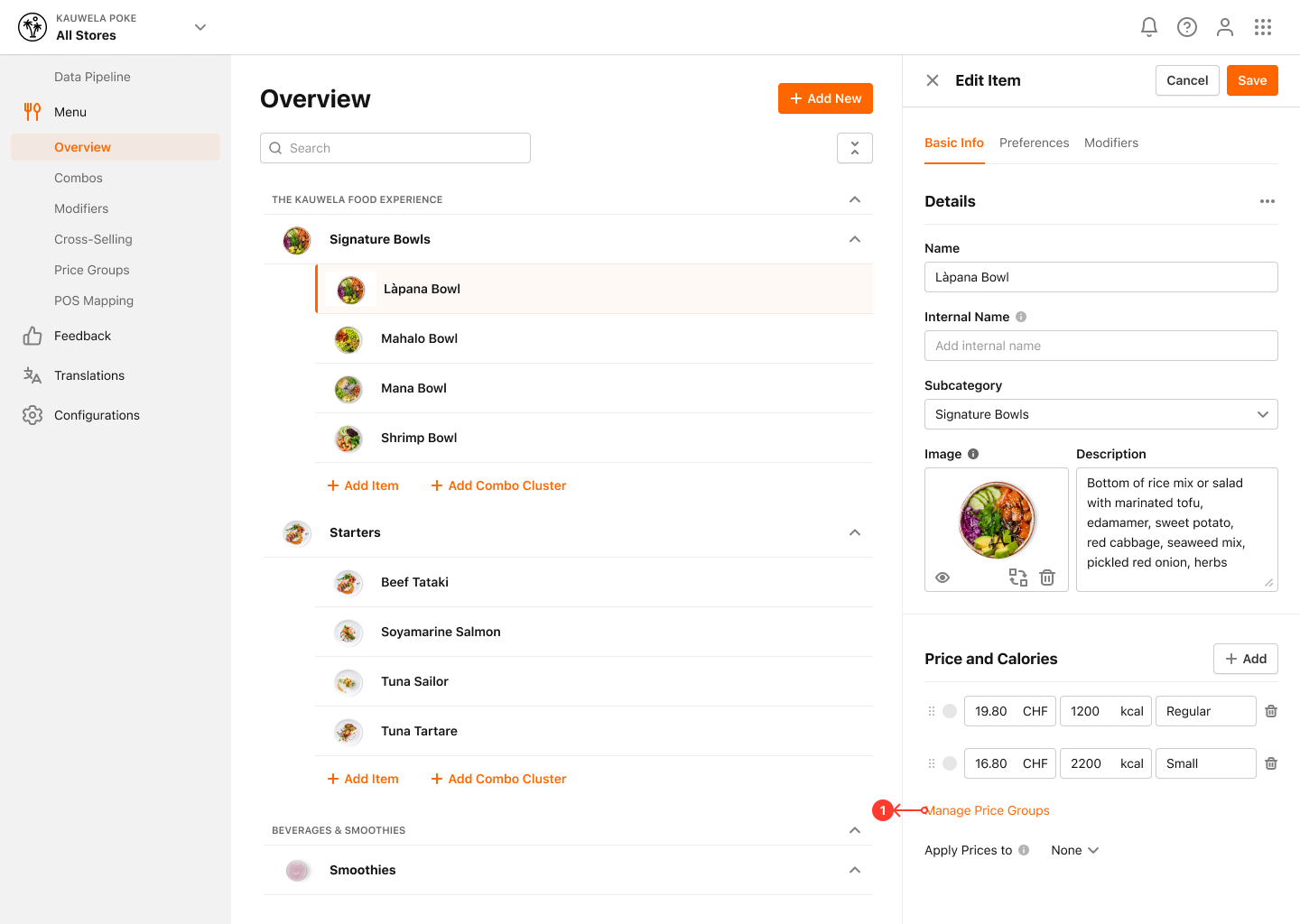
To edit Price:
- You can modify Price for each Price Level
- Click Manage Price Groups section
- Manage Price Groups modal appears
- In Price fields enter new Prices
- Click Save to save the changes
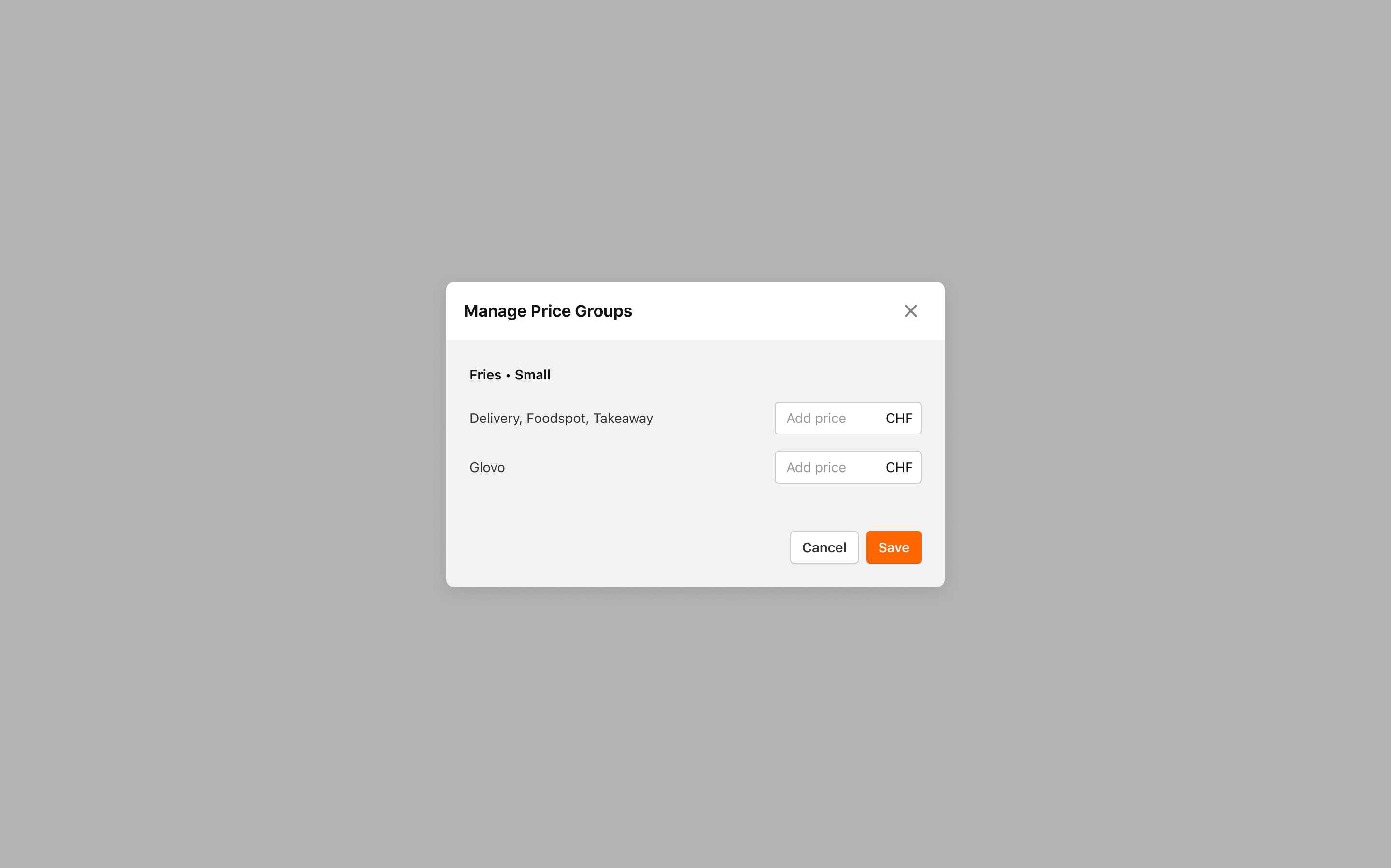
You've successfully edited Item Prices in Price Groups.
