How to Delete Tax Rates?
| User Role | Store Group | Store |
|---|---|---|
| Brand Manager | ✅ | ✅ |
| Area Manager | ✅ | ✅ |
| Store Manager | ❌ | ❌ |
For more information on Tax Rates, please check out How to set Tax Rates? article.
To delete Tax Rate from Store Group:
Removing a Tax Rate from a Store Group can only be done by a Store Group Manager.
- Make sure that no Items are assigned to the Tax Rate that you want to delete
- Find Configurations on the left navigation bar
- Find the Tax Class (Tax Rate) of your choice
- Click the trash bin icon on the right next to the rate of your choice
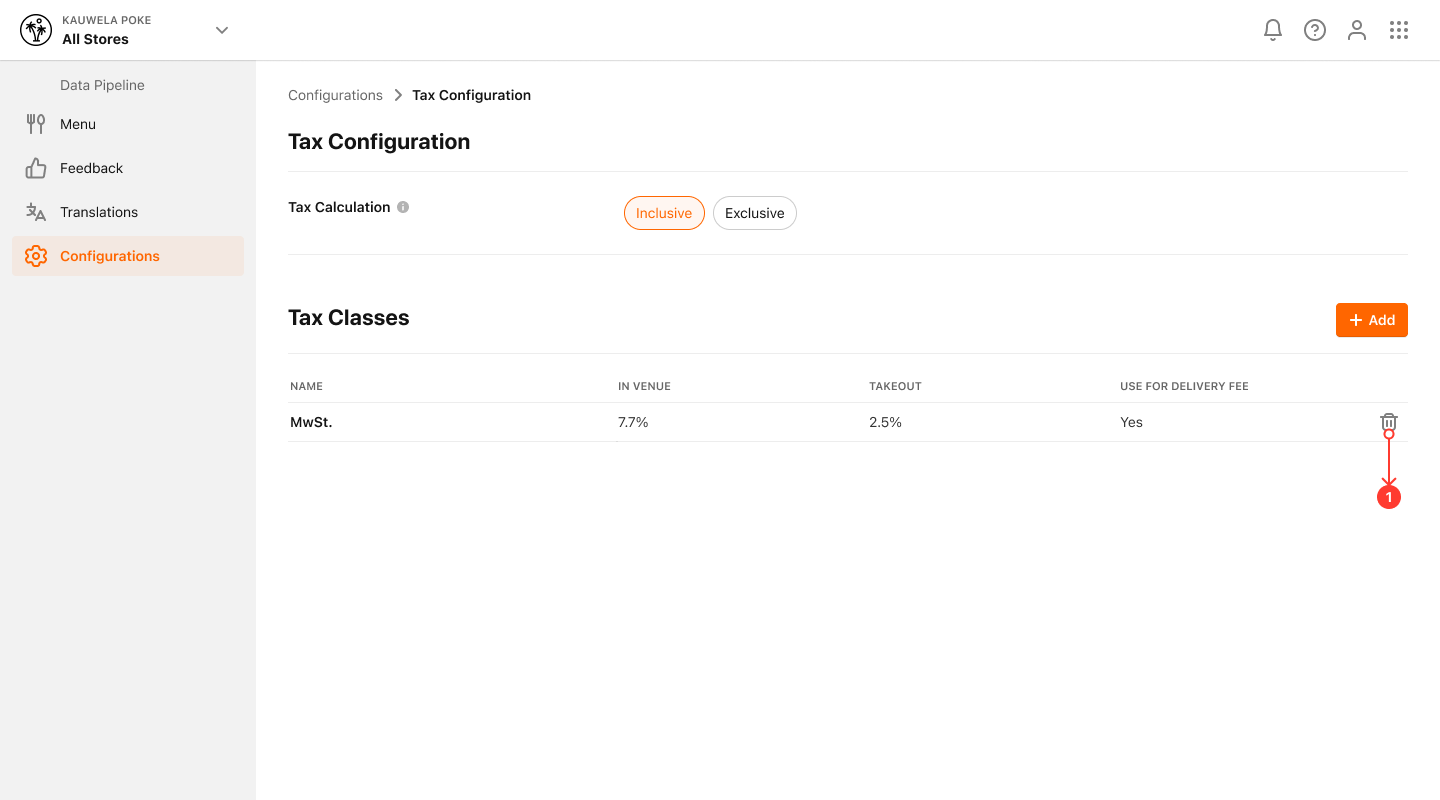
You've successfully deleted Tax Rate.
