Restaurant365 Setup
To integrate with Restaurant365, you must have the Restaurant365 support team add the existing PAR OPS integration user as a user in your Restaurant365 database. This guide covers exactly what to request in your Restaurant365 support ticket, as well as some additional details the PAR OPS team will need as part of the onboarding process.
Instructions
Step 1: Find Your Restaurant365 Database Name
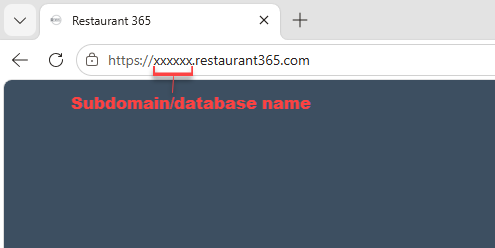
Option 1: Use the URL
- After you have logged in to your Restaurant365 environment, look at the URL. Everything after
https://and before.restaurant365.comis your database name.
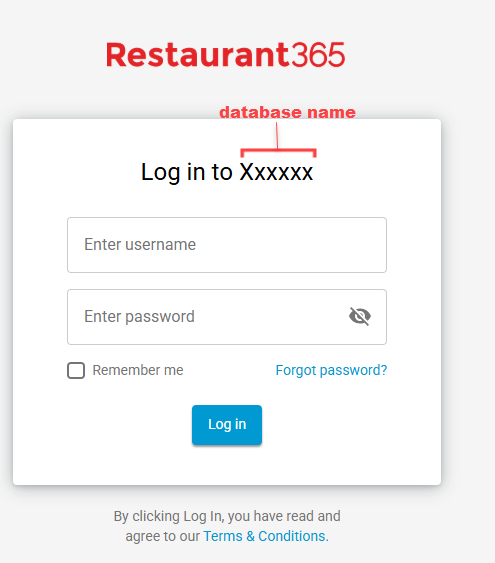
Option 2: Use the login page
- Navigate to your login page for Restaurant365.
Step 2: Submit a Ticket to Restaurant365 Support
-
Submit a ticket to Restaurant365 support via your normal process.
-
In the details of the submission, include the following:
Please grant write access to the database API connector for the following existing PAR OPS vendor integration user:
PAR OPS vendor username:
DCR365UserThank you
-
After Restaurant365 processes your request and confirms they have added our existing user to your database with write access, you can continue on to provide your credentials.
Step 3: Locate the Email from PAR OPS
- Check your email inbox for an email from noreply-parops@partech.com with the subject line PAR OPS Integrations Credentials Request.
- This email contains a unique link to the credentials request form specific to your company. This link is only valid until you successfully provide credentials, or until the time indicated in the email has passed.
If the link is no longer valid, request a new link from the PAR OPS team.
- Click the Enter Credentials button in the email.
Step 4: Enter Credentials
- After validating your email, you will be presented with the form to enter and validate your credentials.
- Enter the information from the previous steps.
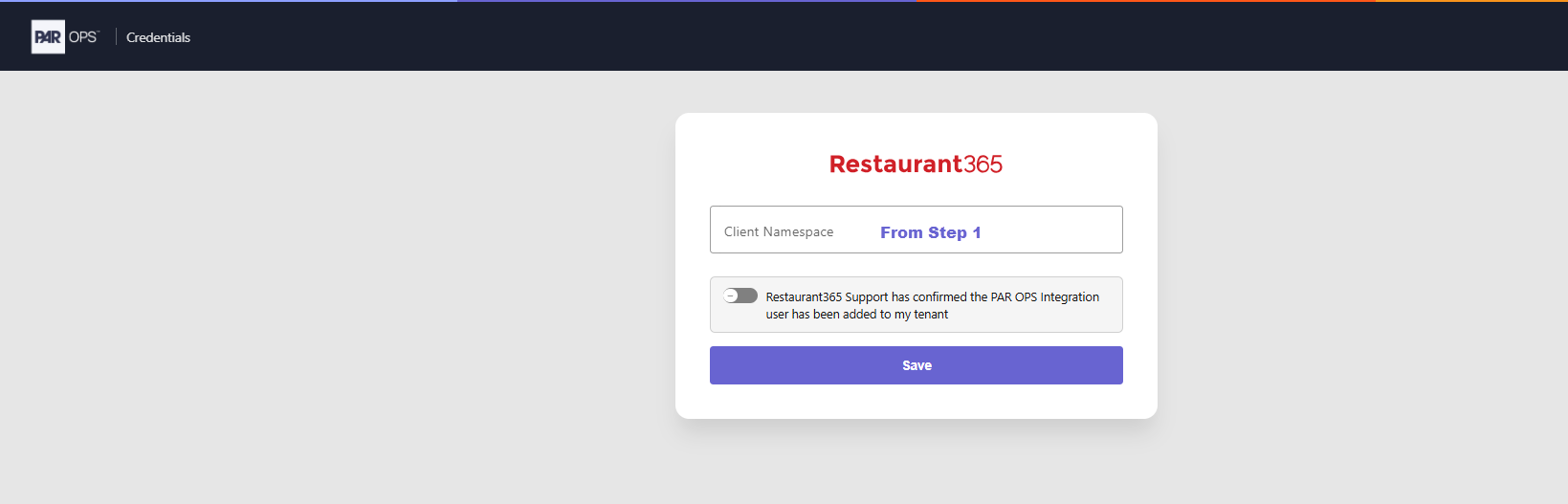
- Check the box acknowledging that Restaurant365 support has granted access to our user.
- Click Save.
Additional Details to Provide the PAR OPS Team for Mapping
- Restaurant365 location numbers/IDs.
- If requesting AP/Invoice exports — the exact vendor names configured in Restaurant365.