Punchh Mobile Framework v5.1 and Punchh Native PAR Ordering v2.6 Release Notes
Check out the new features added to the Mobile Framework and the native PAR Ordering flow, including new UI and UX capabilities, support for passkeys, and more! Reach out to your Punchh representative to upgrade to the latest version of the Mobile Framework or if you have questions about adding or switching to PAR Ordering for your online-ordering needs.
Planning an app update? Check out the Interactive Branding and Decision Guide to see what new assets and feature-related decisions may be required.
New Features
Passkey Sign-In for App Users
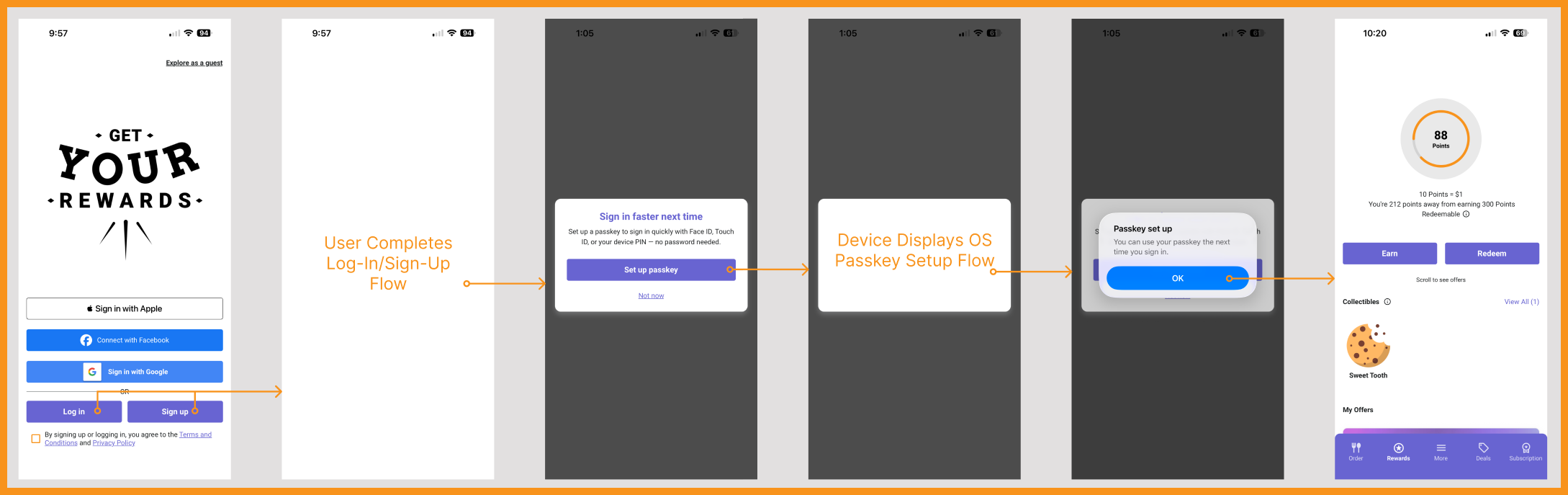
Brands using Guest Identity Service can now enable passkeys to allow users to log into the app without a password. Passkeys can be set up after an account has been created to provide users with an additional option to access their account next time they login. If a channel does not offer passkeys, users will still be able to use their original sign-up method to access their account. Talk to your Punchh representative to learn more. (MF-3643)
See what this looks like...
New UI and UX Capabilities and Improvements
A set of new UI and UX capabilities has been added to the Mobile Framework in this release, with the major features documented below. (MF-3631, MF-3726)
Flexible Rewards Screen Layout
The Rewards Screen layout has been improved to allow additional elements to be added, creating a more dynamic and personal experience for app users. The following can now be added to the Rewards Screen:
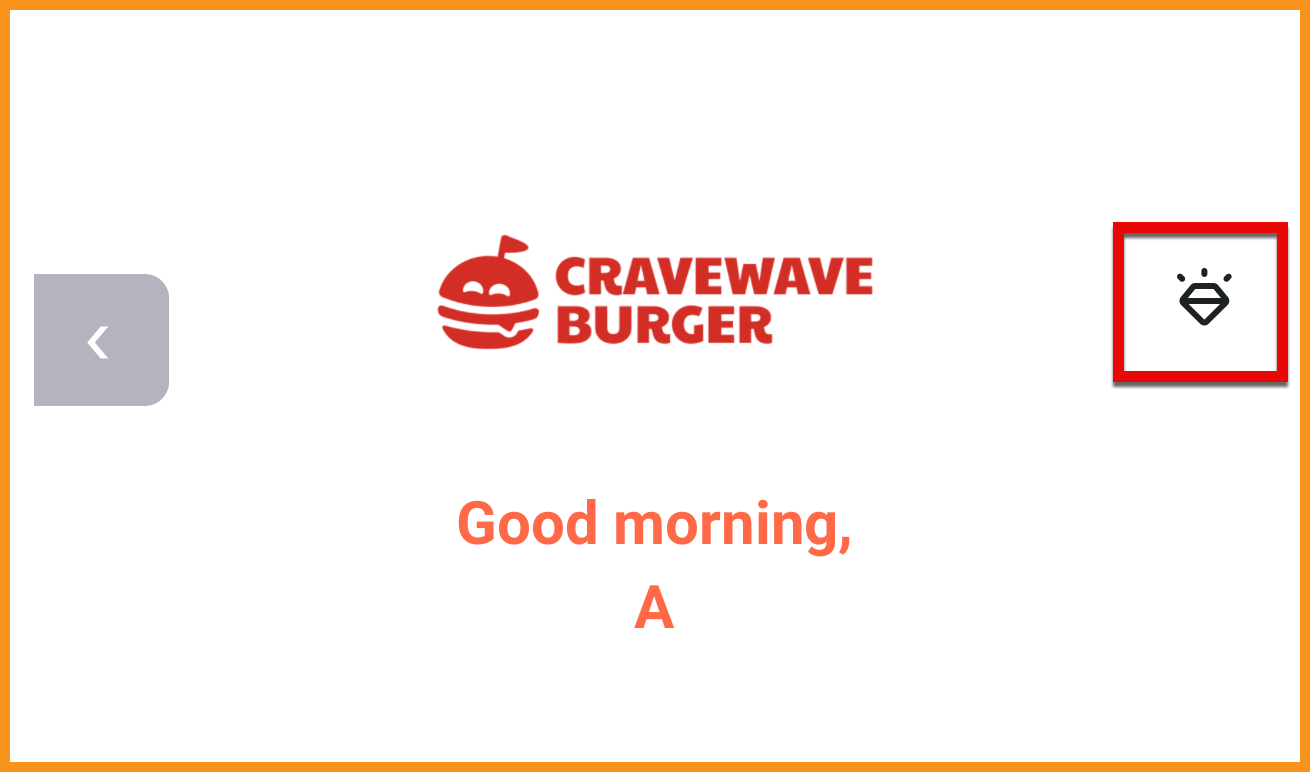
- Header Button: A button in the top right corner of the Rewards Screen header that takes a user to another screen in the mobile app.
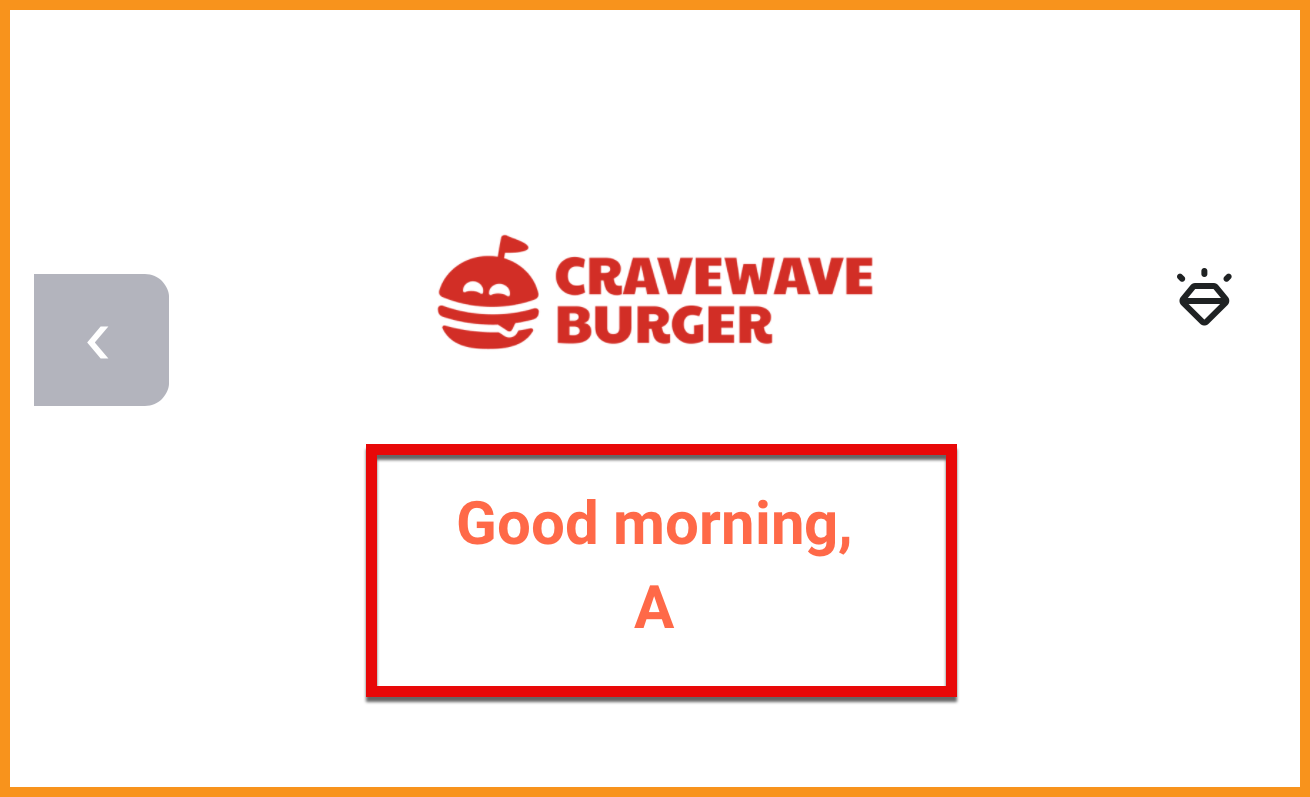
- Greeting: A welcome message that can be personalized for the user.
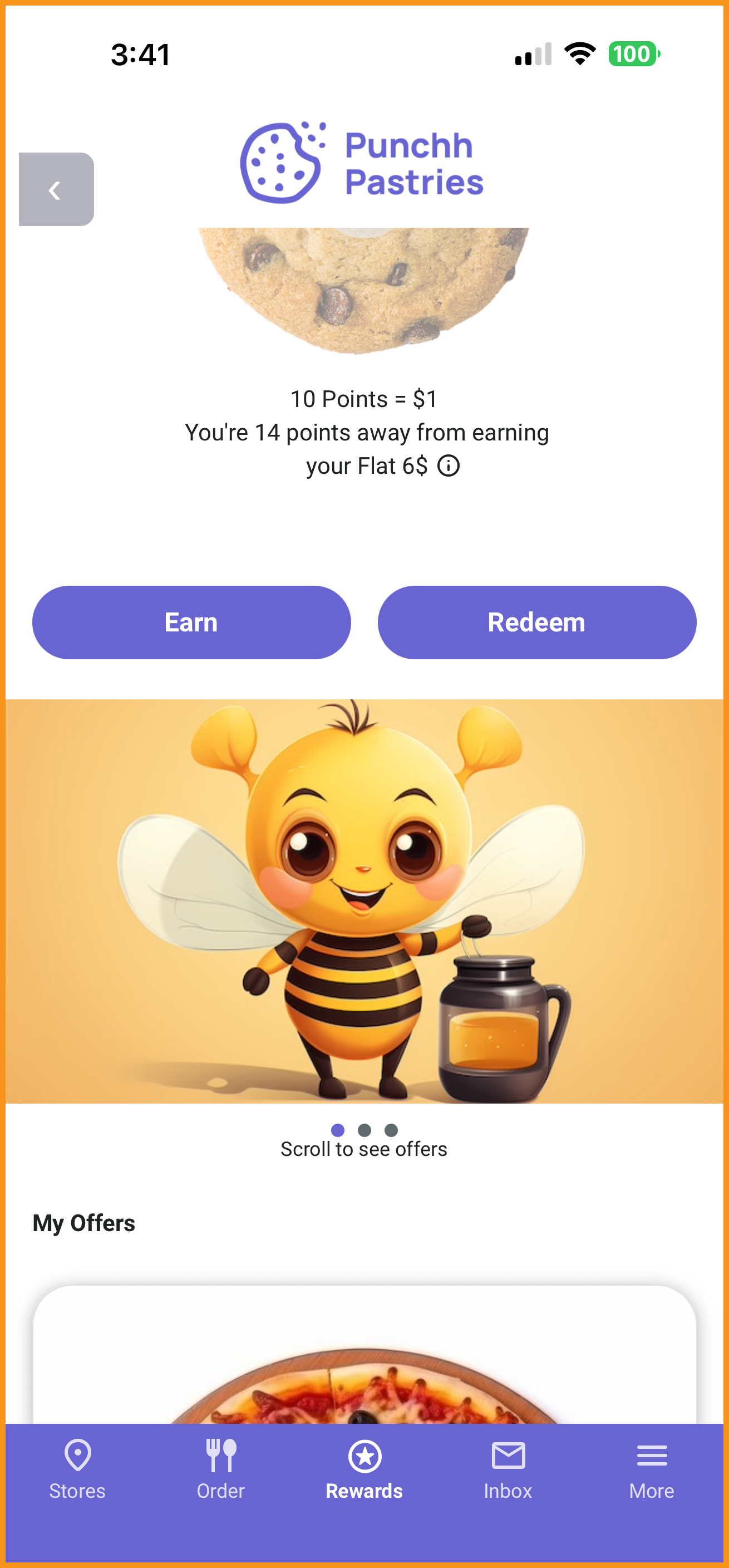
- Media Carousel: Powered by the App Message Composer in the Punchh platform, this carousel displays the major images included in app messages and drives users to the Inbox Screen.
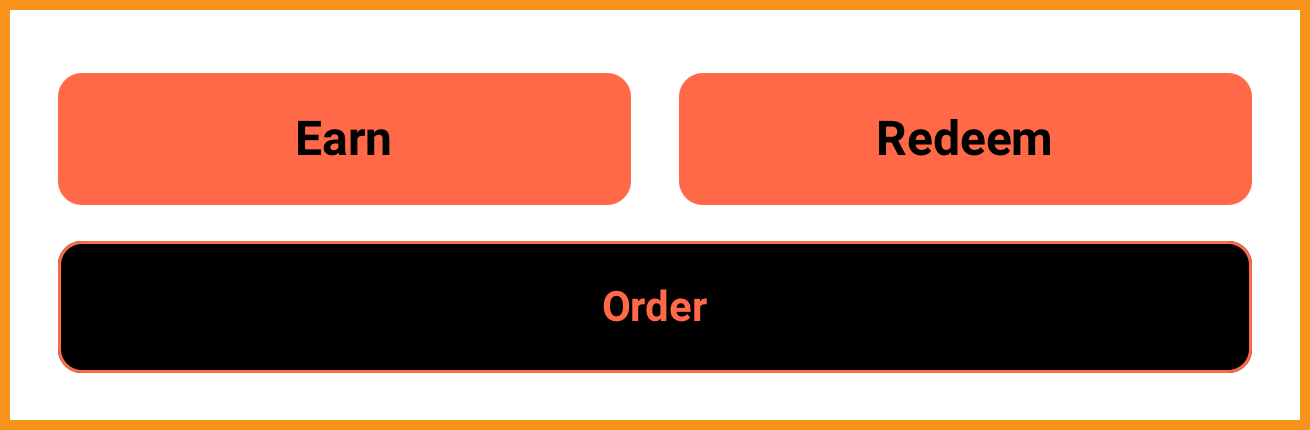
- Buttons: 1-3 buttons (pointing to in-app screens or custom URLs) can be displayed on the Rewards Screen to take users to other screens in the app or to custom URLs.
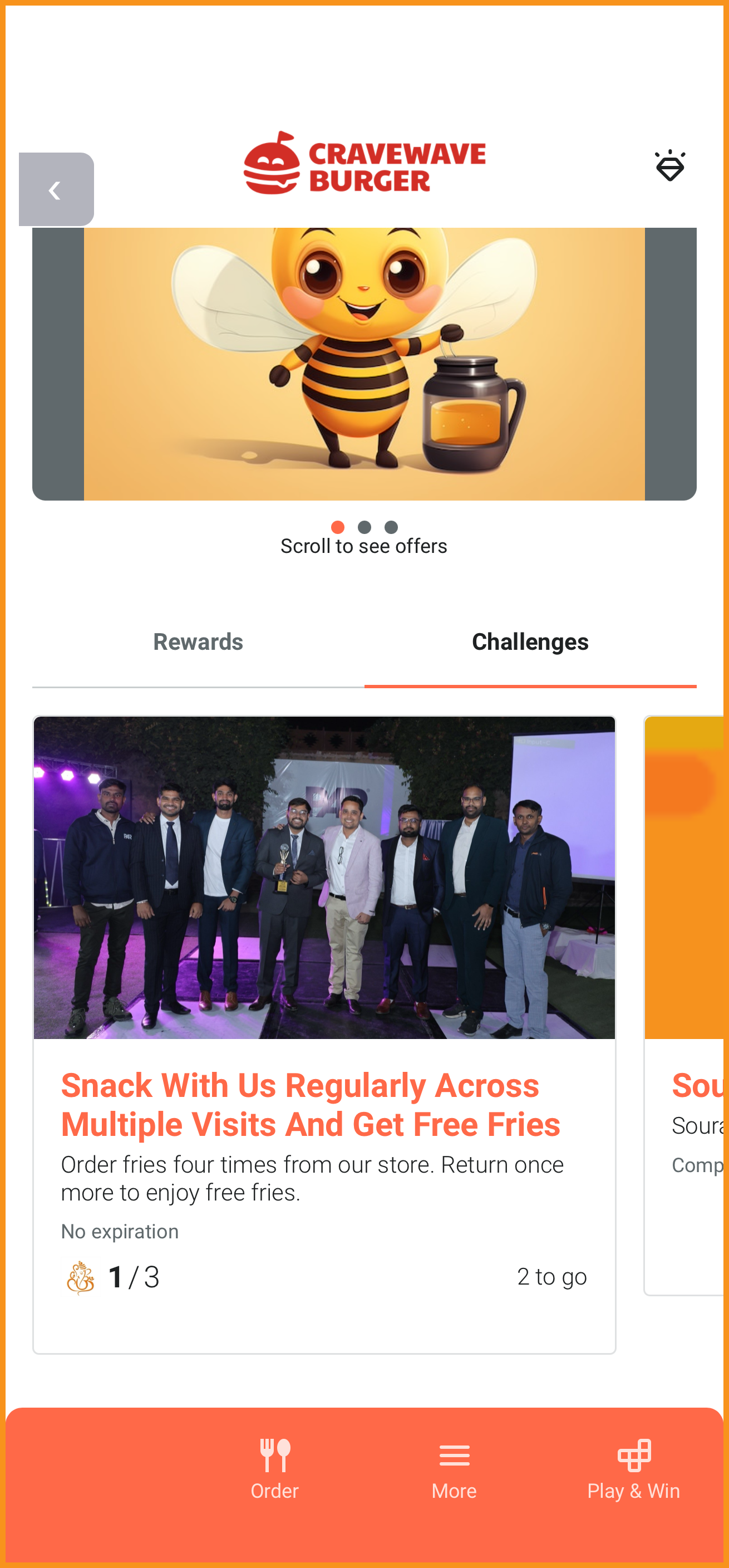
- Modules: Punchh loyalty modules can be displayed on the Rewards Screen in a stacked or tabbed layout. The available modules include:
- Offers
- Rewards (Points Unlock Redeemables and Points Convert to Rewards loyalty structures)
- Collectibles
- Subscriptions
- Challenges
- Inbox
These elements can be added in any order (except the Header Button, which is always displayed in the Rewards Screen header).
See what this looks like...
| Feature | Example |
|---|---|
| Header Button |
|
| Greeting |
|
| Media Carousel |
|
| Buttons |
|
| Modules |
|
More Menu Layout Customizations
To expand on the Bottom Navigation configurations added in Mobile Framework v4.0, the layout of the More Menu can now be customized without an app update. The Log Out tile will always be in the last position.
In addition, custom URLs can be added to the More Menu. These webpages will be displayed using an iframe inside the mobile app.
See what this looks like...
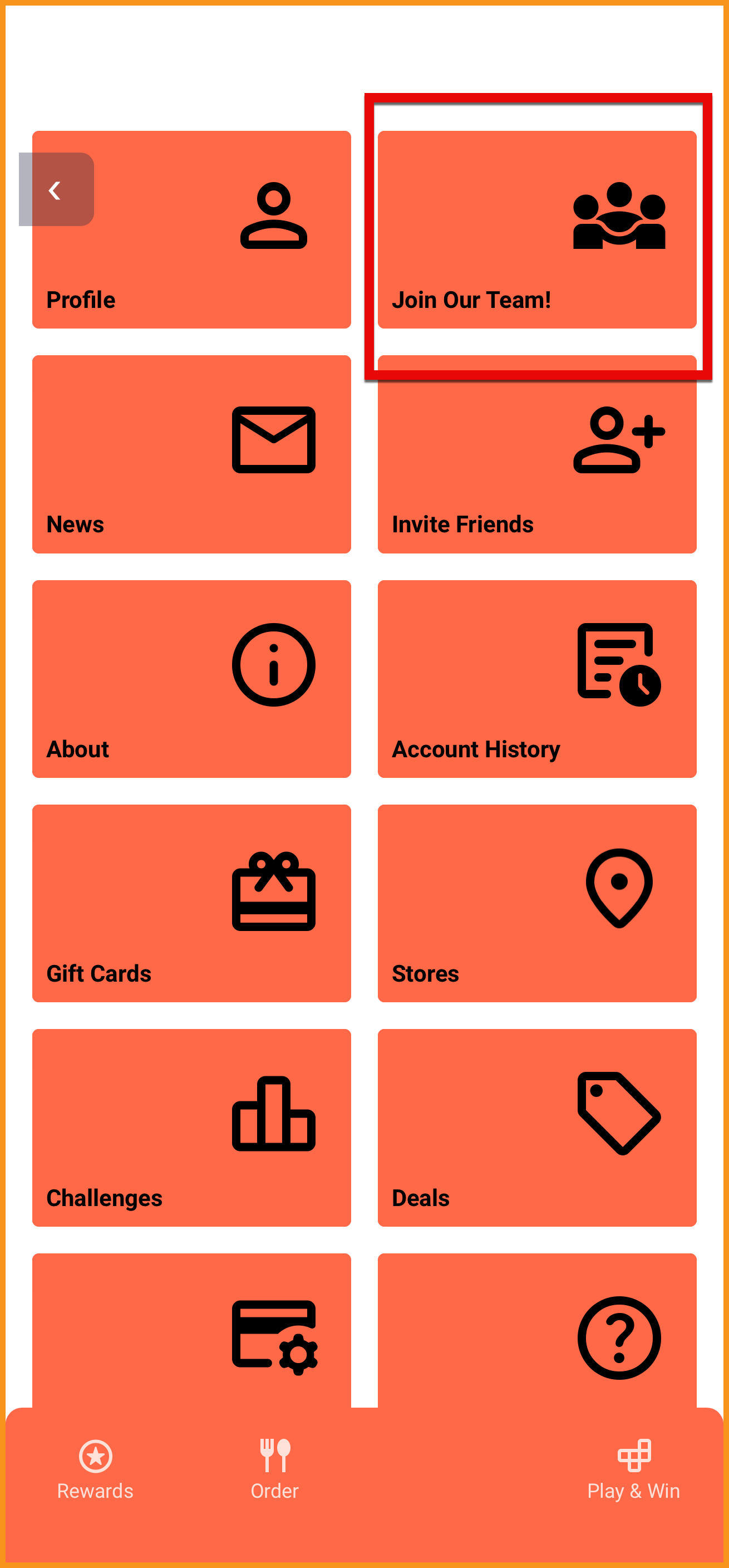
Reordered More Menu with Custom Tile ("Join Our Team!")
Configurable Assets
Major assets, such as Splash Screen and Welcome Screen images, can be changed without an app update. This allows you to easily update the look of these screens for different events or holidays.
Loyalty
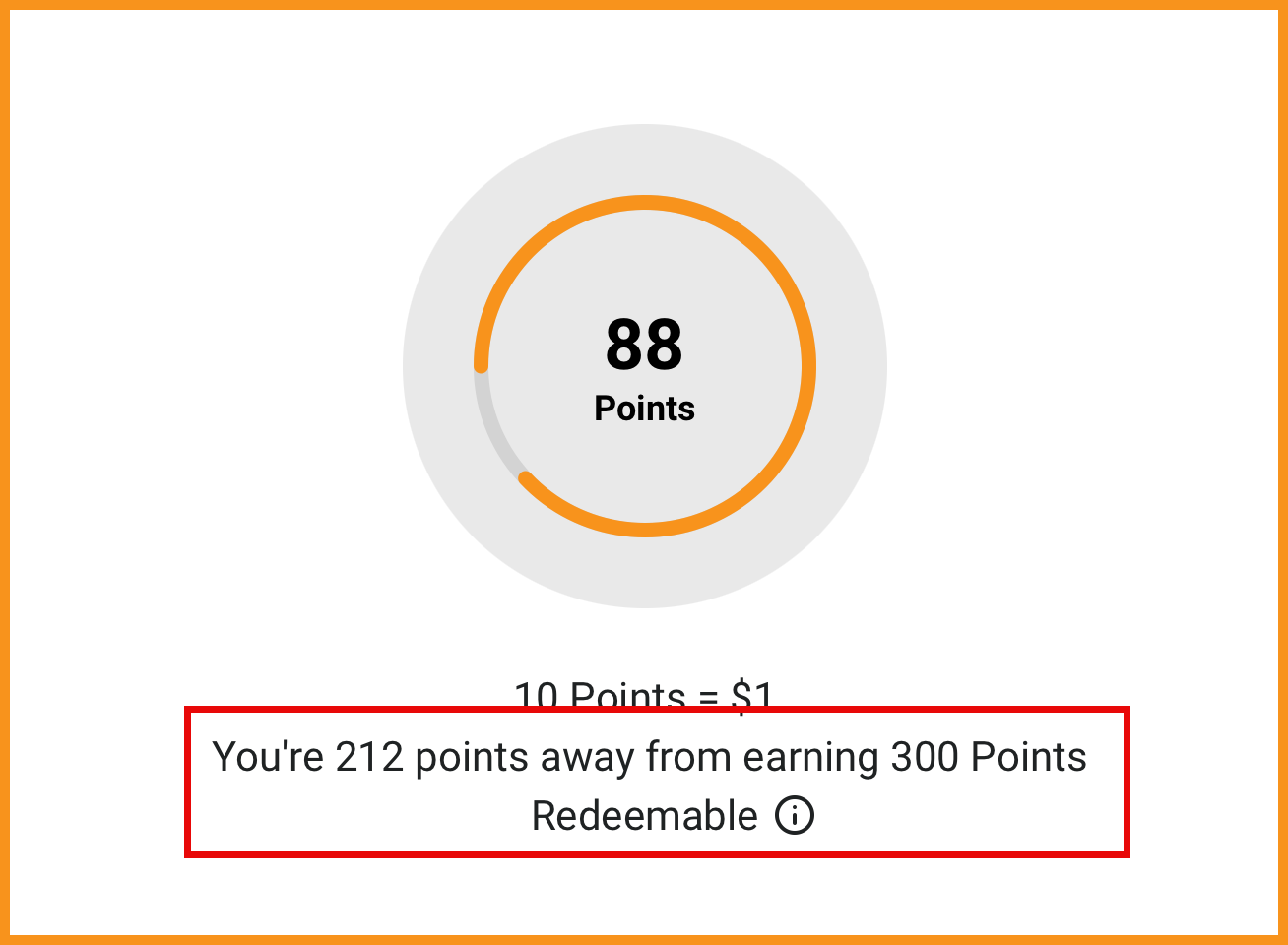
Reward Meter Copy Names the Next Unlockable Reward
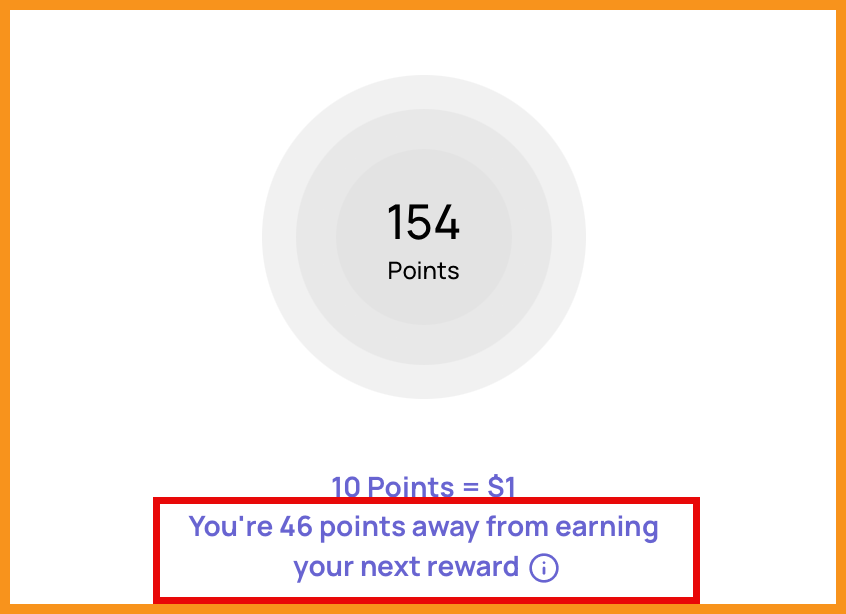
For Points Unlock Redeemables programs, the rewards screen can now display the name of the next unlockable redeemable. This provides more visibility on what the app user can look forward to earning next. (MF-3644)
See what this looks like...
| Before | After |
|---|---|
|
|
QR Code Scanning Improvements
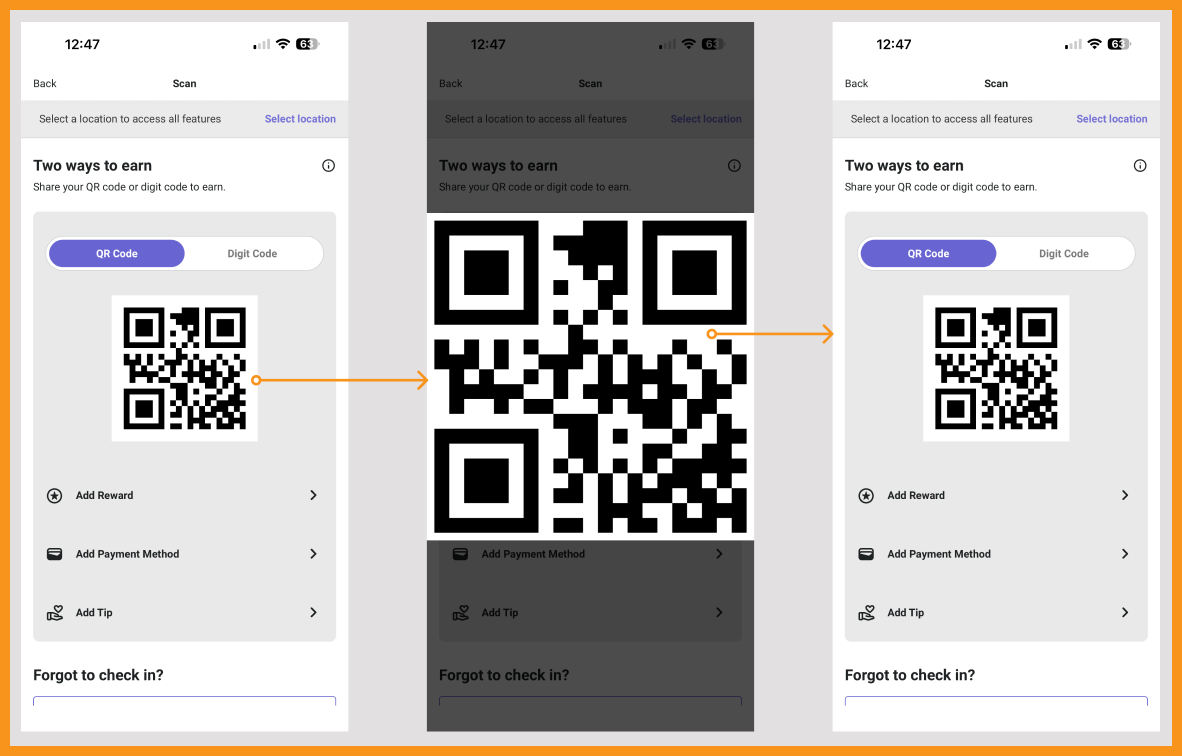
The QR code is now displayed with a white background and can be expanded for easier scanning at the POS. If the QR code is expanded and expires, it will automatically close to indicate a new QR code needs to be generated. (MF-3576)
See what this looks like...
Subscriptions
Location Selection for Membership Plans with Purchasable Locations
The purchasable locations field in Membership Plan setup will now be reflected in the app. Only those locations configured will be available to select when purchasing membership plans. (MF-3664)
Ordering With PAR Ordering
Incomplete Sections Highlighted on the Review & Pay Screen
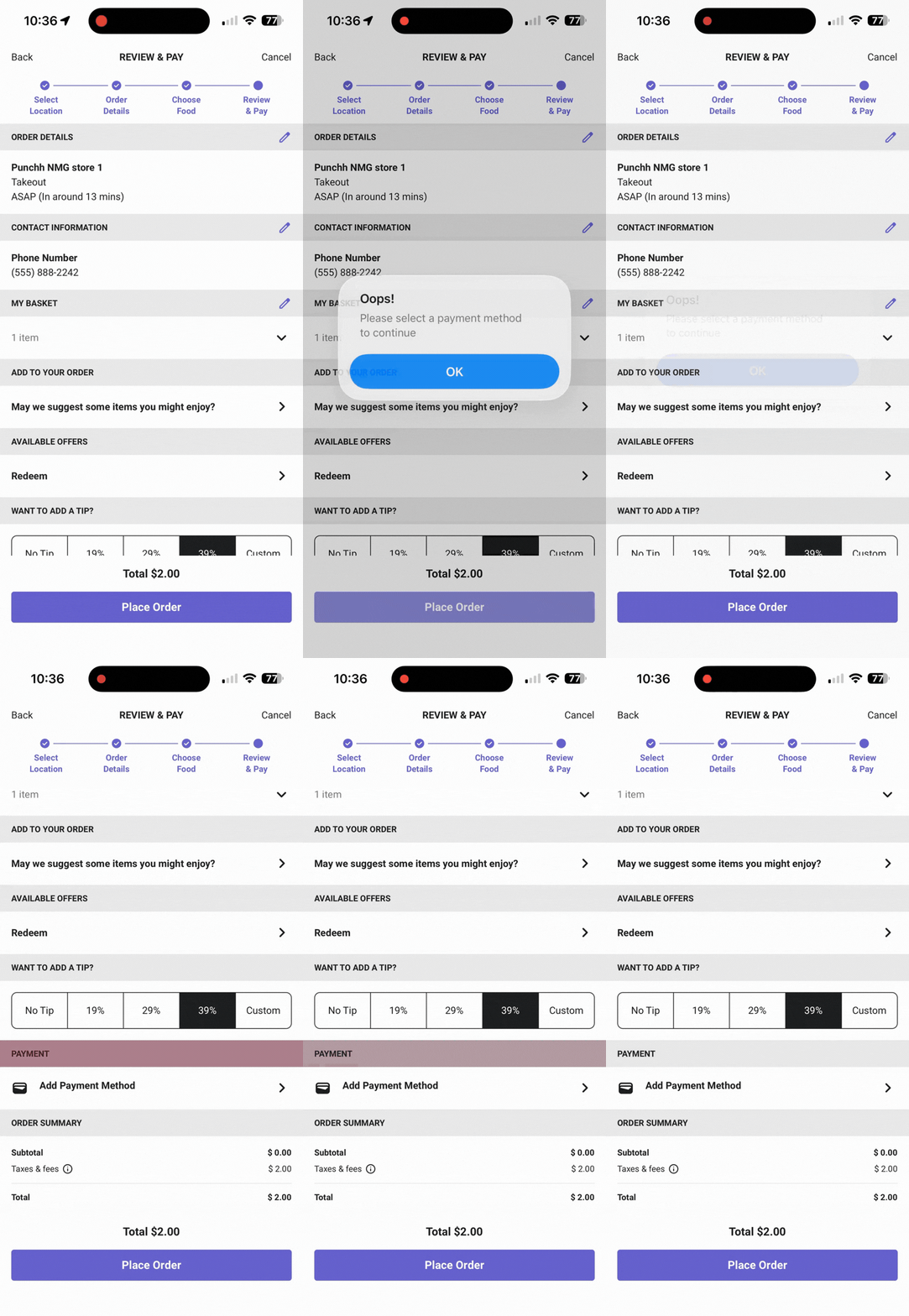
Improved experience on the Review & Pay Screen. If there is a blank mandatory field and the user tries to proceed to checkout, the screen will prompt the user to fill in the field and automatically scroll to the mandatory field. This allows a speedier checkout experience by ensuring users can quickly fill in all required fields without manually looking for them. (MF-3485)
See what this looks like...
Modifier Codes and Substitutions
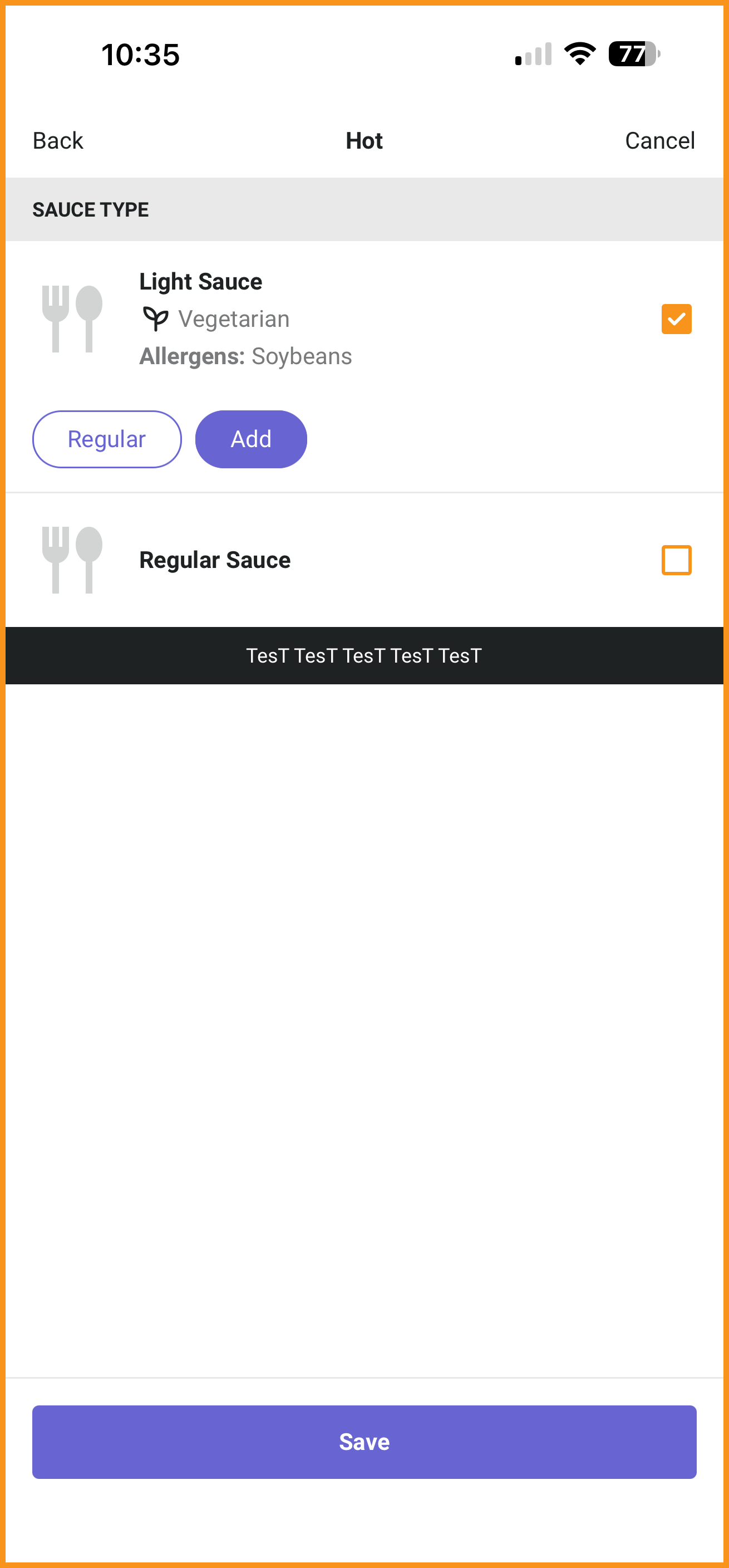
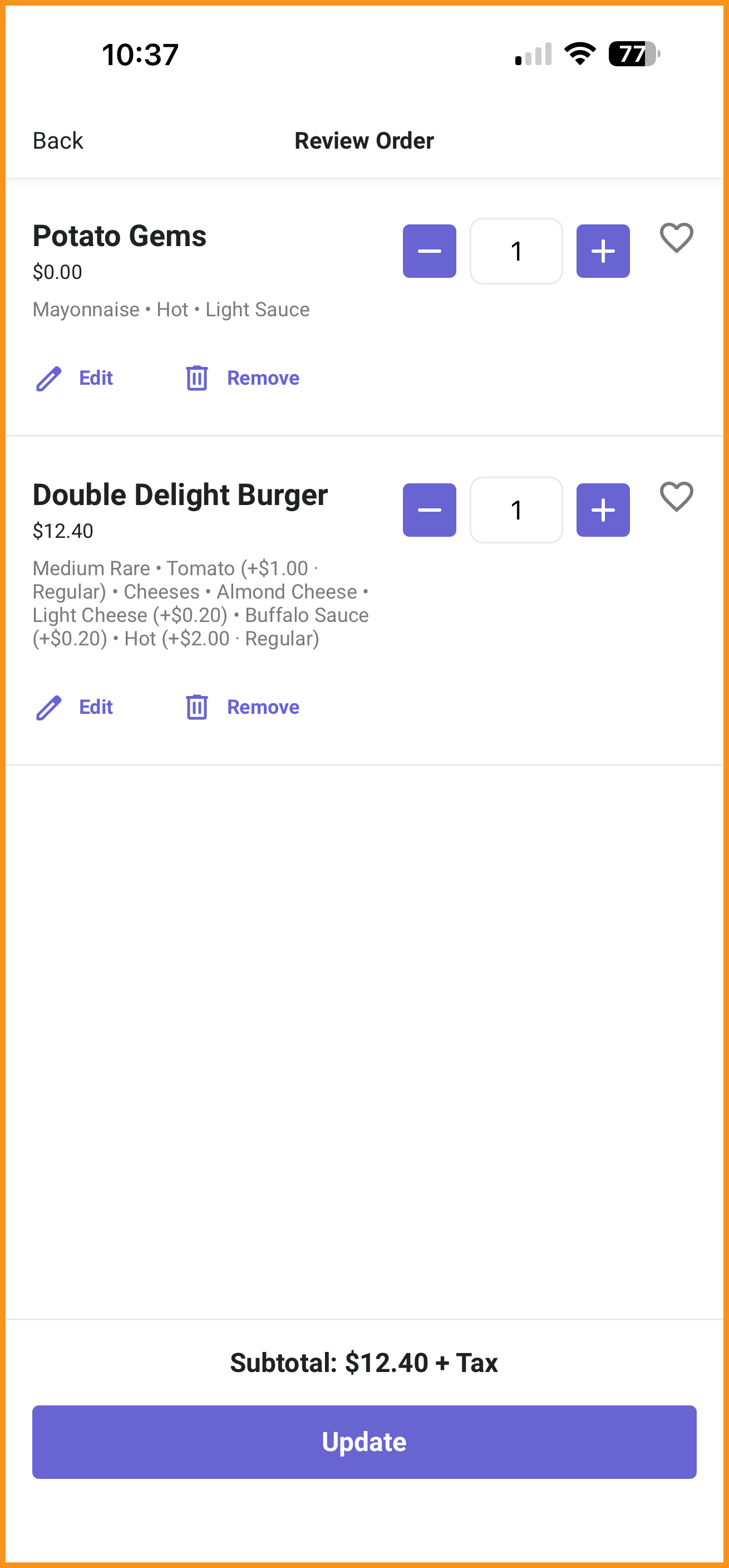
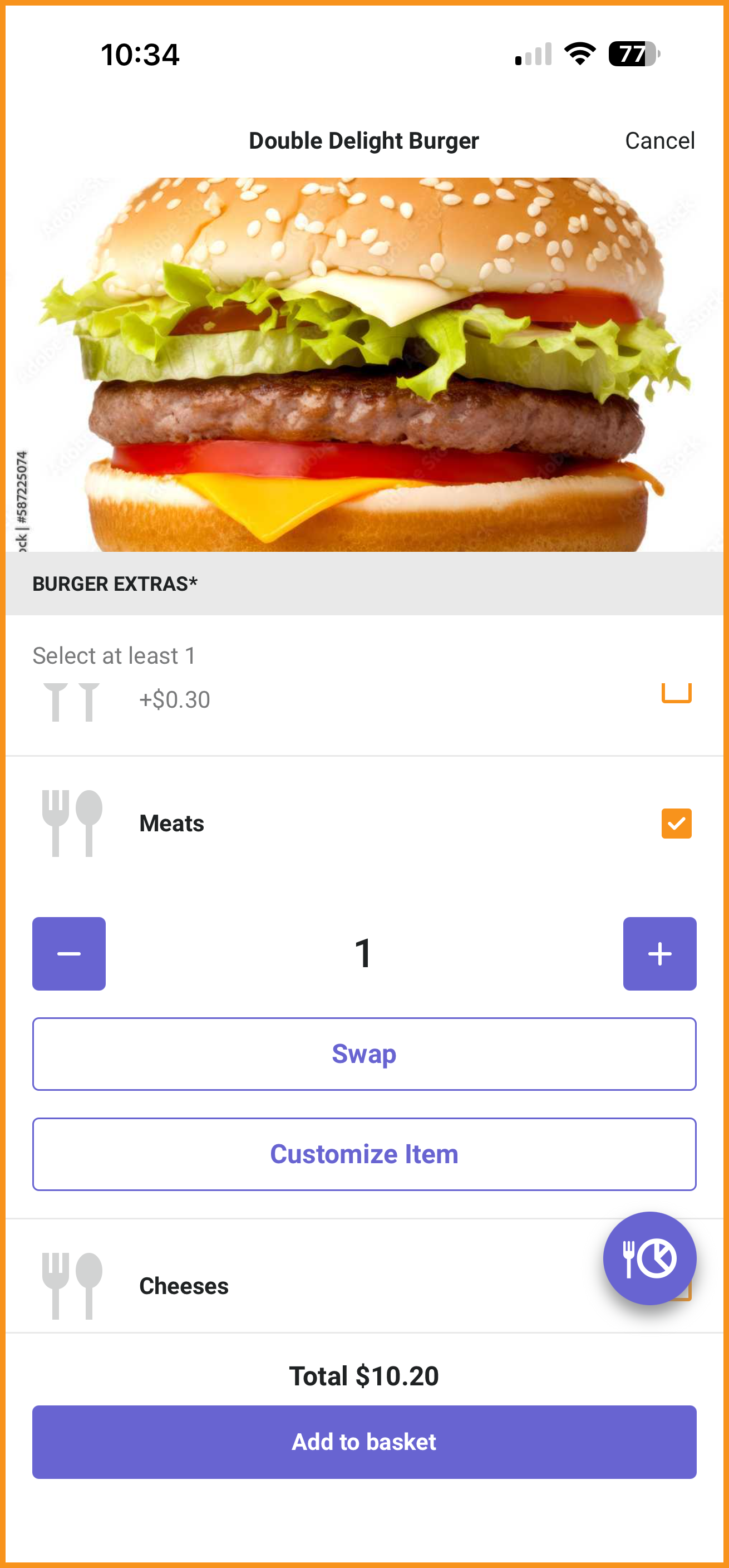
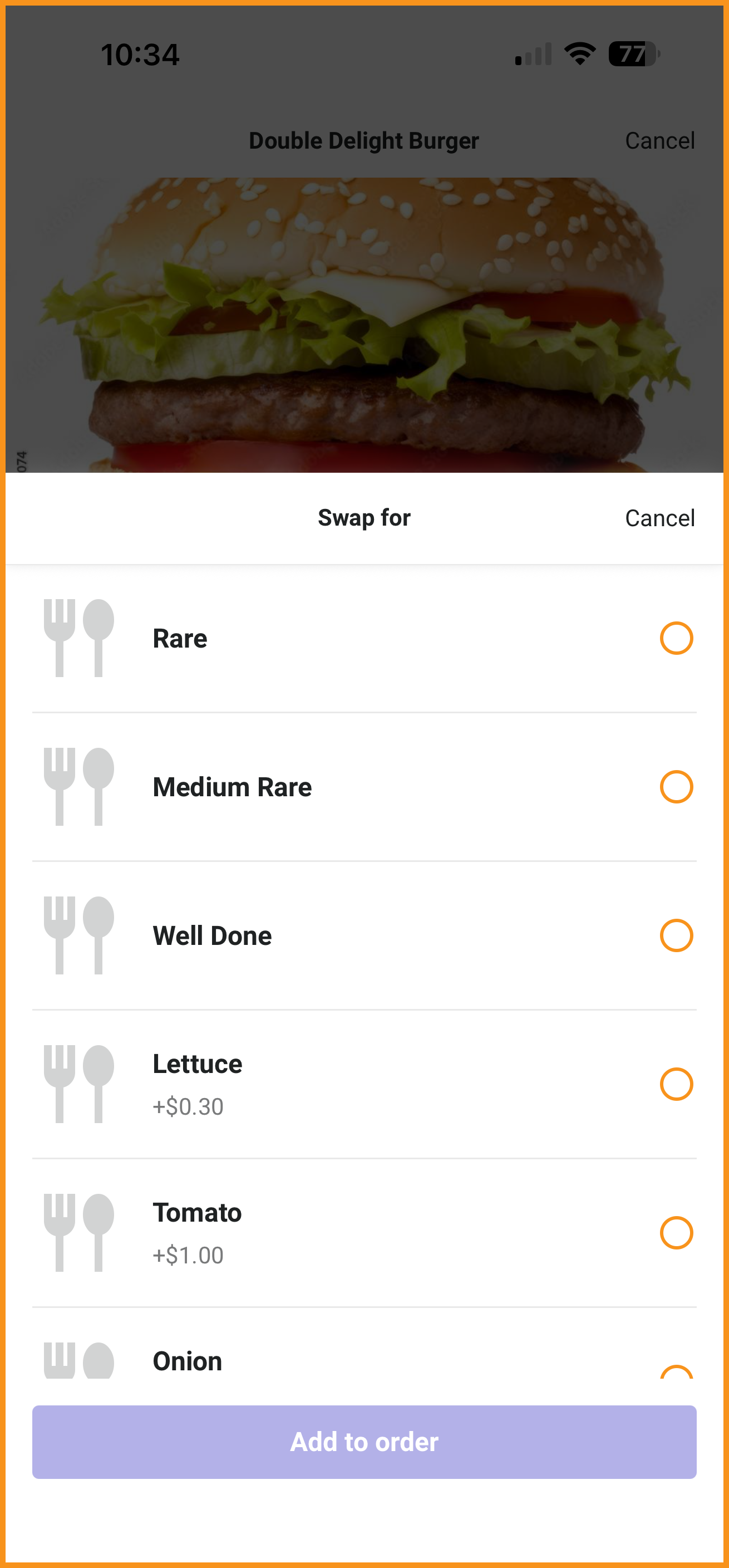
Modifier codes and substitutions configured in PAR Ordering are now supported in the app. These can appear at the nested product level when enabled. (MF-3587)
See what this looks like...
| Nested Modifier Code | Modifier Codes in Basket | Swap Button | Swap For Bottom Sheet |
|---|---|---|---|
|
|
|
|
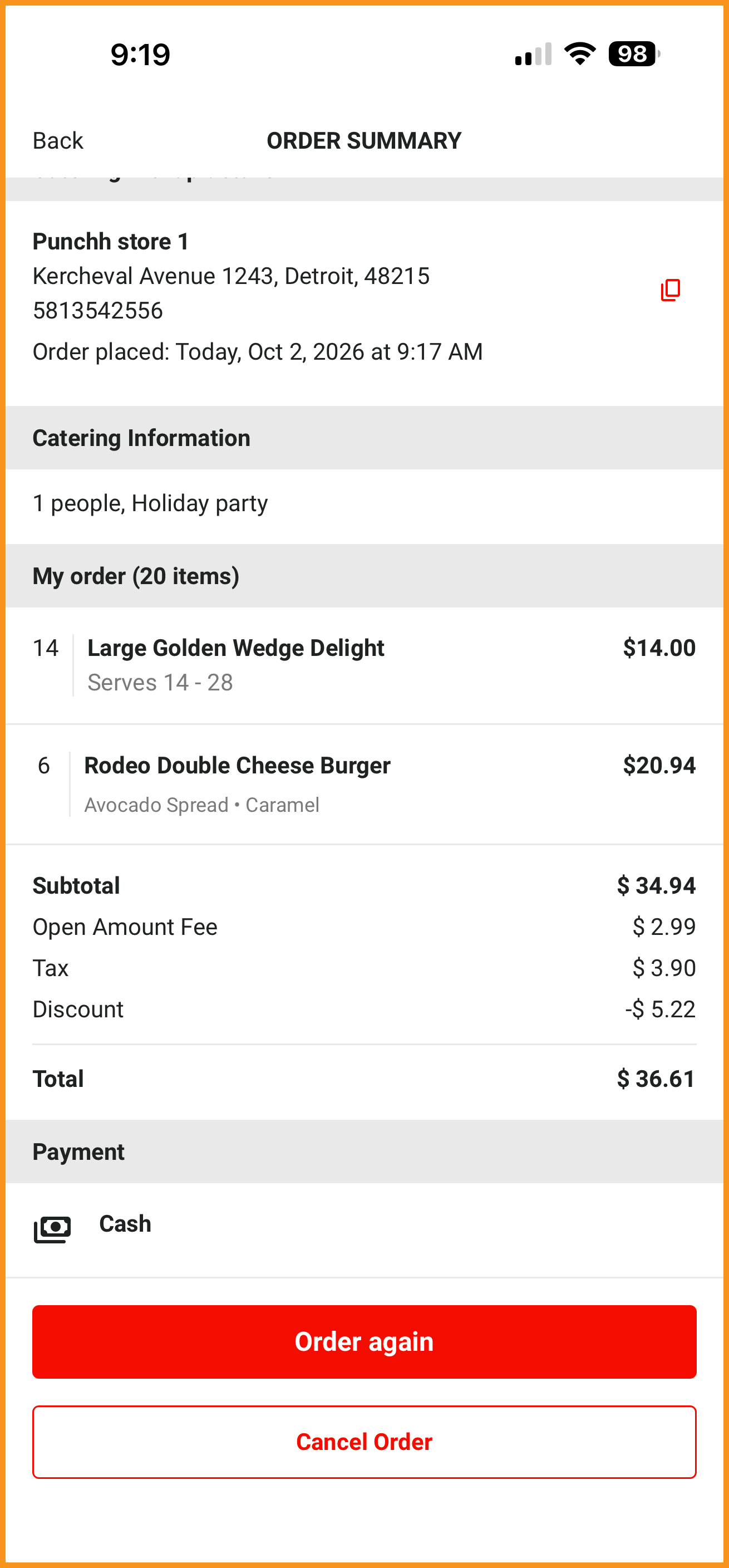
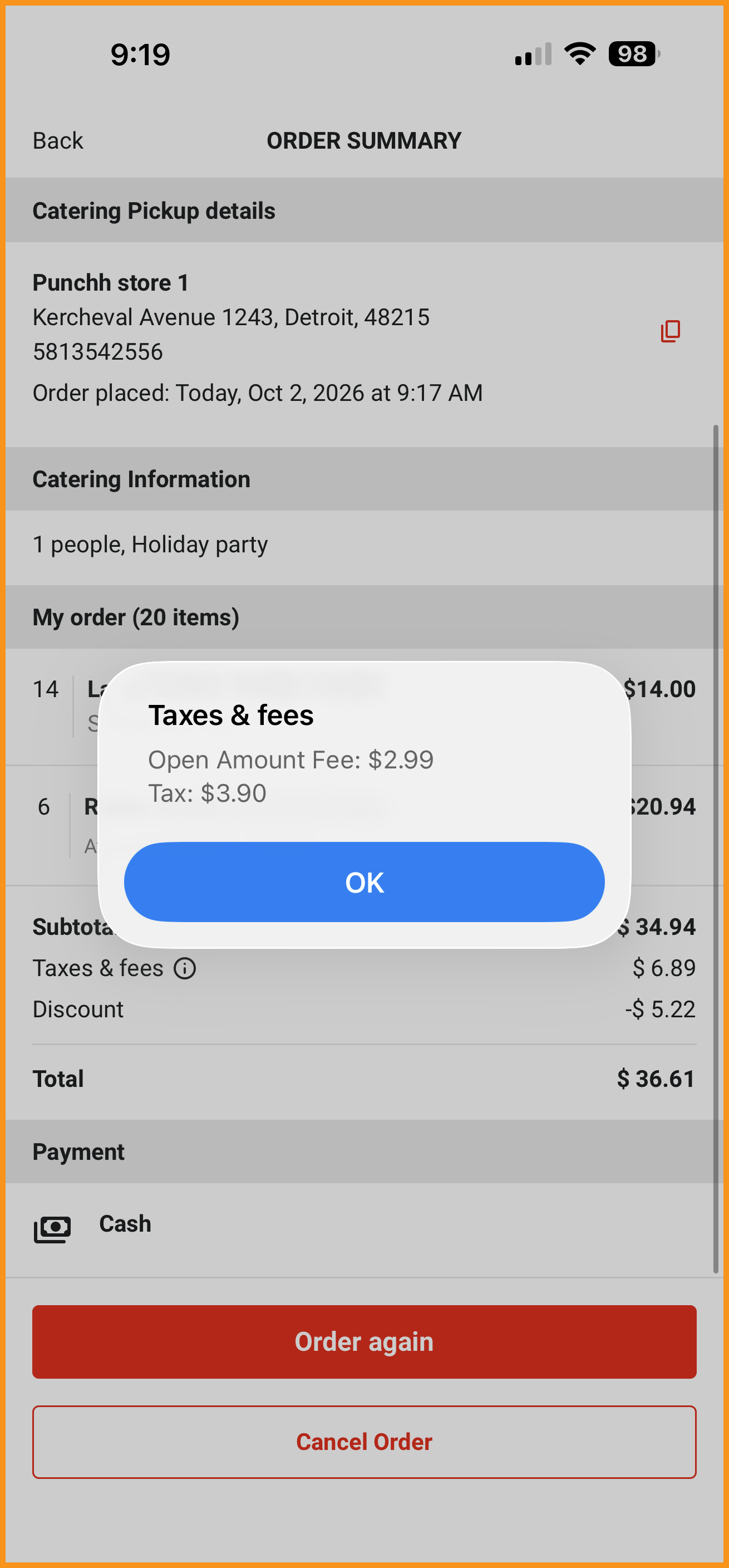
Discount Fee Now Shown in the Order Summary
Order Desk "Discount Fee" along with "Open Fee" is now supported and displayed in the app when available. (MF-3645)
See what this looks like...
| Discount and Open Fees: List | Discount and Open Fees: Modal |
|---|---|
|
|
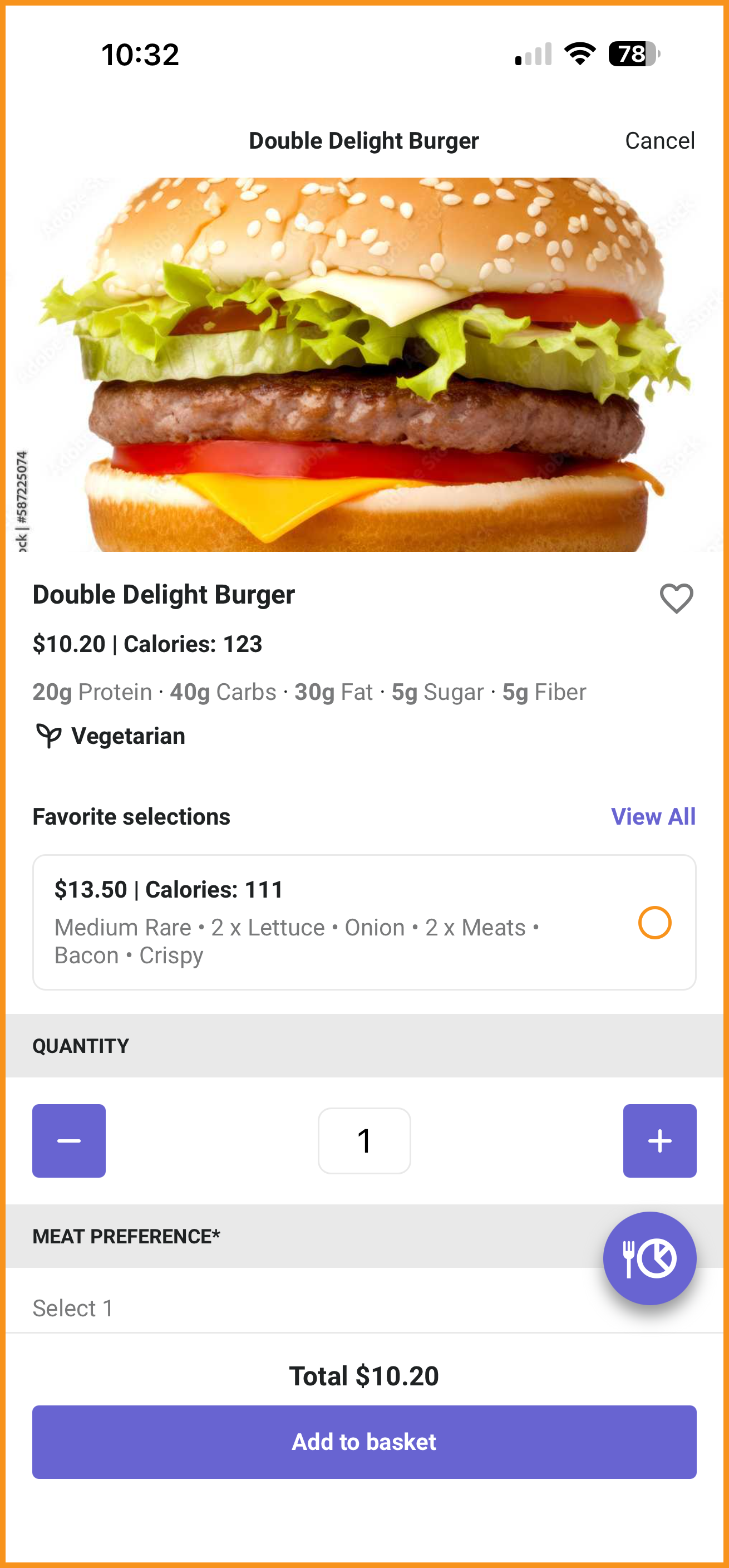
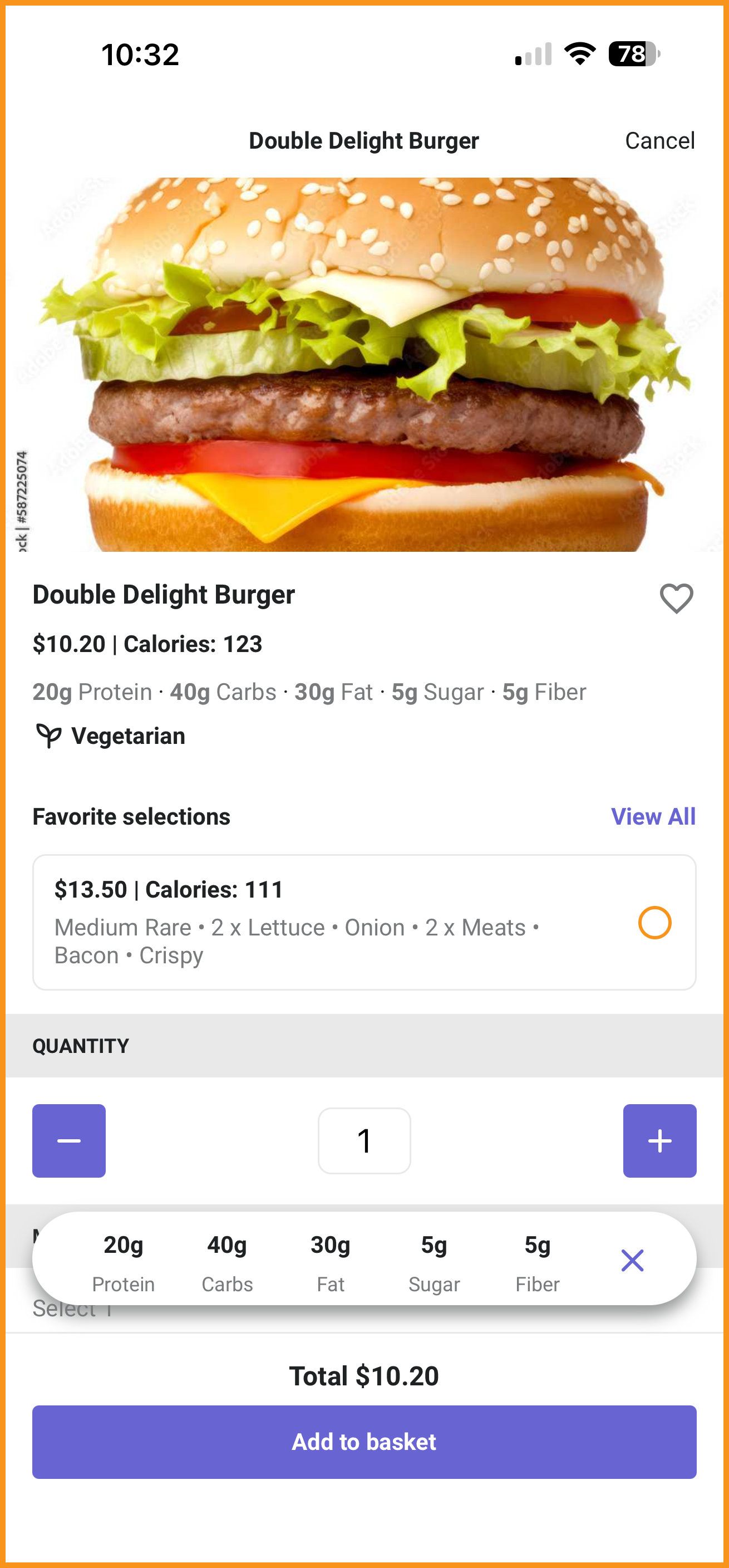
Macronutrients on the Product Page
PAR Ordering macronutrients, when configured in PAR Ordering, will now display on the product page in the app. Macronutrient information can update in real-time via an expandable floating action button (FAB) based on quantities and modifiers selected. (MF-3720)
See what this looks like...
| Macronutrients | Macronutrients FAB |
|---|---|
|
|
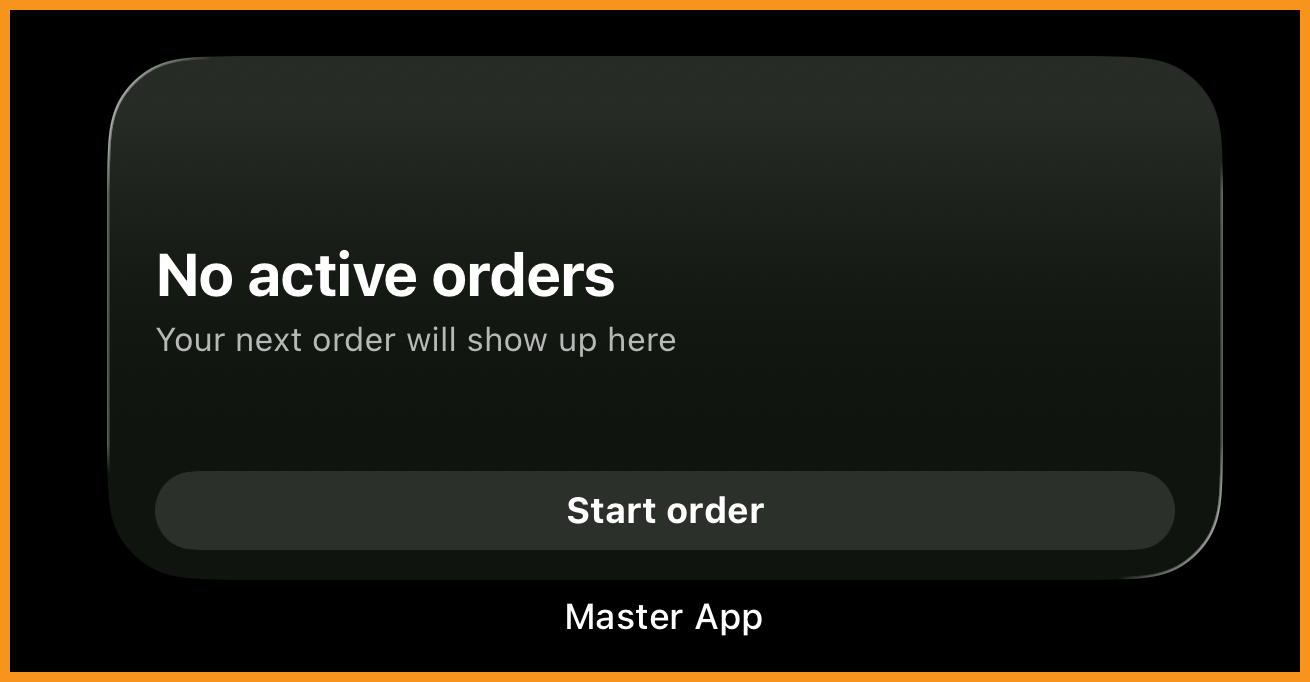
Home-Screen Order Status Widget
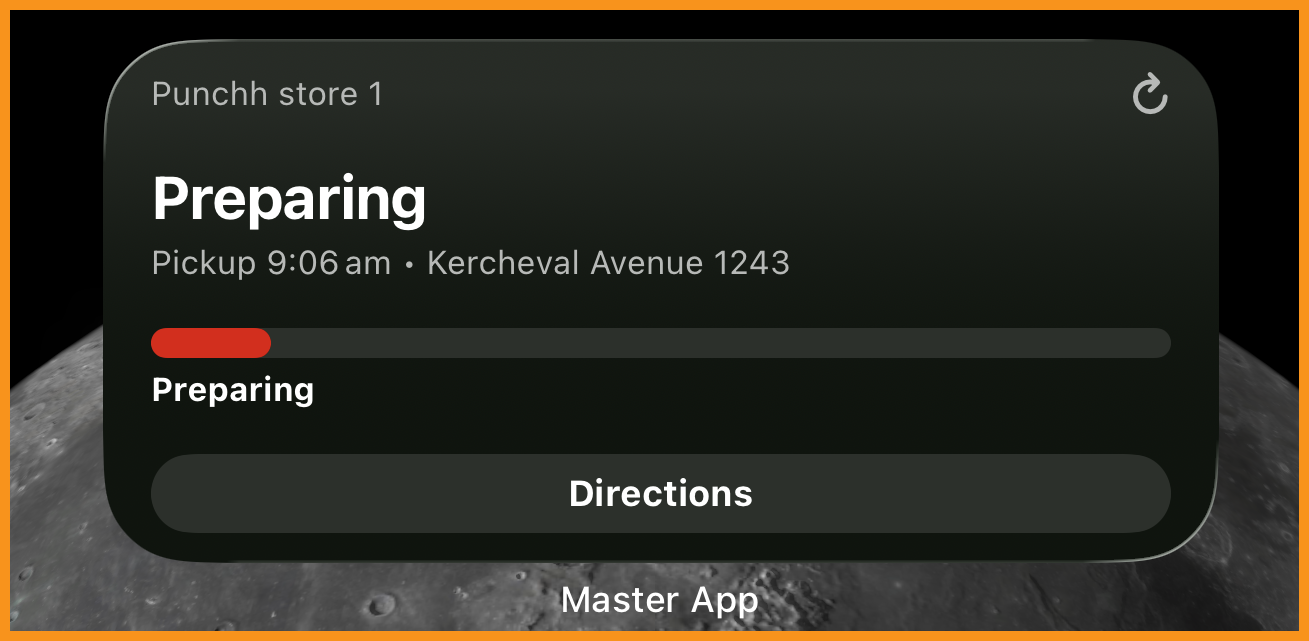
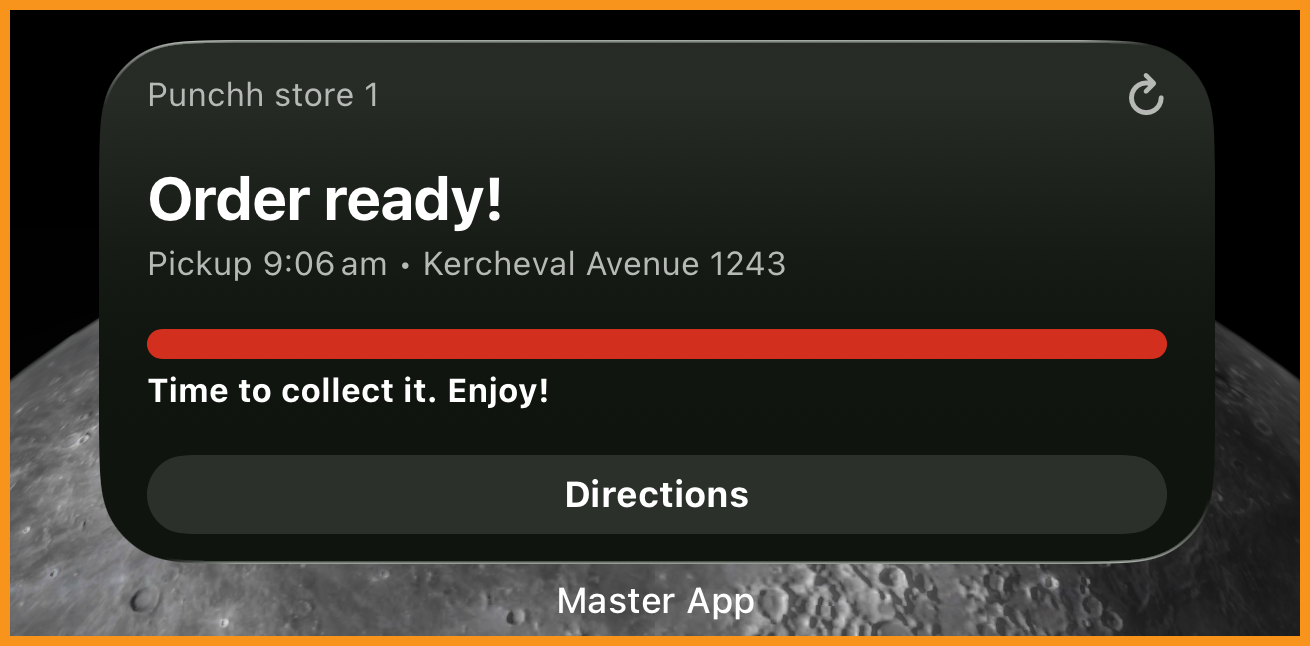
Guests using PAR Ordering's native mobile app can now add a home-screen widget (iOS and Android) that shows their next active order, status, ETA, and a one-tap action to view, track, or get directions without opening the app. (MF-3729)
See what this looks like...
| No Order | Preparing Order | Order Ready |
|---|---|---|
|
|
|
Ordering With Olo
Incomplete Sections Highlighted on the Review & Pay Screen
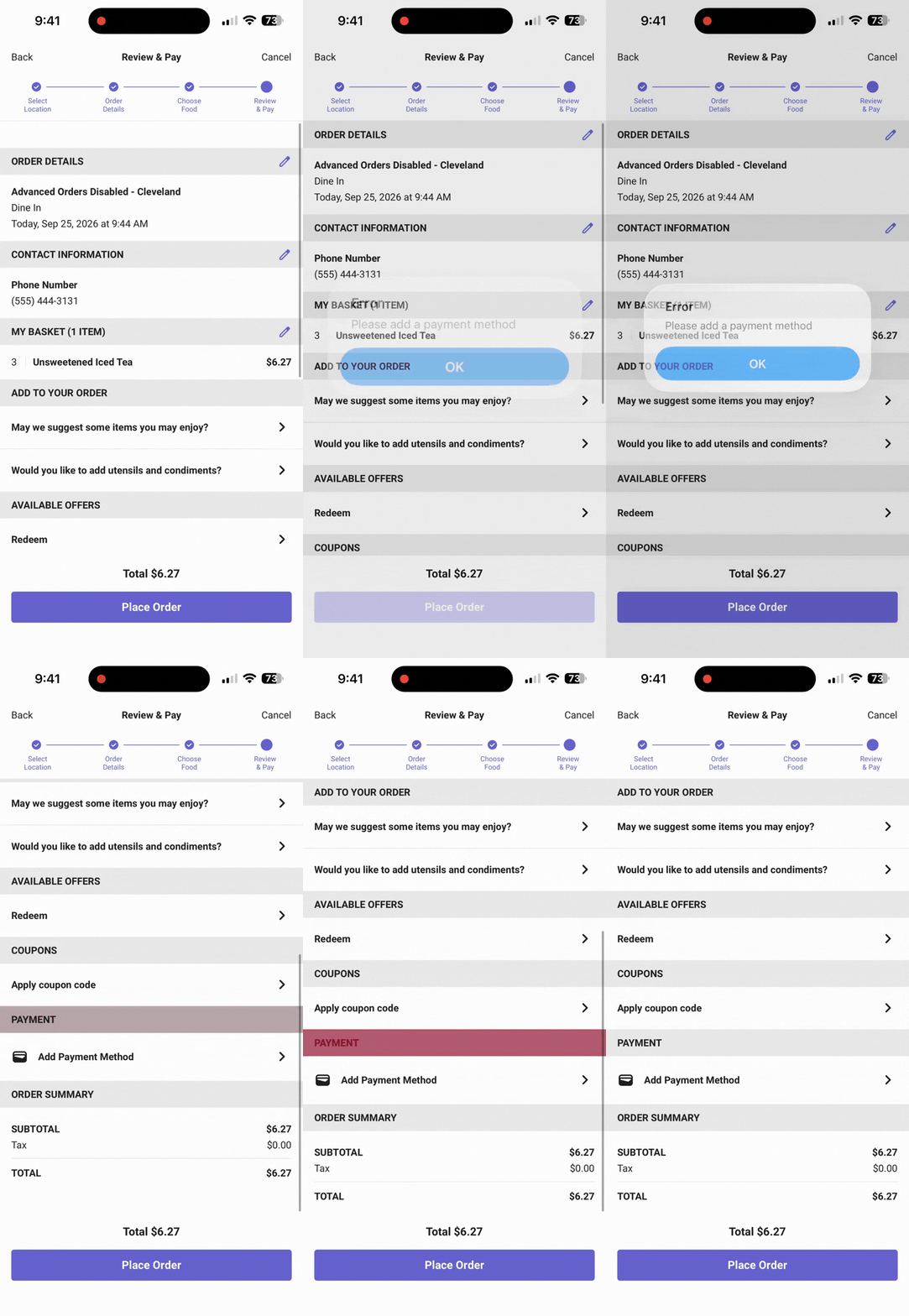
Improved experience on the Review & Pay Screen. If there is a blank mandatory field when a user tries to proceed to checkout, the user will be prompted to fill in the field and the screen will automatically scroll to the mandatory field. This allows a speedier checkout experience by ensuring users can quickly fill in all required fields without manually looking for them. (MF-3458)
See what this looks like...
Olo "For You" Recommendations in the Menu
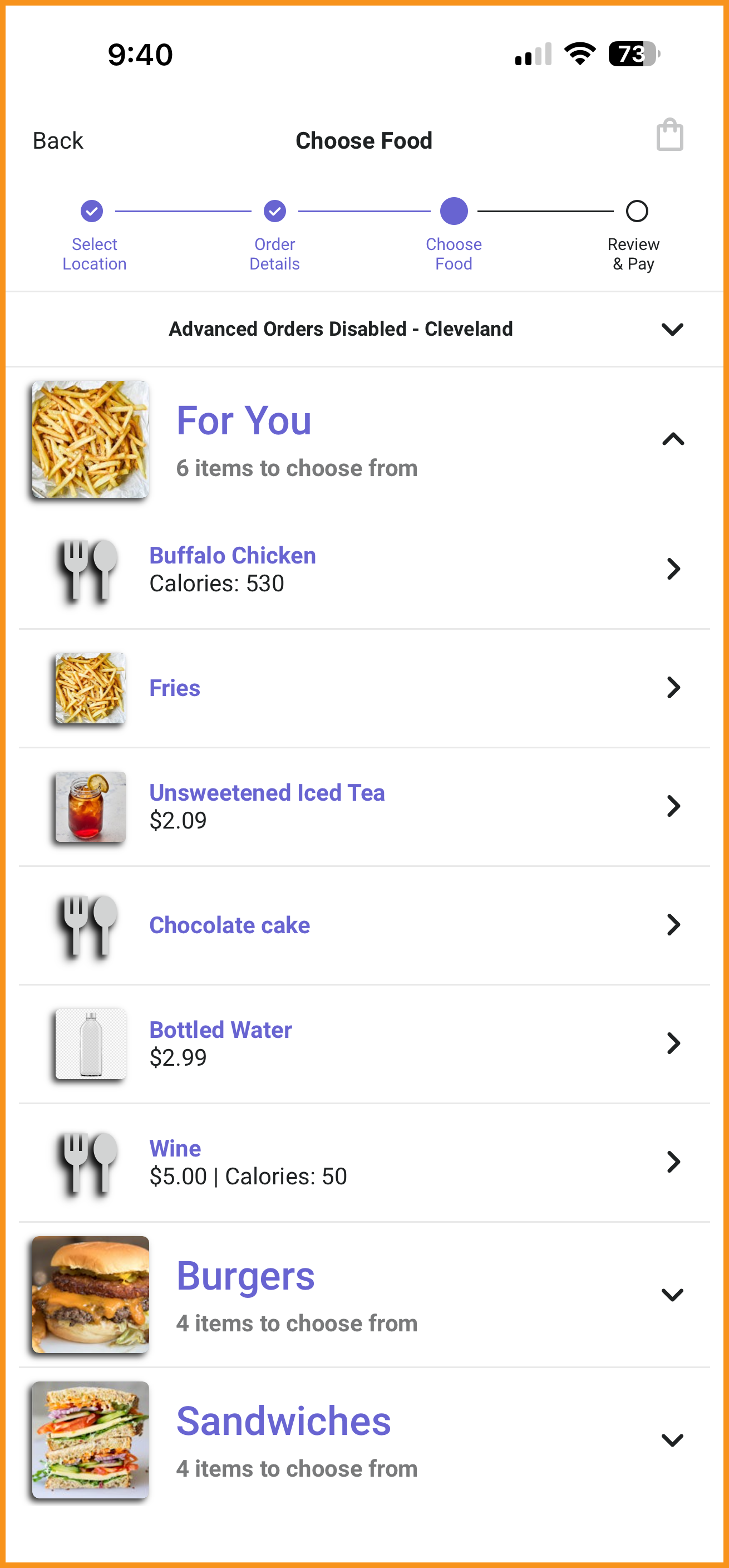
Olo "For You" products are now supported in the native online-ordering flow in the Punchh app when enabled in Olo. These items will appear as a separate category at the top of the menu screen. The category name is passed from Olo and the category image will take on the first available product image if available, otherwise the category placeholder image will be used. (MF-3653)
See what this looks like...
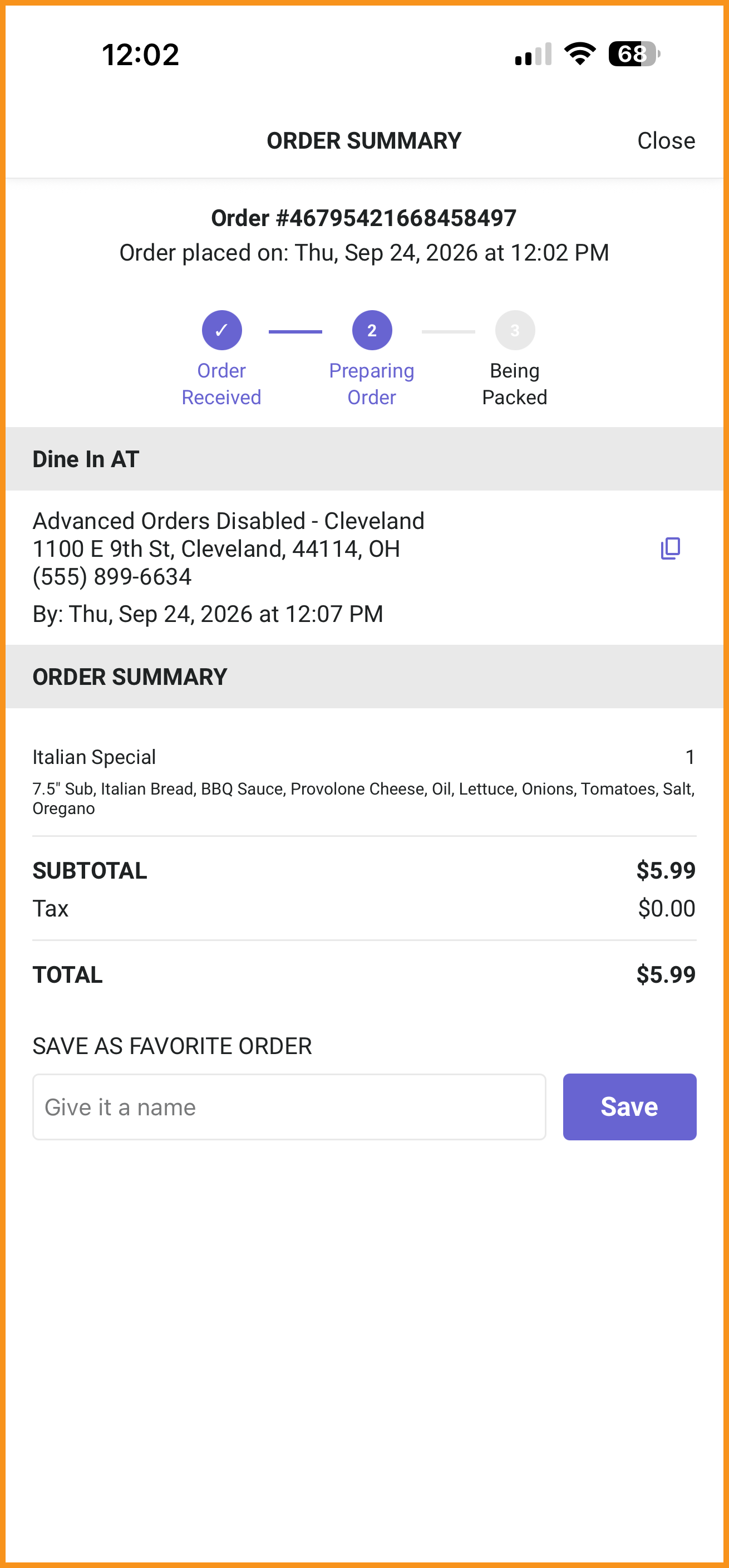
Order Progress Bar
A progress bar has been added to the Order Summary Screen so users can see how far along their order is. This was added to match the PAR Ordering screen and to create more parity between the native online-ordering experiences.
See what this looks like...
Operating System Platform Requirements
| OS | Mobile Framework v5.1 Platform Requirements |
|---|---|
| Android | Minimum OS Version Support: Android 11 (API 30) Target SDK: Android 16 (API 36) Compile SDK: API 36 Passkeys: Android 11 (API 30) or later, using Credential Manager Order Status Widget: Andoid 11 (API 30) or later (native PAR Ordering brands only) |
| iOS | Minimum OS Version Support: iOS 16.4 Build Tools: Xcode 16.x or Xcode 27 (iOS 27 SDK) Passkeys: iOS 16 or later Order Status Widget: iOS 16.4 or later (native PAR Ordering brands only) |
What Changed? Devices on iOS 15.1 to 16.3 can no longer install or update the app. Android requirements are unchanged.
