How Do I Delete an Item From an Order that has Not Been Sent to the Kitchen?
Select the Item to be Deleted
- Select the Item to be deleted on the left panel
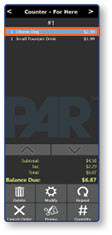
Note: Items that have not yet been sent to the kitchen are displayed in a white font. You can delete these items without additional Manager approval.
Delete the Selected Item
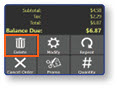
- Select the Delete button