How do I Change the Destination of an Order?
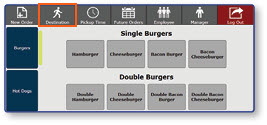
Open the Destination Menu
- Select the Destination button
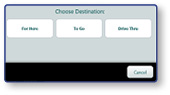
Select a New Destination
- Select the new Destination
Note: Adjustments in an order's Destination will be reflected in the left panel.
Note: Adjustments in an order's Destination will be reflected in the left panel.
