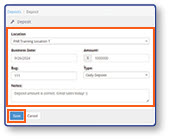
How Do I Enter a Deposit?
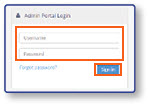
Log In
- Log in to the Admin Portal using your Username and Password credentials
- Select Sign In
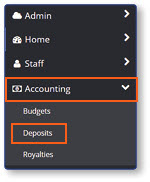
Open the Deposits Screen
- From the sidebar, select Accounting
- Select Deposits
Create a New Deposit
- Verify the Date and Location of any pre-existing deposits
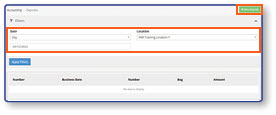
Note: If you need to make a deposit for a previous business date, select the Date field, select the new date, and then select Apply.
- Select New Deposit
- Enter deposit details:
- Enter Deposit Amount
- Enter Bag Number
- Enter Deposit Type
- Enter Notes if applicable
- Select Save