Service Management Group (SMG) Feedback Integration
Service Management Group develops customer experience management platform that provides an insight into customer experience, employee engagement and brand research software services catering to the restaurant, retail, grocery, convenience store, travel, entertainment, healthcare and other service industries.
Since SMG platform has been integrated into the PAR Ordering ecosystem there are certain steps to be made in the PAR Ordering Management Center for it to be configured and used by restaurant Brands.
To configure a SMG integration:
- Log in to PAR Ordering Management Center
- Navigate to Configurations > Customer data platforms
- On Feedback Integration tab
- Select SMG as Integration Type
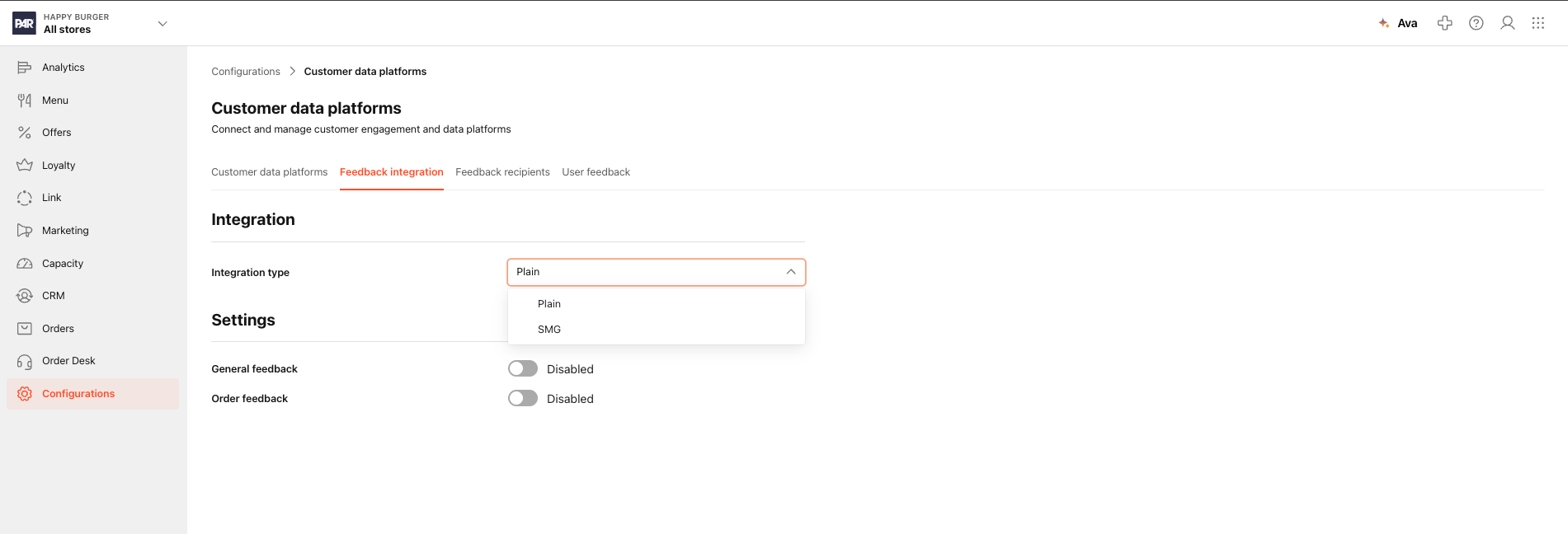
- Feedback Integration form appears
- Add Customer Identifier, Secret, Project Identifier and enable Logging
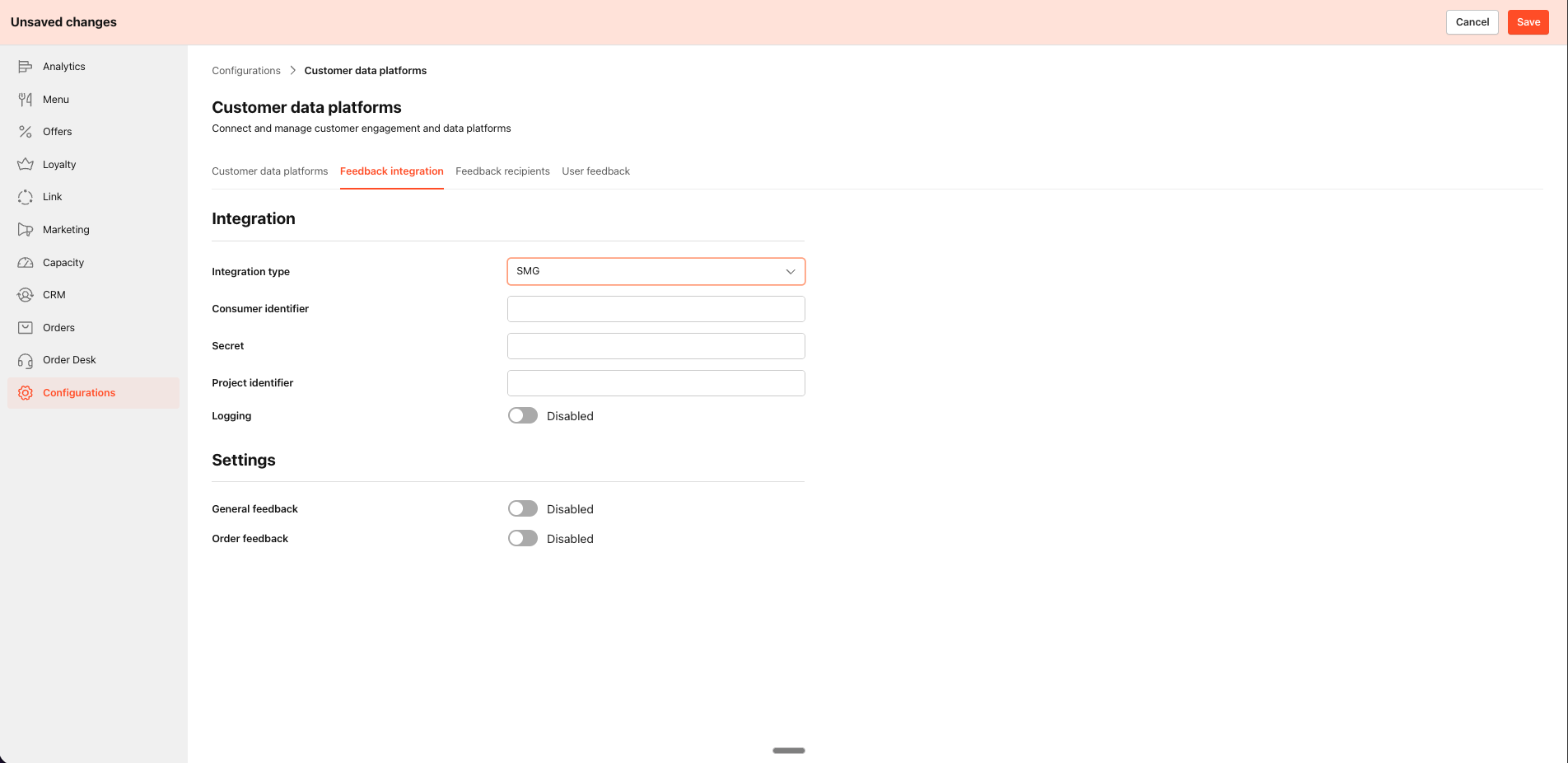
- Click SAVE
Now after you configured all the settings regarding the SMG integration type, you should configure general and order feedback settings available in the Management Center.
To do so:
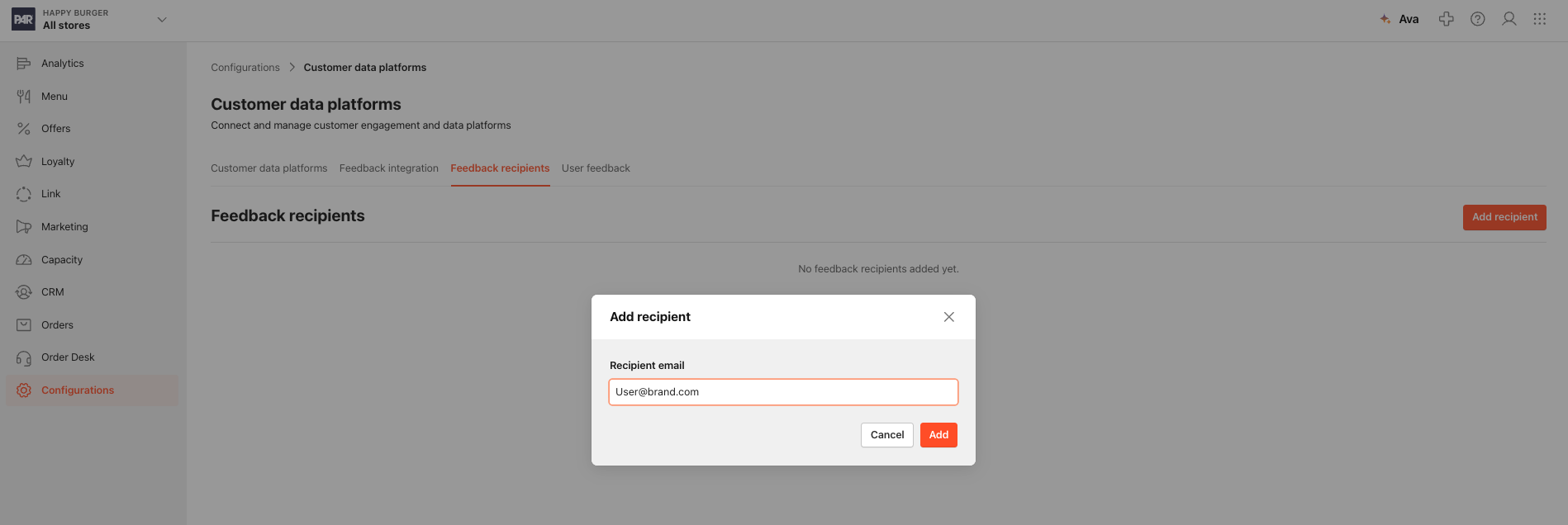
- Navigate to Feedback recipients tab
- Add Recipient
- Add user email address
- SAVE
You've successfully configured SMG integration in the Management Center.
