Redeeming a Promo Code
Supported from v3.8.1
From Marketing Automation tools (like Braze or Firebase) or from external websites / e-mails you can trigger your app to redeem a Promo Code and open the Promotions List Screen.
If you are using Braze, you can also make use of our Webhook integration to send Promotions to your users. The advantage of this is that the Promotion is added to the user's account without them having to specifically tap on the deeplink / push notification. You can then use the Opening the Promotions List Screen to direct them to the Promotions List Screen (which will already contain the Promotion). For more information, see here.
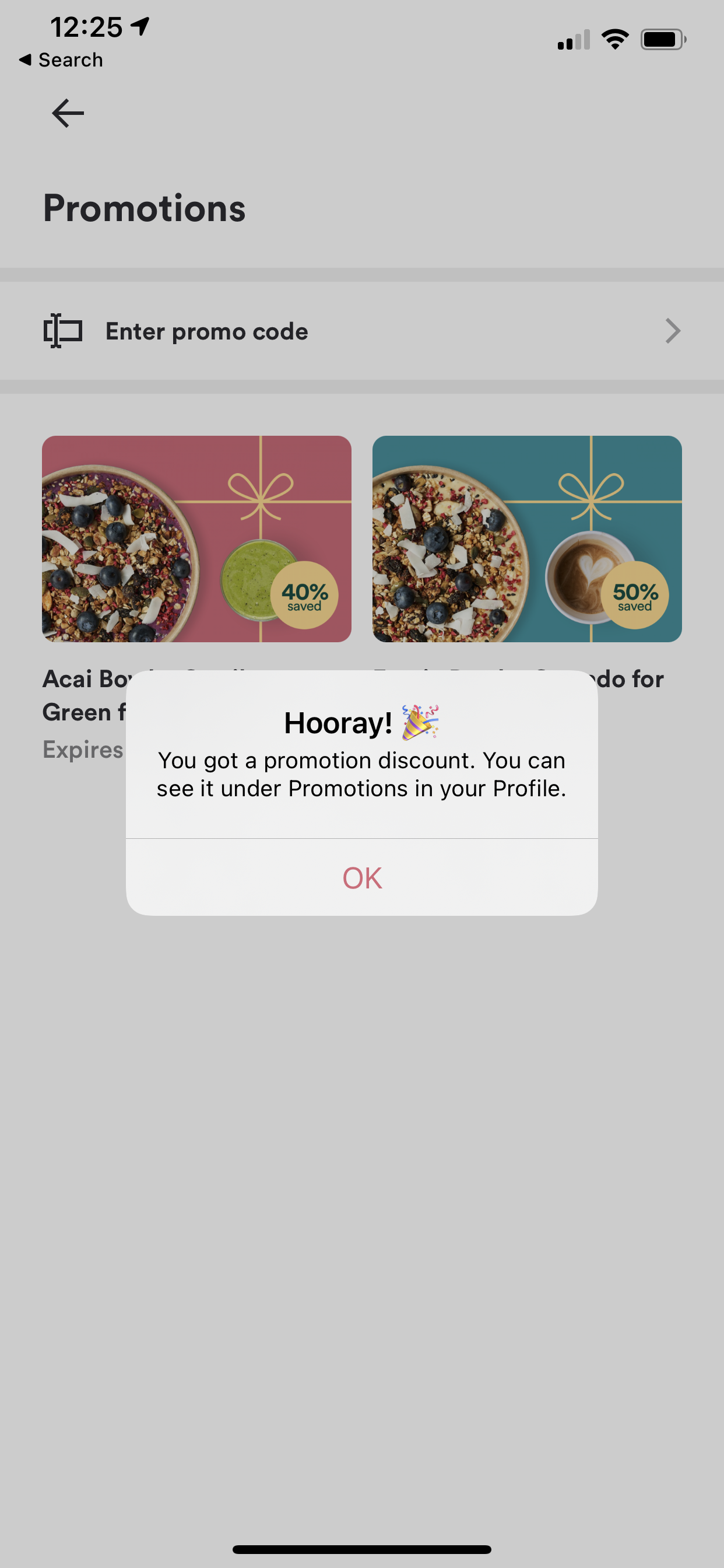
You'll need your app's URL scheme to do this. Please reach out to your Account Manager or open a ticket through one of our open a ticket if you don't have your URL scheme yet.
| Deeplink Scheme | [app-scheme]://promotions?code=PROMOCODE |
|---|---|
| Firebase Deeplink Scheme | {"event": "deep_link", "deep_link_url": "[app-scheme]://promotions?code=PROMOCODE"} |
Make sure to replace [app-scheme] with your app's URL scheme and PROMOCODE with the Promo Code you defined in the CMS. Your final deeplink should look something like this: kauwelapoke.app://promotions?code=ACAI40
This deeplink only works for logged-in users. Non-logged-in users that open this deeplink will receive an alert, telling them that they need to log-in or sign-up.
