Web App Store & Menu Page
This article outlines the updated user interface components for Store Finder configuration on the Menu page.
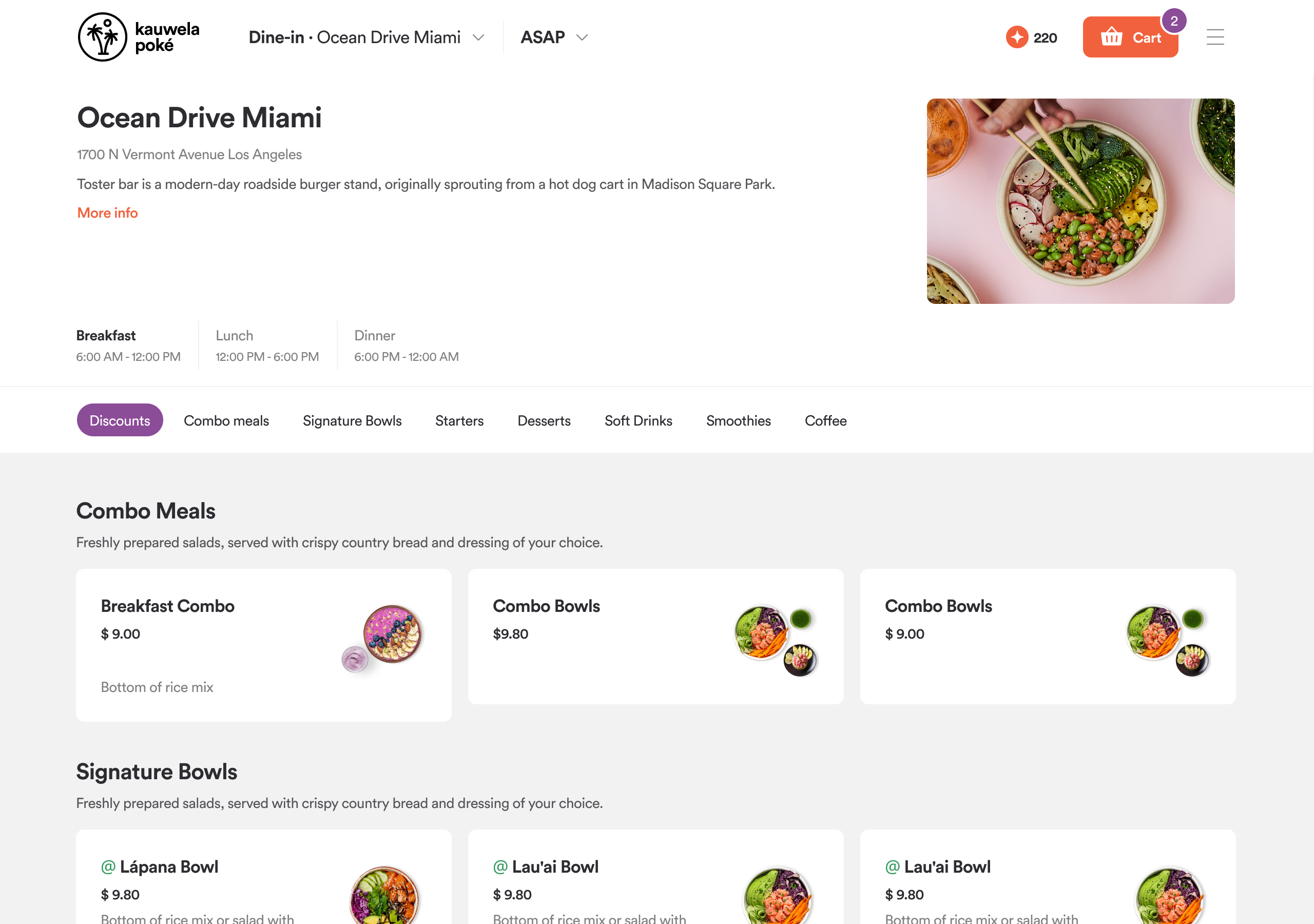
Navigation Updates
- Store Finder configuration access component added to the top navigation bar on the Menu page.
- Pickup Time configuration component moved to the top navigation bar on the Menu page.
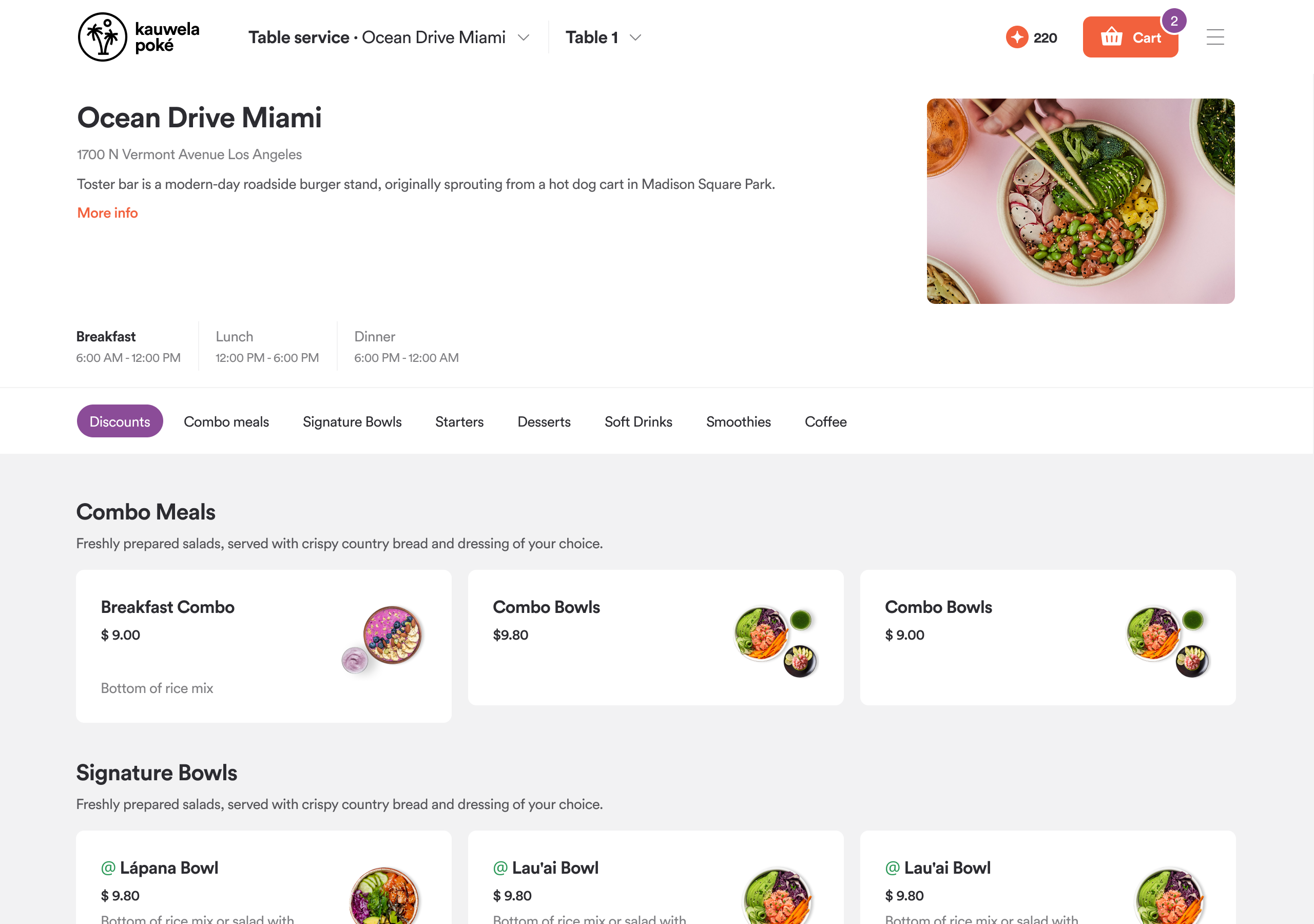
- Table Number access moved to the top navigation bar on the Menu page.
UI Component Removals
-
Removed UI components from the app’s right-hand panel:
- Pickup Time
- Order Type
- Delivery Address
- Table Number
Menu Layout Update
- Menu layout updated to support a three-row structure.
Store Finder Configuration Component
-
Provides direct access to the Store Finder modal.
-
Reflects current selection state including:
- Selected order type
- Selected restaurant location
- Selected delivery address (for Delivery and Catering delivery)
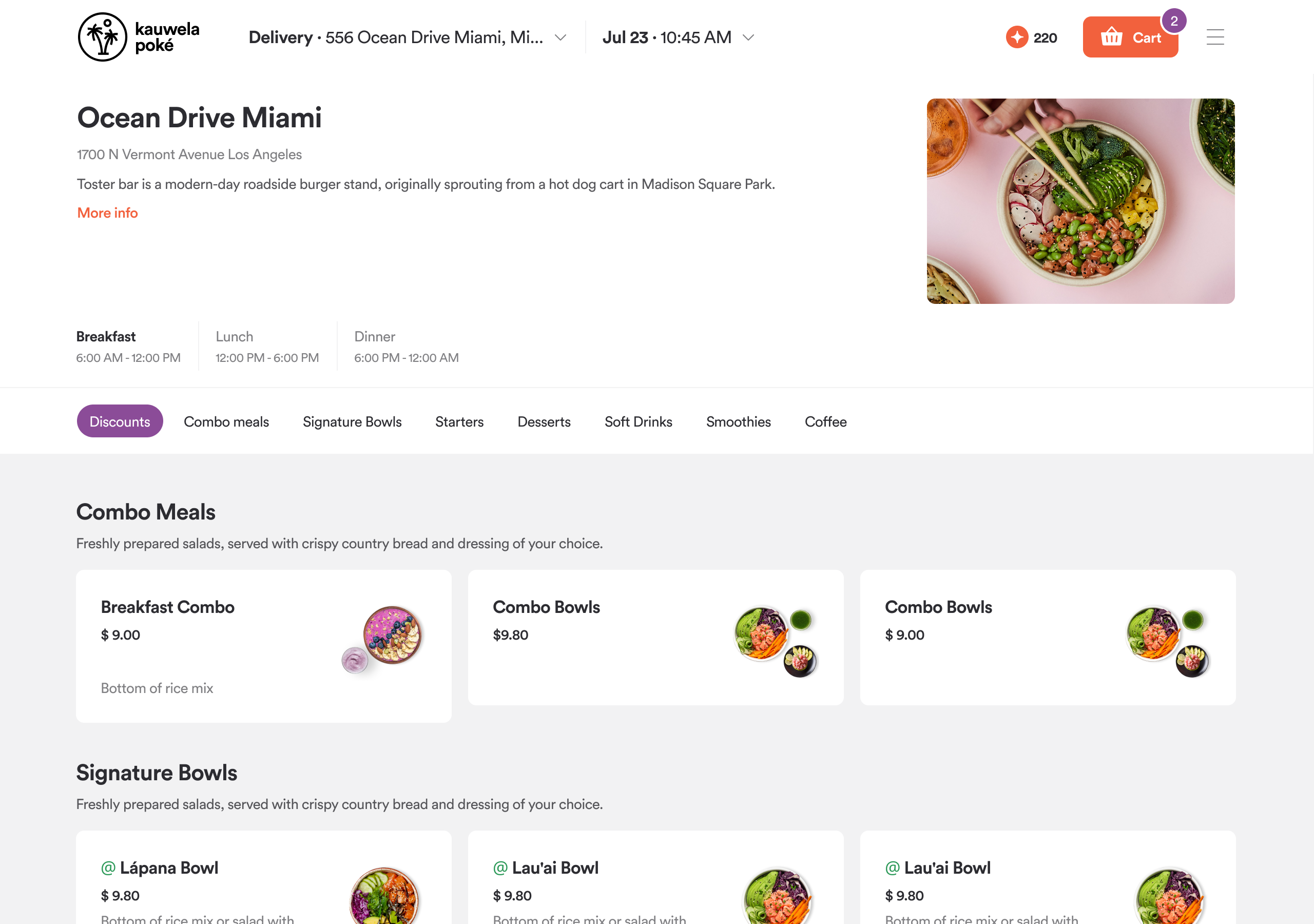
Pickup Time Configuration Component
- Provides access to the Pickup Time configuration modal.
- Displays current order time selection: ASAP (default) or Scheduled.
- Hidden when the restaurant is fully unavailable (e.g., closed, offline, no drivers).
- Displays 'Closed' state with CTA to schedule future order when restaurant accepts advance orders.
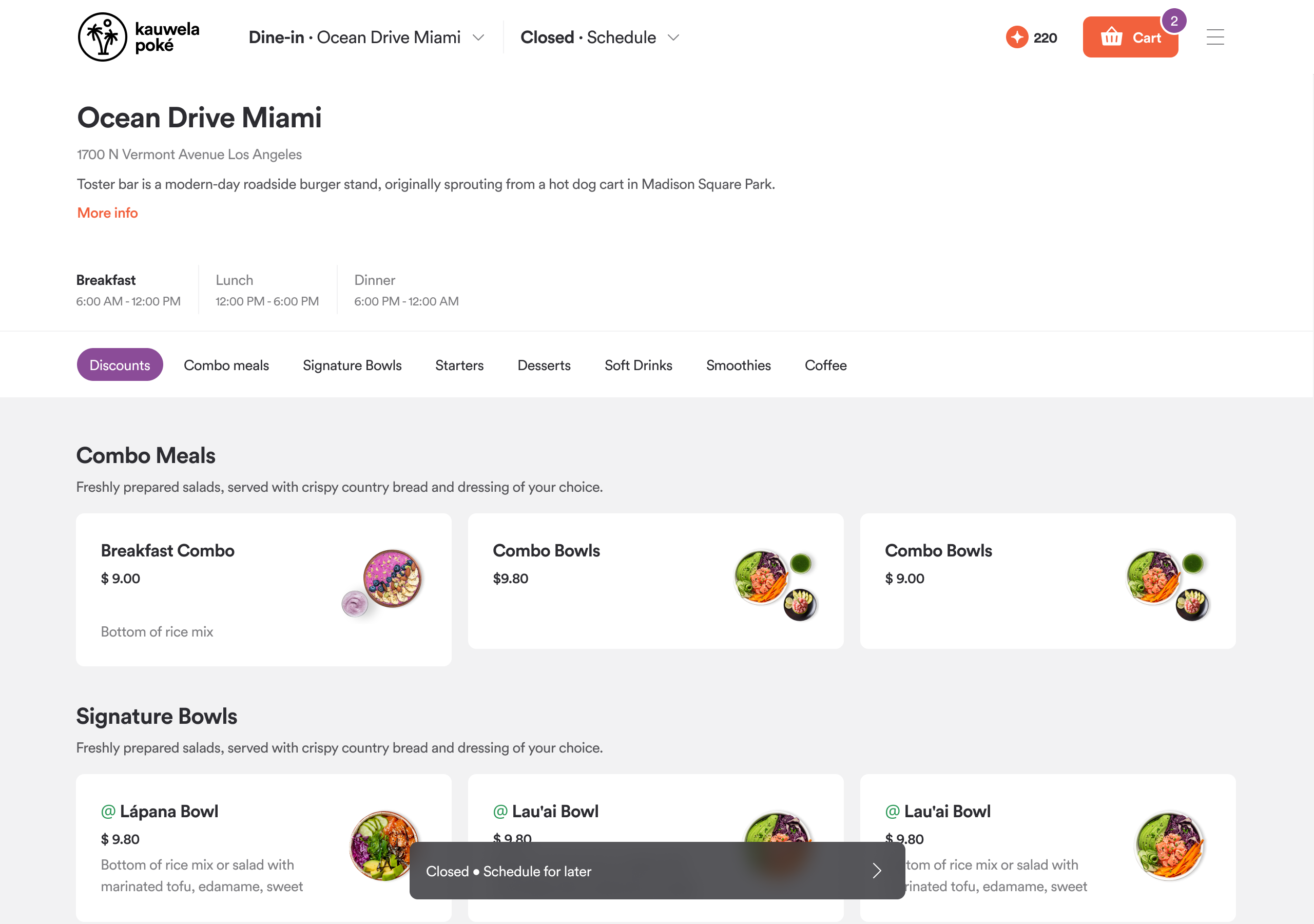
Table Number Configuration Component
- Provides access to the Table Number configuration modal.
- Displays CTA 'Add table' when no table number is populated.
- Displays selected table number when populated.
Header & Footer
Header
Header exists on the majority of Web App pages. It serves the purpose of navigation accessible to users. The most important header feature is the "Register" call-to-action to nudge your customers to register or sign in. This is available when the customer is in a guest session.
If your brand has the Loyalty feature enabled, guest customers will see the call-to-action to register in order to benefit from loyalty perks.
For registered customers, the header acts like a customer dashboard with access to account settings, their past orders, and payment methods.
If your brand has the Loyalty feature enabled, registered customers will see the number of points they accrued that can be spent on loyalty rewards.
Omnipresent Cart: The cart is now always visible and follows the user throughout the app. It retains items for 15 minutes to address cart abandonment and allows users to change order modes or locations without clearing the cart, providing a seamless experience.
Footer
Footer hosts the language switcher, high contrast, and custom links your brand needs in the footer.
