PAR Ordering: PAR Games
Overview
PAR Ordering adds PAR Games (“Play & Win”) support to both the mobile hybrid app and the web ordering app. Logged-in guests can browse and play games directly within the ordering experience, earning loyalty rewards through gameplay.
Prerequisites
Punchh-side setup must be complete before enabling on Ordering:
- PAR Games is contracted (SOW signed) and the Games Dashboard is enabled.
- One or more games are created and active.
Enabling in Management Center
-
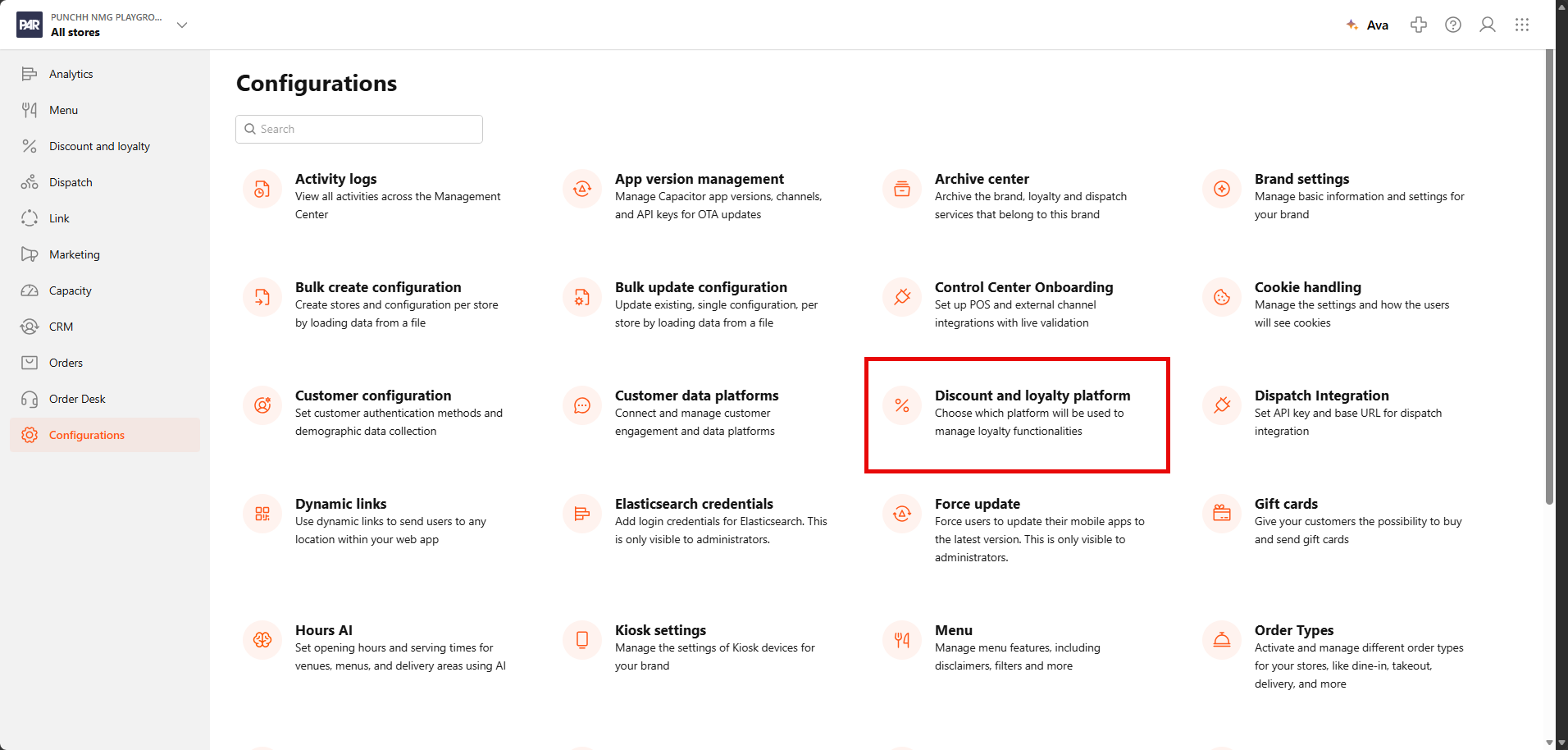
In the Management Center, navigate to Configurations > Discount and loyalty platform.
-
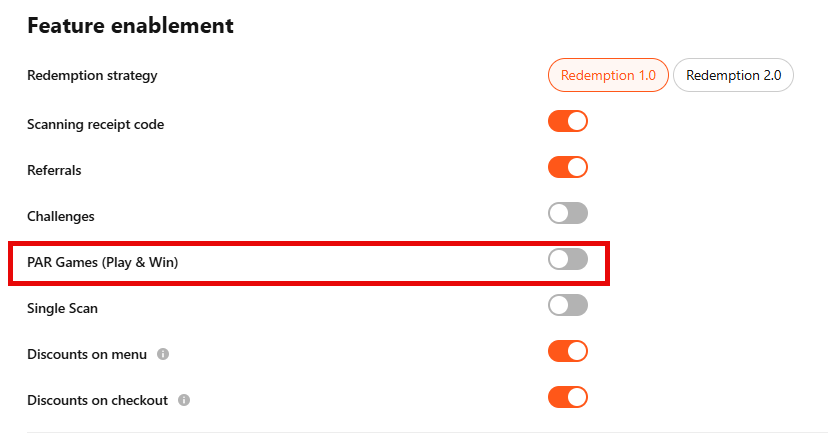
Under Feature enablement, enable the “PAR Games (Play & Win)” toggle.
- Click Save.
Once enabled, the Play & Win section becomes visible to logged-in guests across both mobile and web. Without this toggle, the Play & Win menu entry and post-order games carousel will not appear — even if games are live in the Games Dashboard.
Guest Experience
Mobile (Hybrid App)
- A “Play & Win” entry appears in the main navigation menu for logged-in guests.
Web
- A “Play & Win” entry appears in the main navigation menu for logged-in guests.
- A games carousel is displayed on the Order Confirmation screen after checkout.
Channel Support
Games added to the Punchh platform will be set to display for web, mobile, or both.

Games outside a guest’s current channel are shown as locked with a contextual message — e.g. “This game is only available in the mobile app.” Both messages are configurable via app strings.
