PAR Link Connection Status
Overview
The Store Connection Status Dashboard is a feature within PAR Link designed to help you monitor the online/offline status of your stores across different marketplaces.
What You’ll See
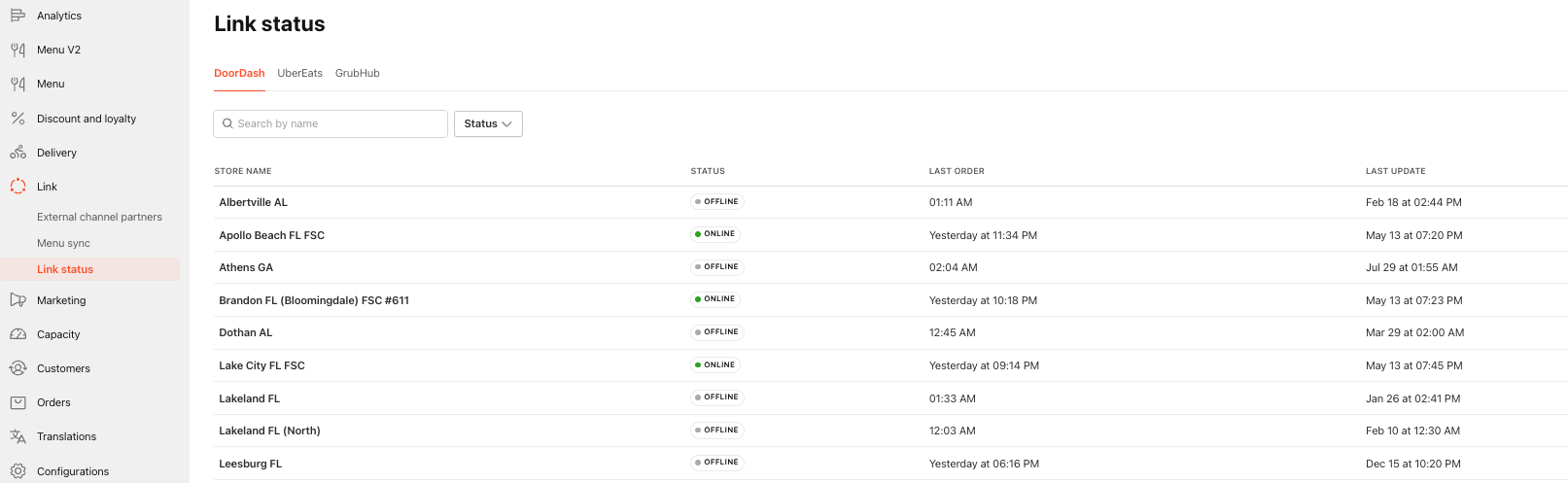
This dashboard provides a high-level summary of:
- Store connection status (online/offline) grouped by aggregator
- Timestamp of the last order received
- Timestamp of the last status update
How It Works
Here’s how to navigate and use the dashboard effectively:
- Marketplace Tabs: Each connected marketplace is displayed in its own tab for easy access.
- Store Listings: All stores are listed with their current connection status, last order received, and last update time.
- Search & Filter: Use the search bar to find specific stores or apply filters to focus on stores that may require attention.
This tool helps you quickly identify and address connectivity issues, ensuring smooth operations across all your locations.
Store Details Drawer
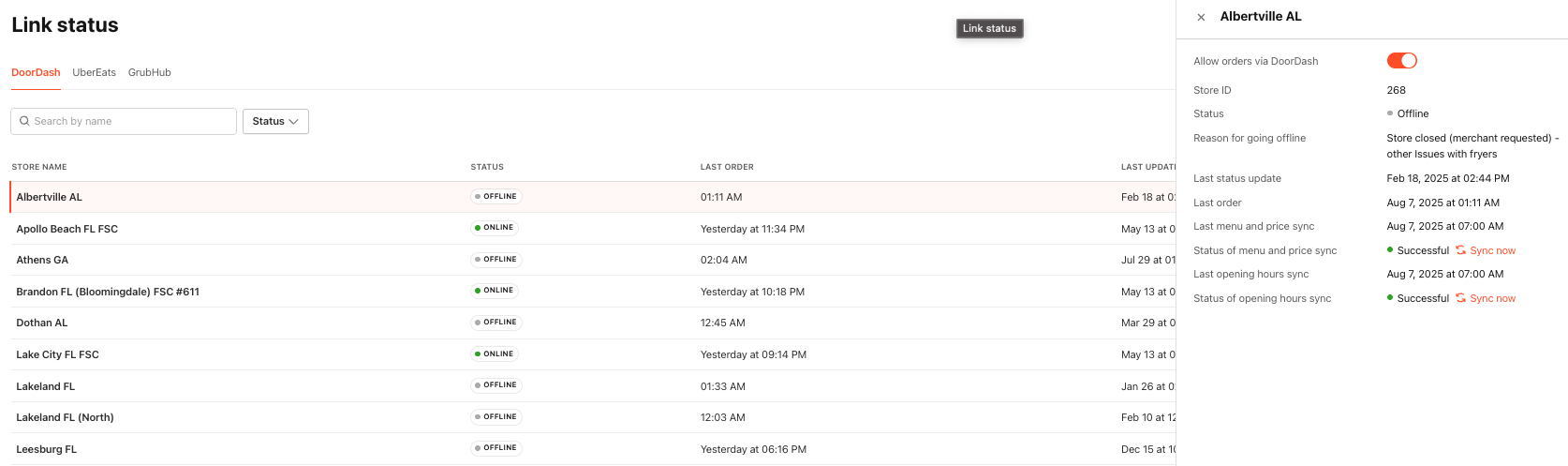
When you select a store from the list, a drawer opens with more detailed connectivity information, including:
Marketplace Order Control: You can disable the store from accepting marketplace orders directly from this view.
Suspension Reasons: If a store has been placed offline by the marketplace, the reason for suspension will be displayed.
Update History: View the last time the store’s menu, prices, and opening hours were updated.
Manual Sync: If needed, you can perform a manual sync to refresh store data.