Mobile: Loyalty
Context
PAR Ordering Loyalty is designed to help you retain customers by rewarding them through a spend-based program. To create a compelling experience, you should configure your Loyalty Program and personalize your Rewards according to our guidelines and your specific needs.
Loyalty currency
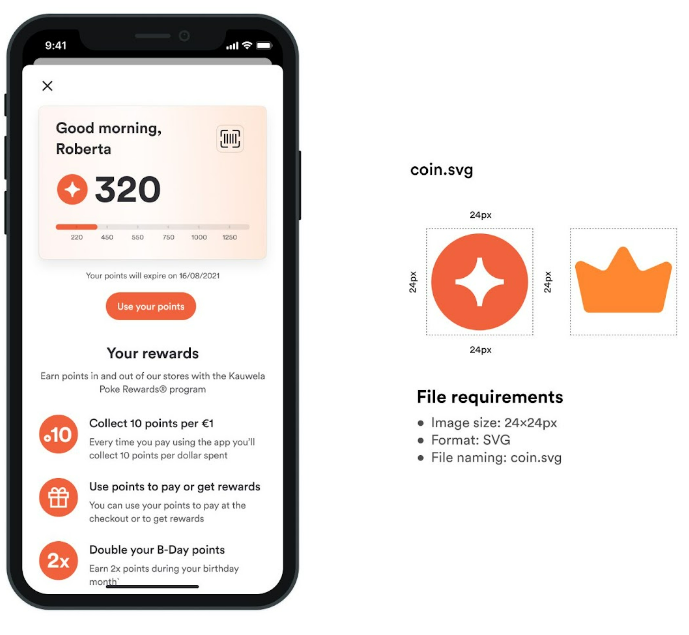
Loyalty currency or points are collected by Users and they are used to buy Rewards. Like any other currency, it has its own symbol. You should prepare this symbol inside a container of 24x24px.
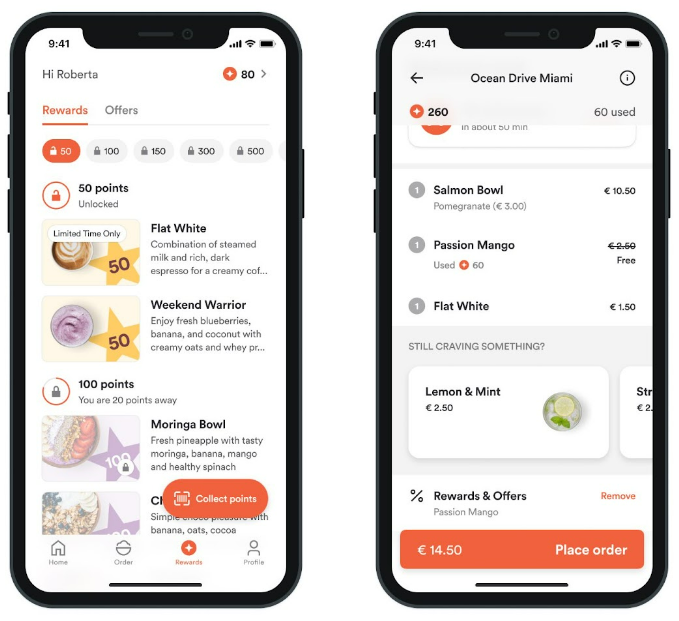
These images are used for:
- Loyalty Card
- Showing the number of points on the Home Screen
- Mini Loyalty card on the Home Screen
- Showing the number of points on the Rewards / Offer screen
- Showing the number of points used on Summary screen
- The number of points user will earn on Summary screen
- Showing the number of points spent or earned on the single receipt screen
Requirements
- Image container size: 24x24px
- Image format: SVG
- Name: coin.svg
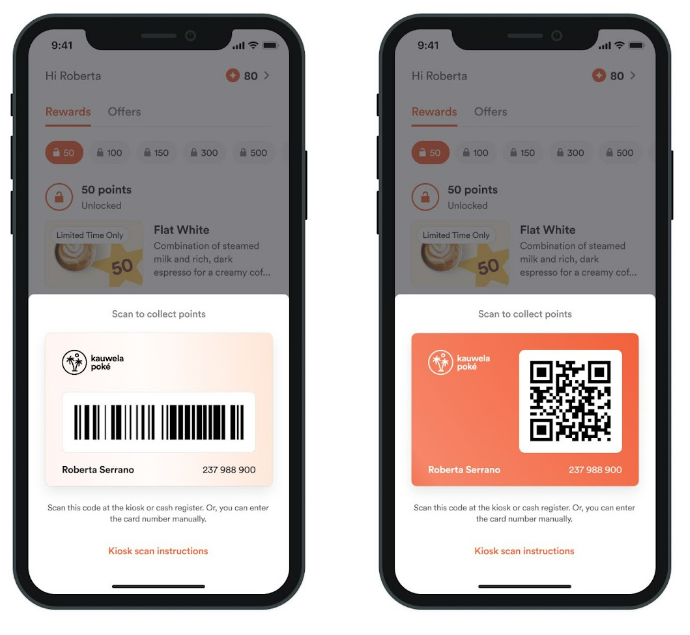
Loyalty Card background
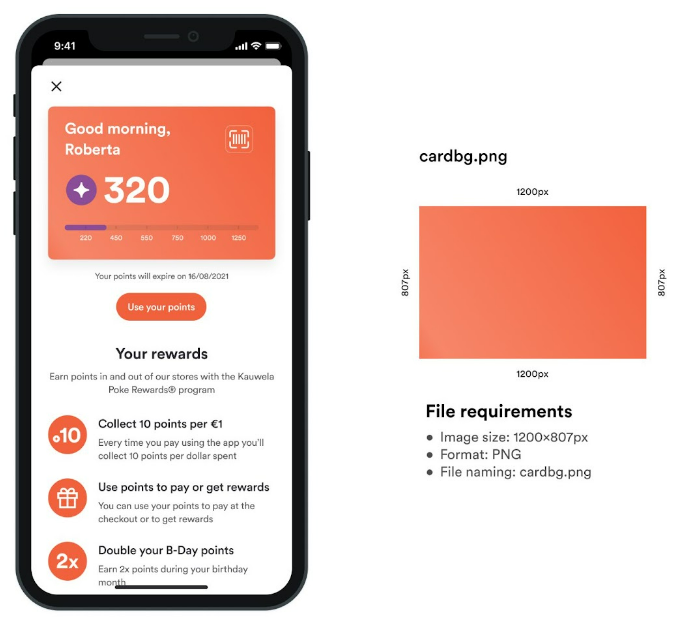
Loyalty Card is used to show basic info about User, number of points, tier that they have reached, but also to collect points from the cash register or kiosk.
Light and Dark background
If you create a dark background, app will use white typography, and if you choose to create a light background app will use black typography. That is why is really important to create your background in a shade dark or bright enough, so the text is readable.
Used for
- Front of the Loyalty card
- Back of the Loyalty card (when collecting points)
Requirements
- Image size: 1200x807px
- Image format: PNG
- Name: cardbg.png
Remember, don't place any graphical elements on this background as it will interfere with the information on the card. We recommend using simple colors and gradients.
Compact Loyalty Card background
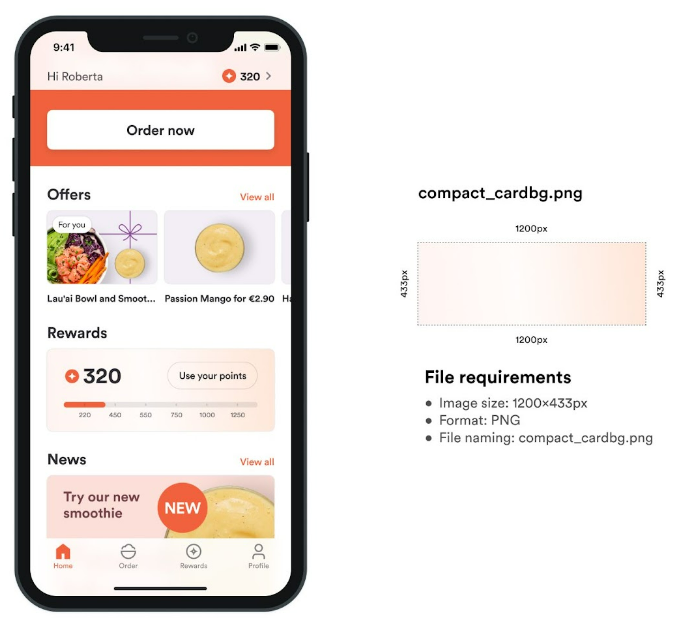
The Compact Loyalty card is used to show info about the number of points and the tier that have been reached on the Home Screen.
Compact Light and Dark background
Again - if you create a dark background, app will use white typography, and if you choose to create a light background app will use black typography. Keep that in mind to balance the contrast between the background and the text you're introducing in the app, to make it readable.
Used for:
- Compact loyalty card on Home screen
Requirements
- Image size: 1200x433px
- Image format: PNG
- Name: compact_cardbg.png
Loyalty Card Logo
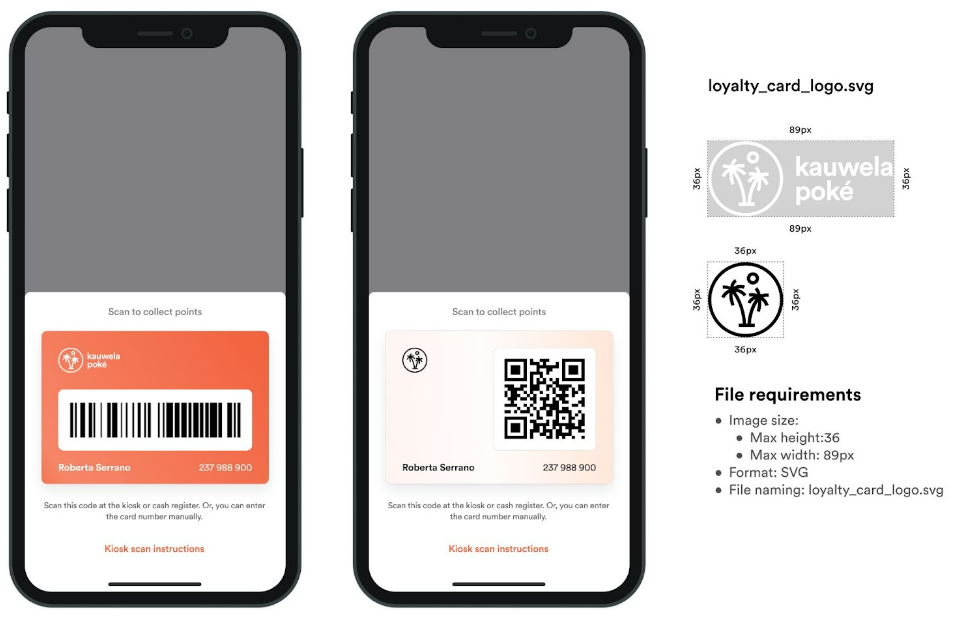
If your app has a possibility to collect Loyalty points on cash register or Kiosk your app will have back of Loyalty Card with QR or bar code. Next to that code we will show the logo of your Brand.
- If you are using dark background for your loyalty card image use your negative version of logo (bright/white)
- If you are using light background for your loyalty card image use your regular version of logo
Requirements
- Image size:
- Image format: SVG
- Name: loyalty_card_logo.svg
Program description images
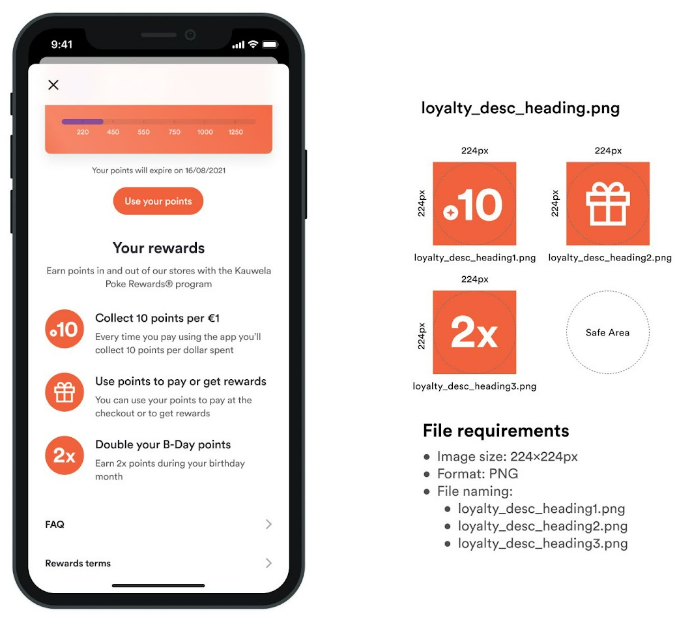
Program description images make information more understandable and immersive. Every image belongs to one paragraph that should explain one fact about the program. The maximum number of paragraphs is 3.
Used for
- Loyalty program info page
Requirements
- Image size: 224x224px
- Image format: PNG
- Names:
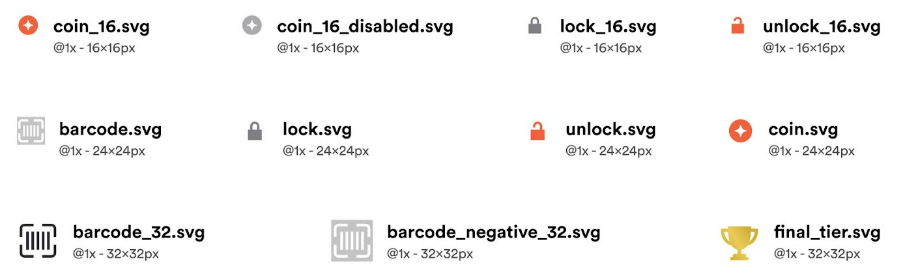
Icons
You should design your Loyalty icons to be in line with the rest icons in the app but also according to the style of your Brand. Icons should represent the name and function they have in the app.
Requirements
- Icon size: Defined below each icon in the image
- Format: SVG
- Proper naming convention
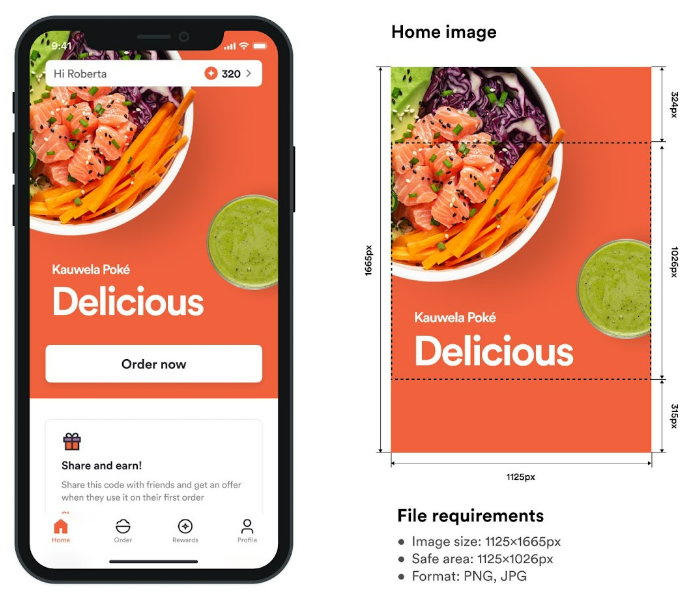
Home screen image with loyalty
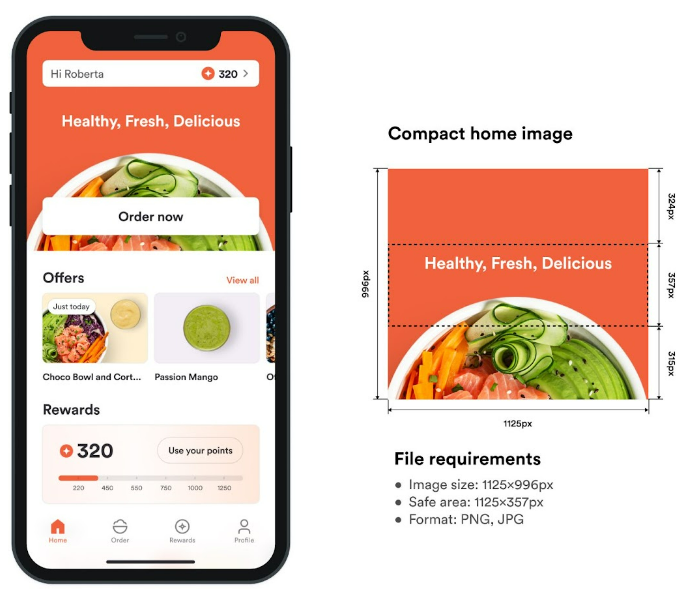
These images are used as a welcome image on the Home Page of your app. You can choose between Regular or Compact home image.
It is really important not to put any text or logo outside safe area as it will be hidden by button, status bar and loyalty points component.
Also: For the brands without loyalty, the safe area is different. Please chek home screen requirements in Home Screen Images.
Home screen regular image
Requirements
- Image size: 1125x1665px
- Safe area: 1125x1026px
- Format: PNG, JPG
- Filename: hero_image.png
Home screen compact image
Requirements
- Image size: 1125x996px
- Safe area: 1125x357px
- Format: PNG, JPG
- Filename: hero_image_compact.png
Emphasized last tier in Rewards
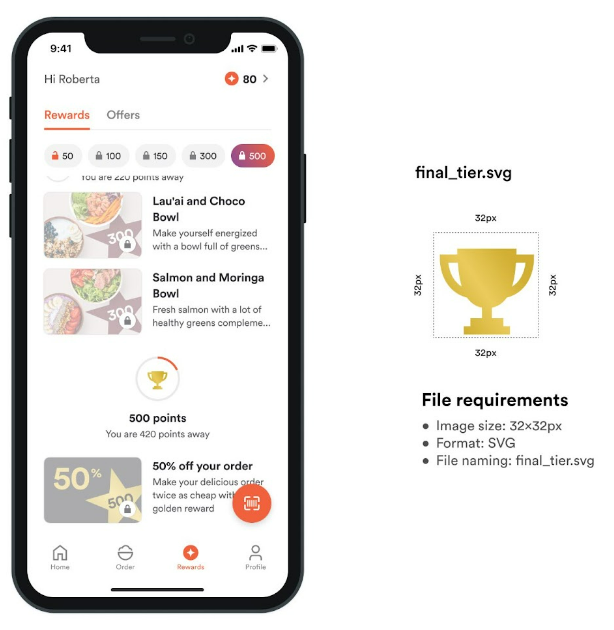
If your Rewards are organized in tiers you can setup the last tier to be visually emphasized (you highlight it in the app). If you use this feature you should provide final tier icon as in image below.
Requirements
- Icon size: 32x32px
- Format: SVG
- Filename: final_tier.svg