Hub Settings
Intro
This article explains how to properly setup the Delivery Hub.
What and how can I setup for the Delivery Hub?
Delivery settings are applied on the Hub level.
The available options are:
- Setup Delivery Mode:
- Auto-assign
- OD/DSP
- Mixed
- Auto-assign
- Delivery Tracking Flag:
- enabled
- disabled
- enabled
- DSPs for the hub
- enabled
- disabled
- enabled
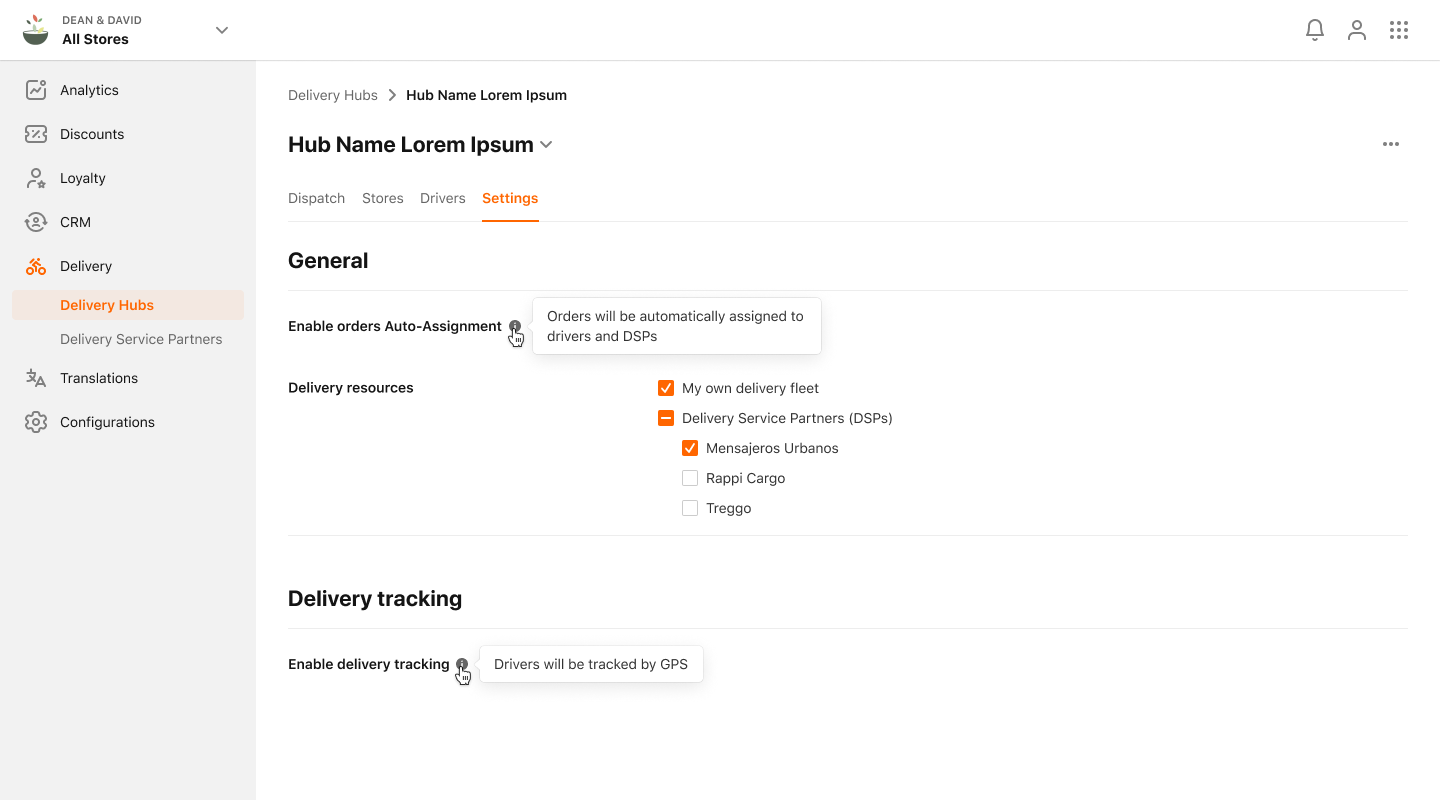
Where do I set up the Delivery Hub?
The User can access the Hub View of a selected Hub from the list of Hubs. The Hub View will be specific to this one Hub and it will contain:
- Dispatching Screen
- Stores
- Drivers
- Settings Tab
It's be possible to switch between Hubs inside the Hub View.
