How to Enable/Disable Redemption Channels for Loyalty Rewards?
| User Role | Chain | Chain Venue |
|---|---|---|
| Brand Manager | ✅ | ✅ |
| Chain Manager | ❌ | ❌ |
| Company Manager | ❌ | ❌ |
| Local Manager | ❌ | ❌ |
When adding/editing Loyalty Reward, in the Redemption Channels section, you can select the Channels in which you want to display the Rewards as part of the Loyalty Program.
Redemption channels define at which channels a given Loyalty Reward can be redeemed. Only Redemption Channels enabled for a Loyalty Reward will be available for a Customer to select when viewing a Loyalty Reward within the Mobile app.
For more detailed information on Redemption workflows, please check out Redemption methods below.
One or more of the following Redemption Channels can be enabled for a Loyalty Reward:
- Mobile
- Kiosk
- Web
- POS-integrated
- POS-non-integrated
In the Web app, only Web app-enabled Loyalty Rewards are displayed.
To enable/disable Redemption Channels first perform the following steps:
- Select the Brand and the Loyalty Program
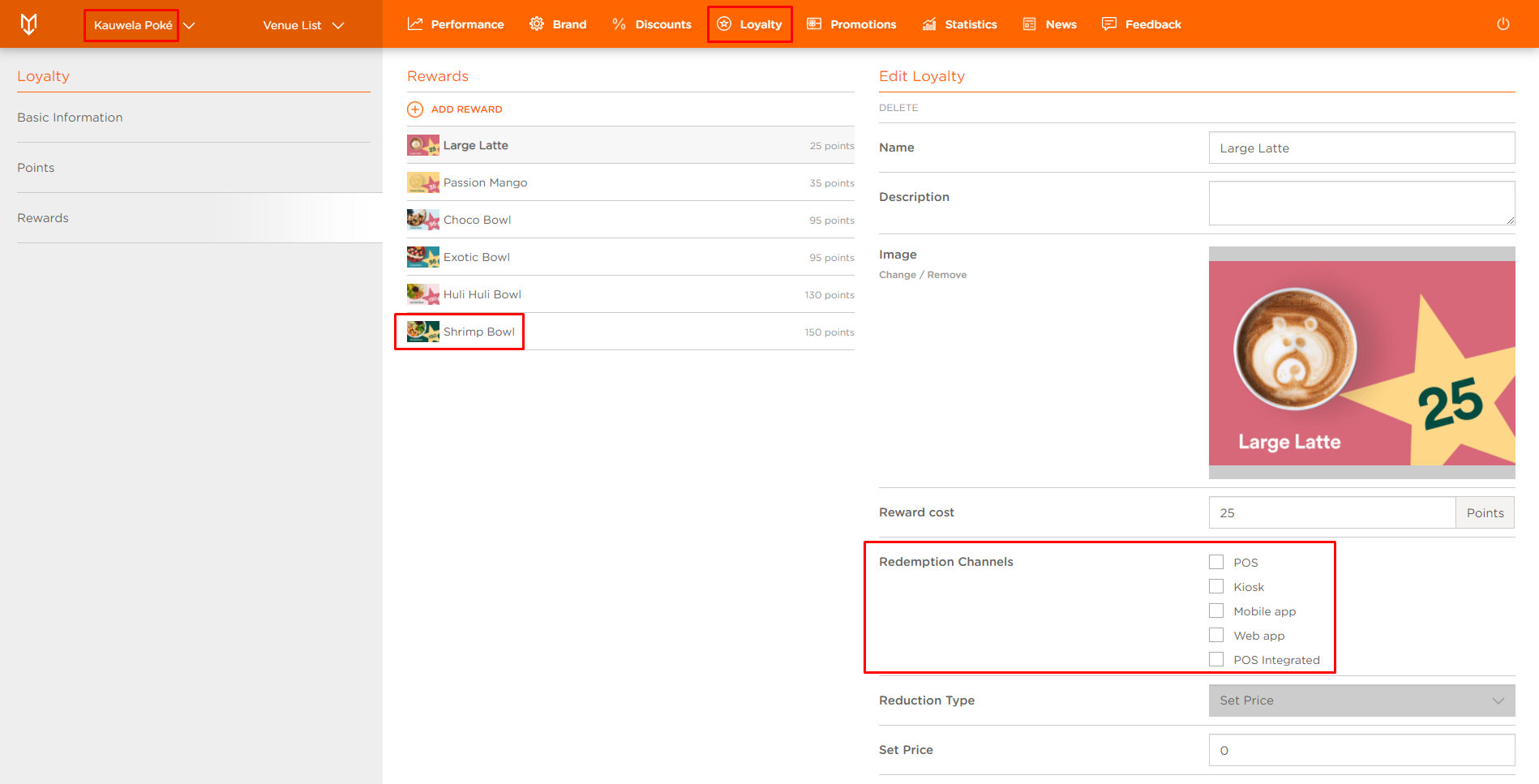
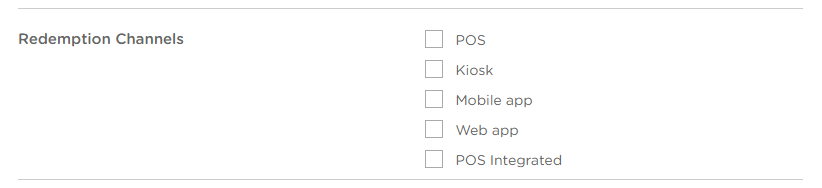
Now, select Redemption Channels if you haven't already:
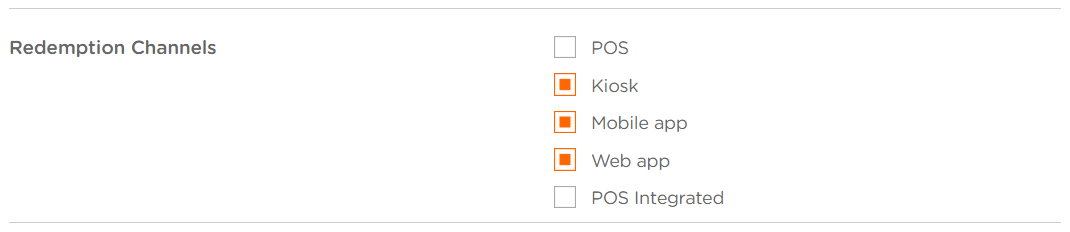
- POS
- Kiosk
- Mobile app
- Web app
- POS Integrated
Kiosk
To use Loyalty Reward at the Kiosk, Customer has to select a Kiosk-enabled Coupon from the Mobile app and redeem it at the Kiosk.
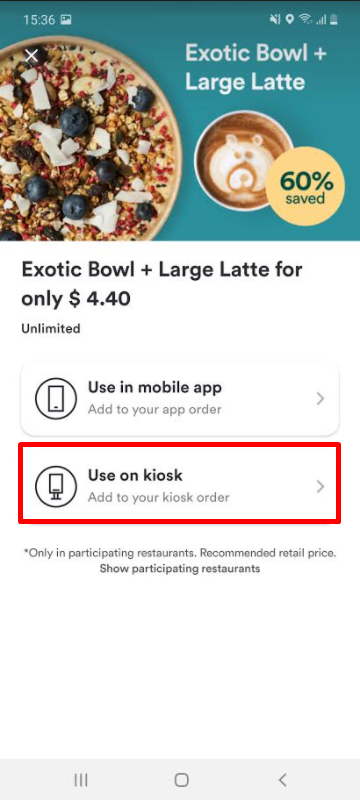
After the Customer chooses the Coupon and taps on Use on kiosk tab, the Customer is presented with a code 128 barcode generated for redemption which then needs to be scanned by the scanner integrated in the Kiosk, or the code can be entered manually, as stated in the screenshot below.
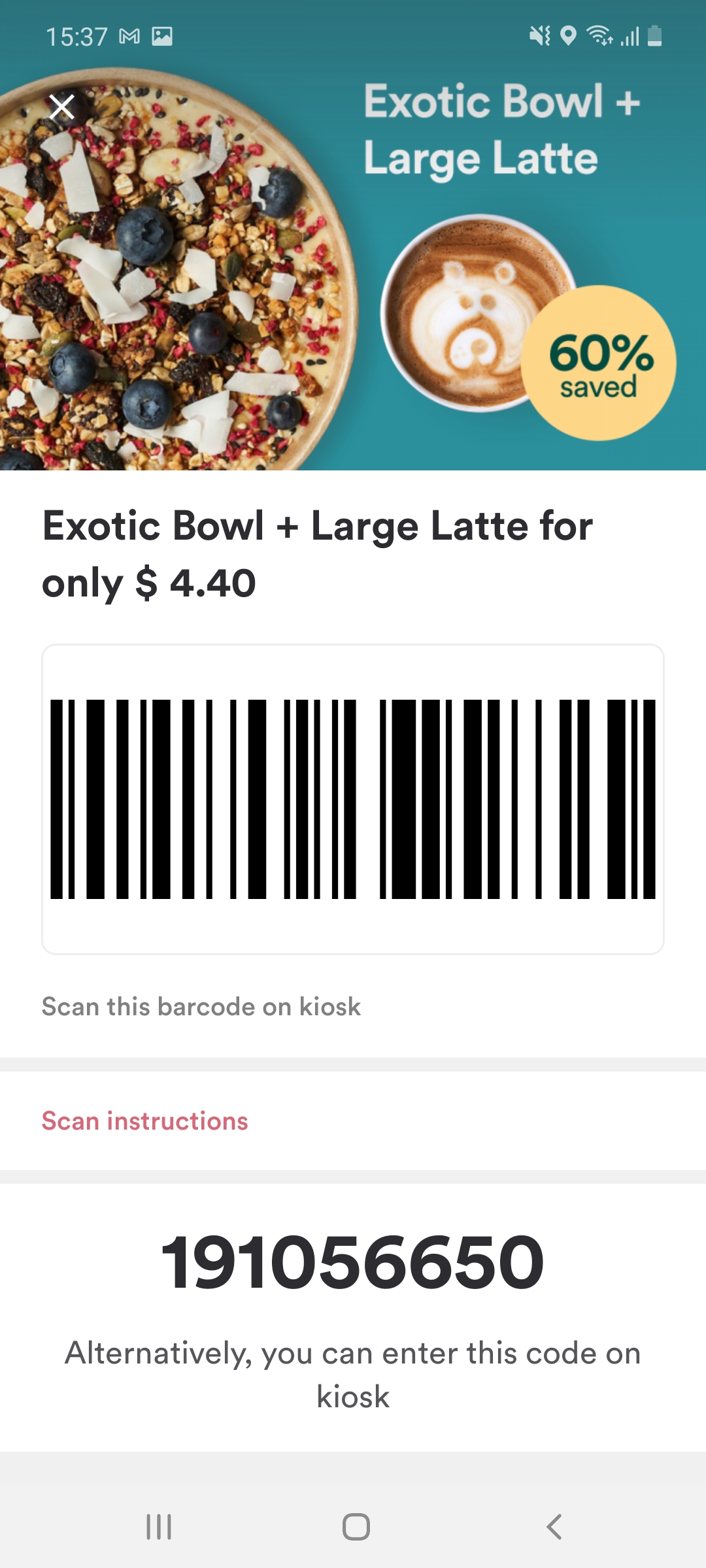
Finally, when Customer places an Order, the Reward cost of the Loyalty Reward is automatically deducted from the total order amount.
Mobile app
Loyalty Rewards can be ordered through the Mobile app, as well. Customer has to select a mobile-enabled Coupon from the Mobile app, place an order and the Reward cost of the Loyalty Reward is automatically deducted from the total order amount.
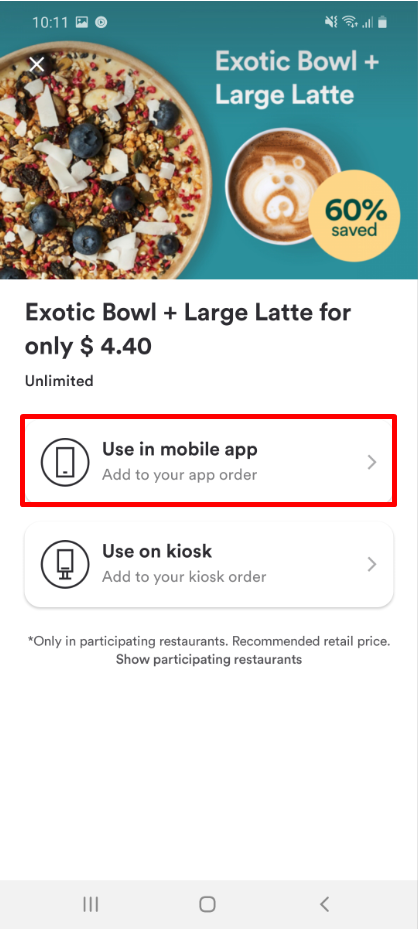
- Now, the Customer proceeds with order
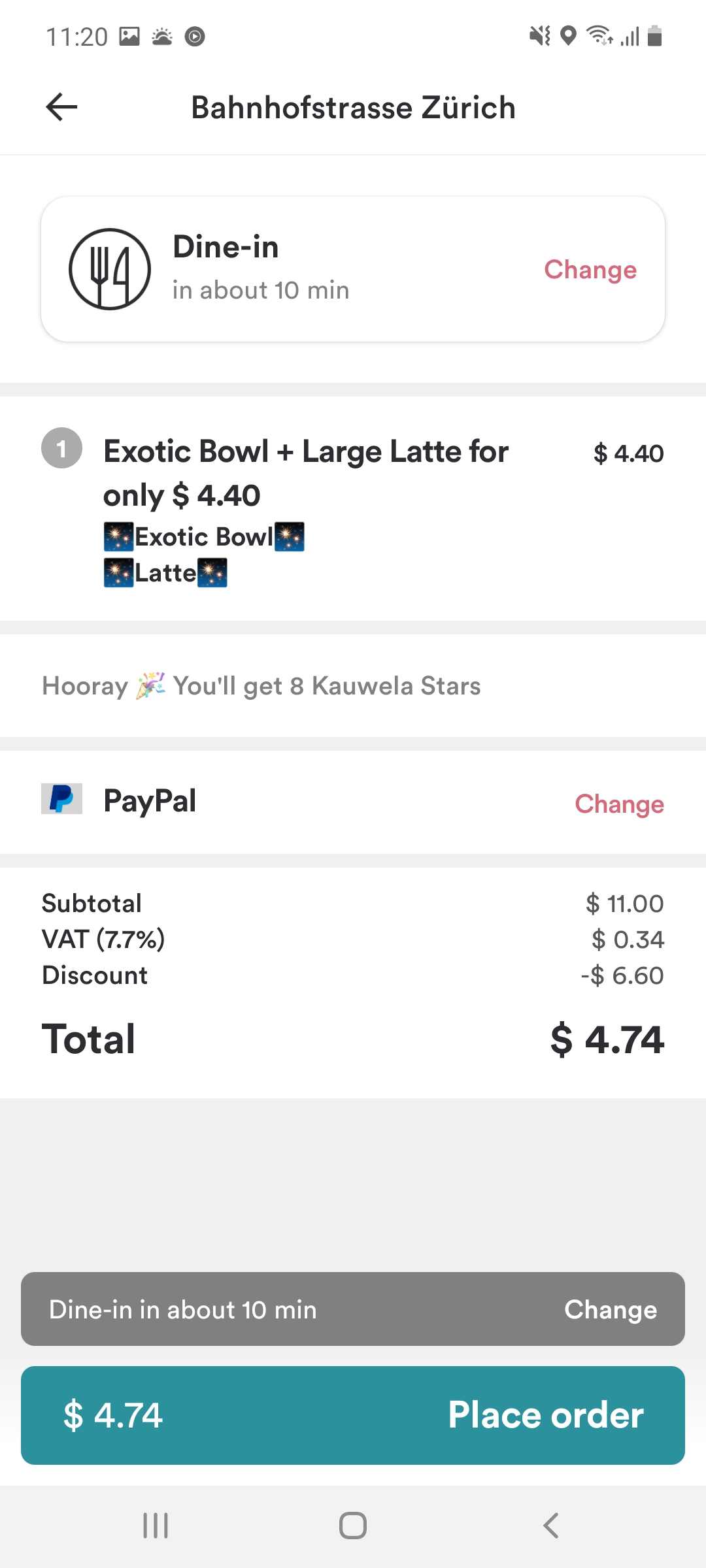
Finally, when Customer places an Order, the Reward cost of the Loyalty Reward is automatically deducted from the total order amount.
Web app
Loyalty Points are accrued when placing an order via Web app and can be redeemed at the cash register.
- Select the Channel(s)

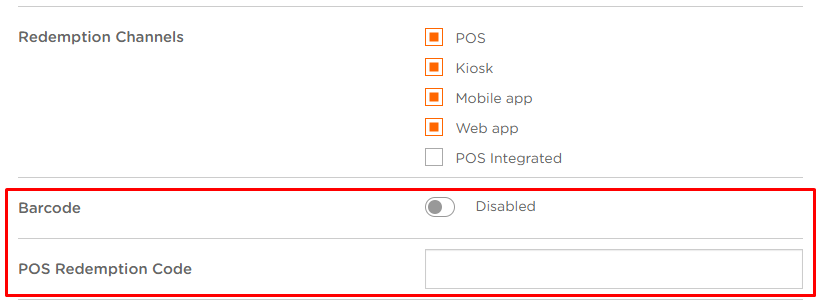
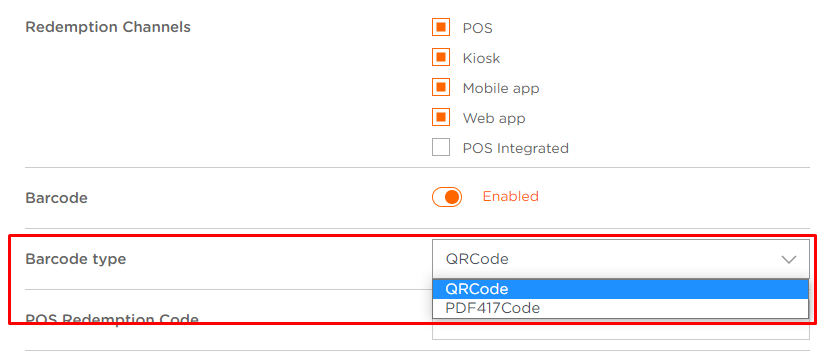
- If you select POS, you get two additional fields: Barcode and POS Redemption Code

Barcode
Barcode appears in the Mobile app when the Customer selects an Item that has a Reward (Loyalty). Customer shows a Loyalty Barcode to the service. The Barcode is then scanned or entered manually in the POS system in the til. Customer’s Discount is then processed and the Barcode automatically disappears from the Mobile app.
In order to use Loyalty Reward on the POS, you need to:
- Toggle the switch in the Barcode section and enable barcode scan
- New Barcode Type field appears
- Select a Barcode Type from a drop-down menu

- In POS Redemption Code field you can manually enter the code
- Reduction Type refers to the type of reduction in price (set to Set Price)
- In Set Price field enter the price you want the (Discount) Reward to be set to
