How to Control Modifier Visibility for Specific Products
| User Role | Access |
|---|---|
| Brand Manager | ✅ |
| Area Manager | ❌ |
| Store Manager | ❌ |
Overview
Product-specific modifiers let you choose which modifier options (like toppings or add-ons) are available for each product. Instead of creating separate modifier groups for every product, you can use one group and simply show or hide options as needed. This makes managing your menu easier and more flexible.
What is Product-Specific Modifier Visibility?
- You can decide which modifiers are:
- Included (default selections)
- Allowed (can be chosen by the customer)
- Hidden (not visible for that product)
- One modifier group can be used for many products, with different options shown or hidden for each product.
How to Change Modifier Visibility for a Product
Follow these steps to show or hide modifiers for a specific product:
-
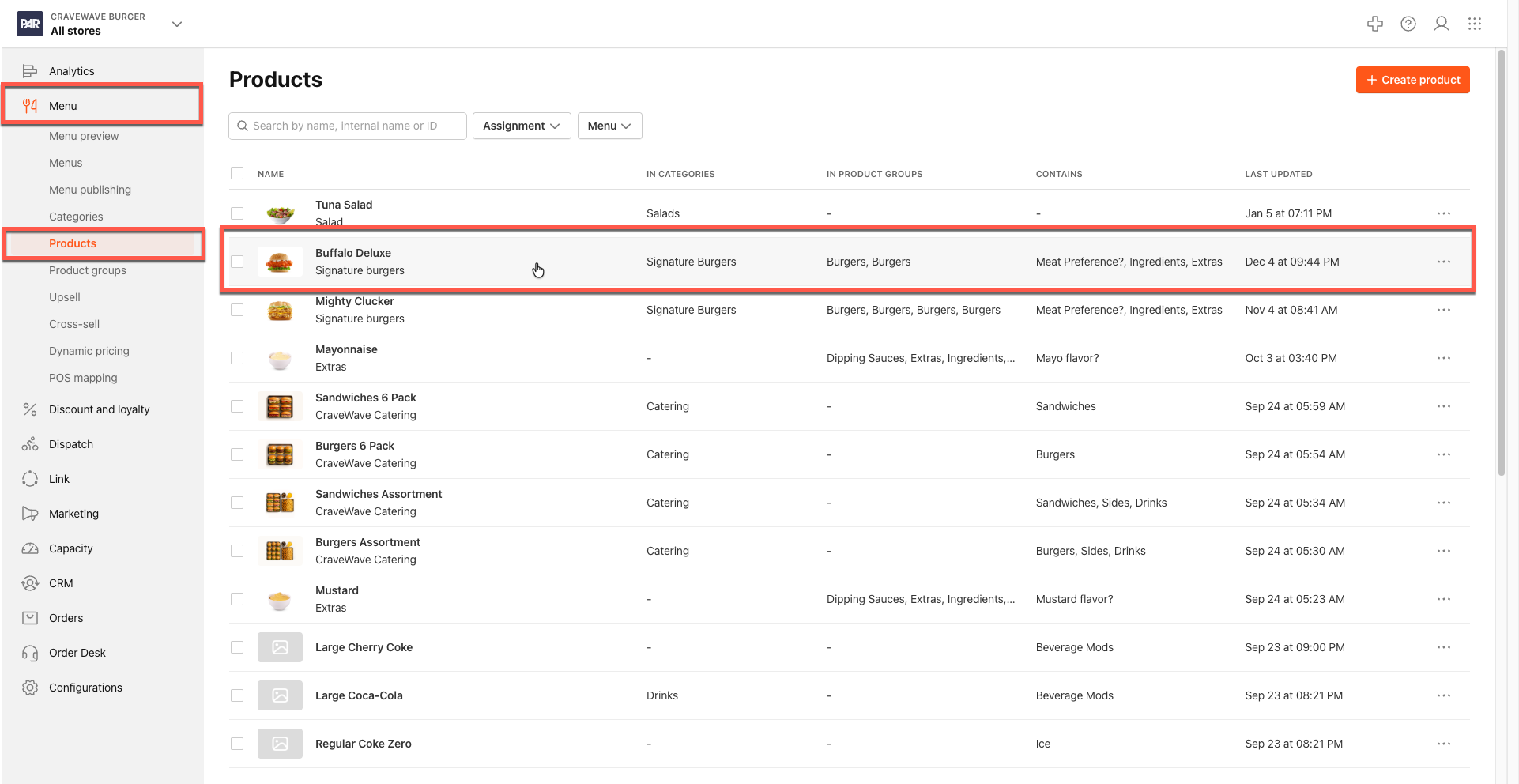
Select All Stores or the specific store you wish to update in the Management Center.
-
Navigate to Menu > Products.
-
Select the product you want to edit.
-
Click the Contains product groups tab.
-
Show or Hide Modifiers:
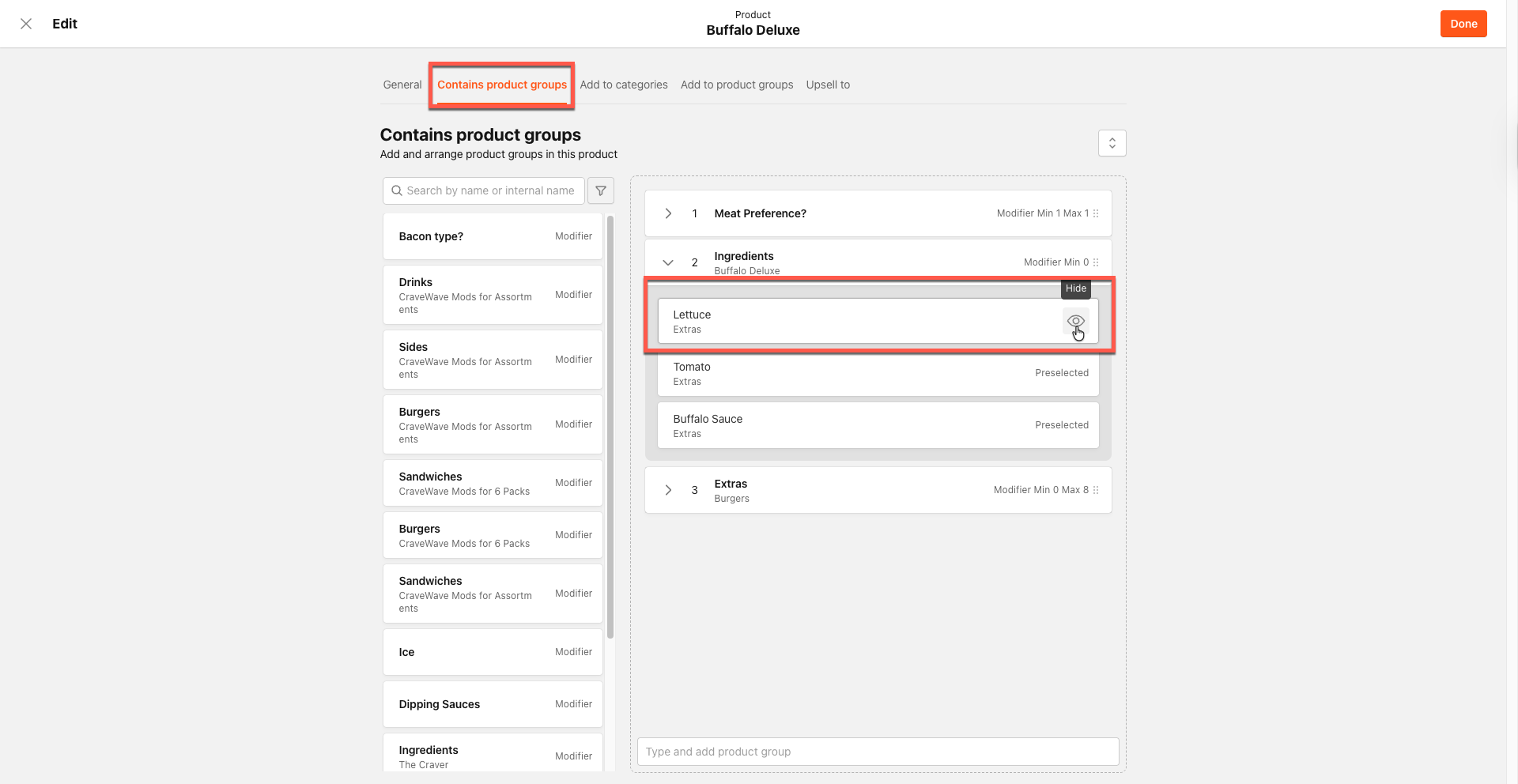
- You will see a list of modifiers in the group.
- Click the eye icon to hide or unhide any modifier for that product.
- You can manage visibility for nested modifiers (modifiers inside other groups) as well.
- If you hide a modifier that contains other items, all items inside will also be hidden.
- You can expand hidden groups to see and manage deeper levels.
- If you unhide a modifier at a deeper level, its visibility will update at higher levels too.
-
After making your selections, click Done.
Important Rules and Validations
- You cannot hide more modifiers than the minimum required for the group.
- If the total allowed selections is less than the number of visible modifiers, you will not be able to save changes until you fix the issue.
- Error messages will appear if you try to save with invalid settings.
Tips
- Use this feature to keep your menu organized and avoid creating duplicate modifier groups.
- You can customize modifier visibility for each product, even within the same group.
