How to Configure the Catering Order Edit Period
| User Role | Access |
|---|---|
| Brand Manager | ✅ |
| Area Manager | ❌ |
| Store Manager | ❌ |
Each brand sets rules that control when catering orders can be edited:
-
There is a time window before pickup or delivery when edits are allowed (for example, up to a certain number of hours before the event).
-
This edit window can be different for:
- Catering pickup orders
- Catering delivery orders
-
You can set up these options at both the brand and store level. Store-level settings will override brand-level settings if changed.
Steps to Configure
- Choose the All Stores or the specific store you want to configure in the Management Center
-
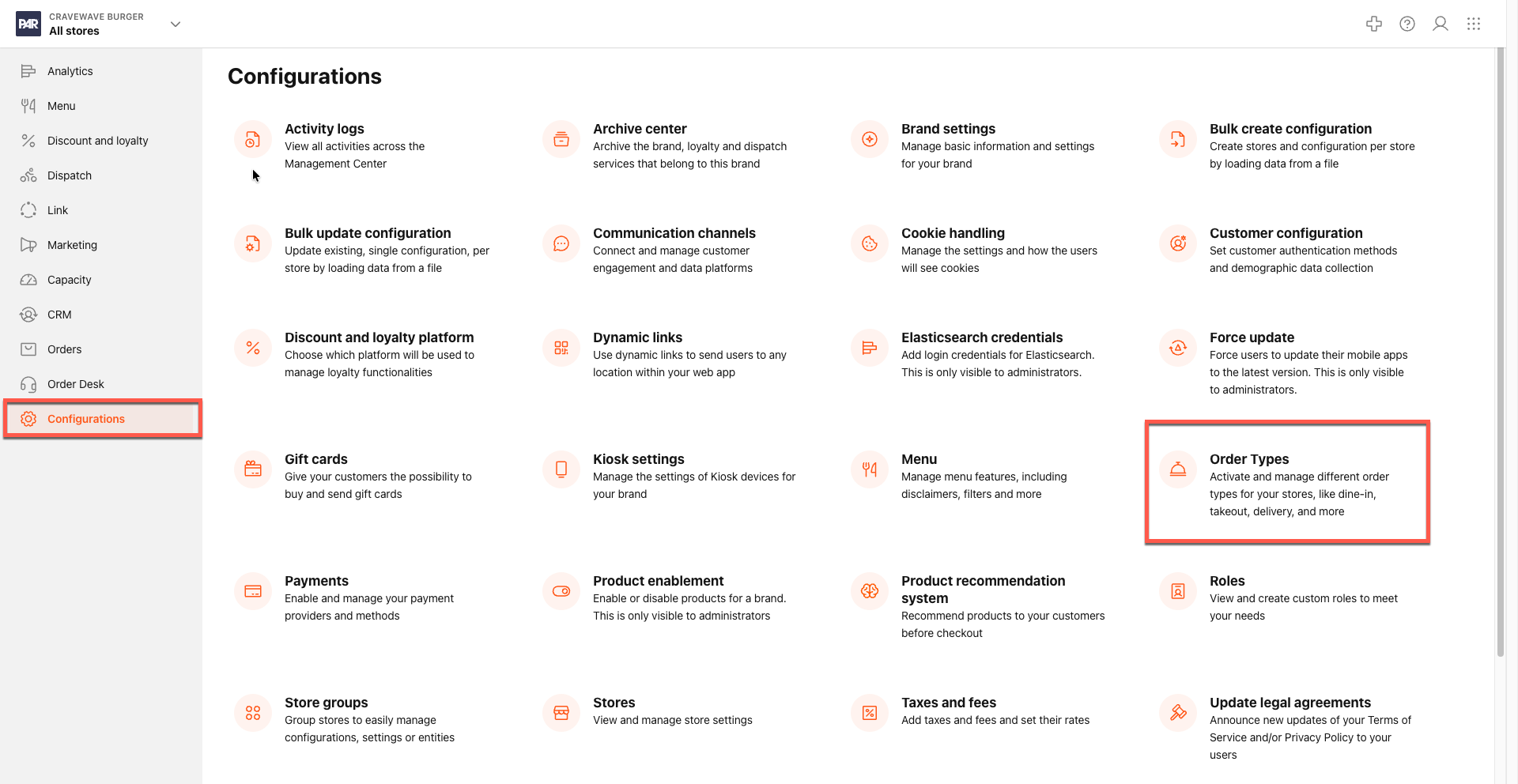
Navigate to Configurations > Order Type.
-
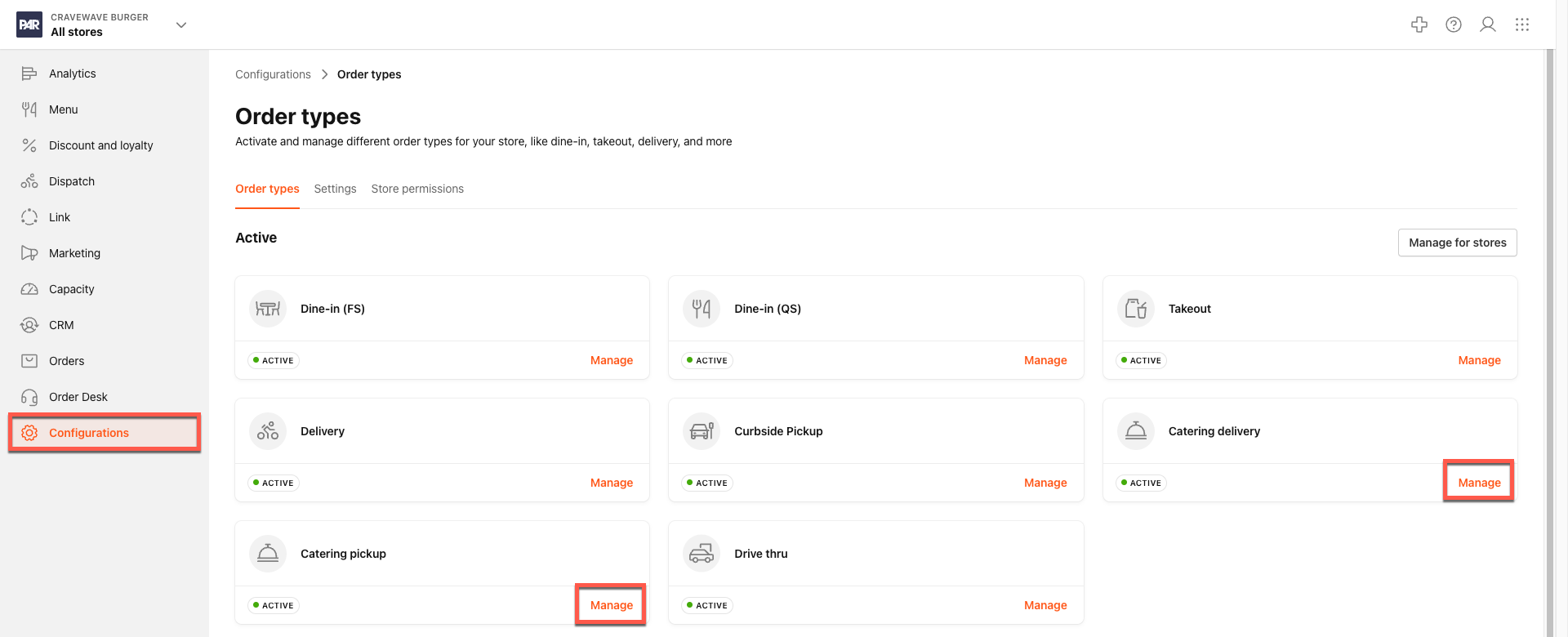
Click Manage for Catering Pickup or Catering Delivery.
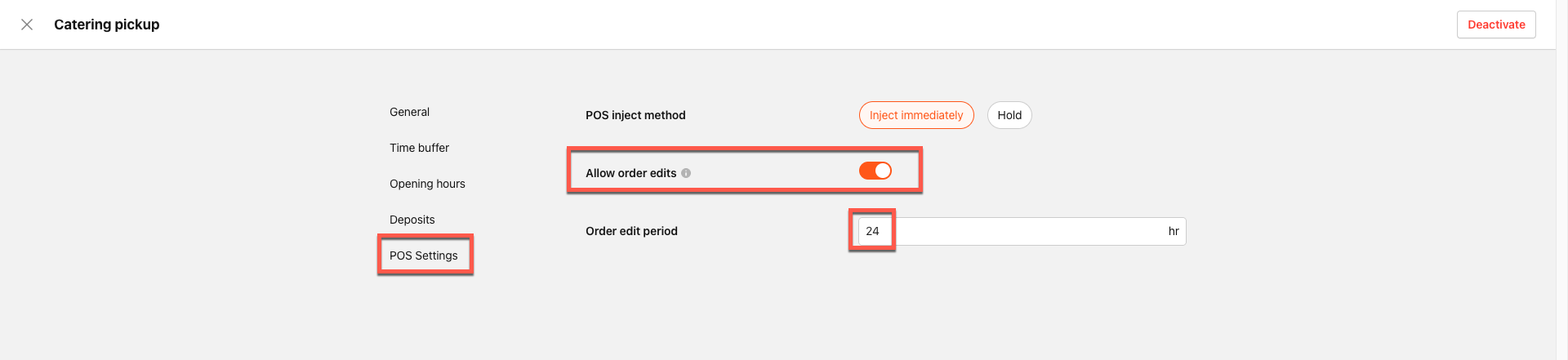
- Click POS Settings.
- Toggle on Allow order edits.
-
In the Order edit period field, enter the amount of time in hours when edits will be allowed, before the order is locked.
- Save your changes.
