How to Change Modifier Price?
| User Role | Store Group | Store |
|---|---|---|
| Brand Manager | ✅ | ✅ |
| Area Manager | ✅ | ✅ |
| Store Manager | ❌ | ✅ |
You can easily change the price of an Item through the Management Center.
If you have a POS integration, prices are automatically synced from the POS every 30 minutes, so they should not be manually changed through the Management Center.
- Click Modifiers in the left navigation bar
- Modifiers page appears
- Locate the Modifier
- Click on the three dots for the Modifier
- Click on Edit
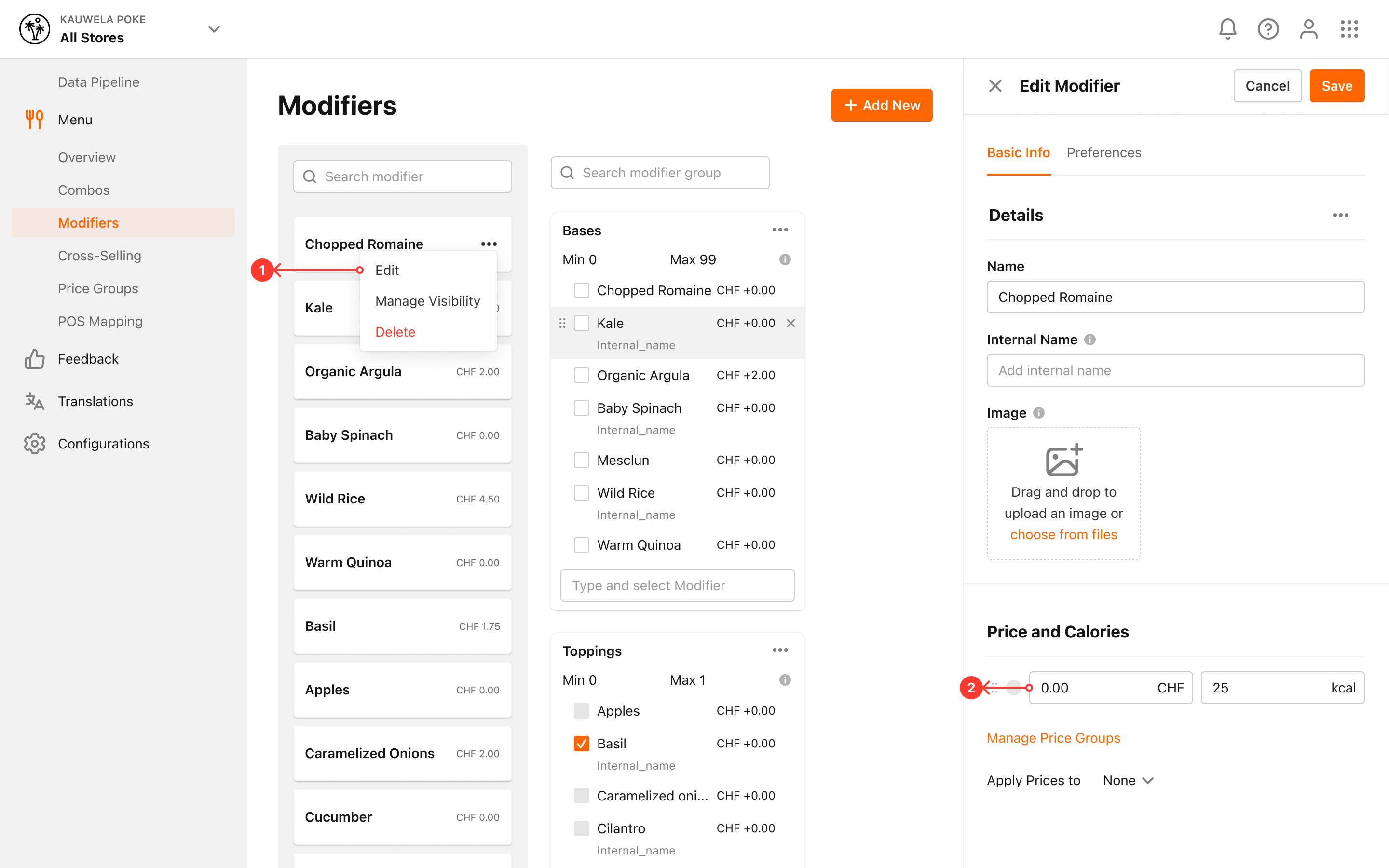
- Change the Price of the Modifier
- Click Save to save your changes for the Modifier
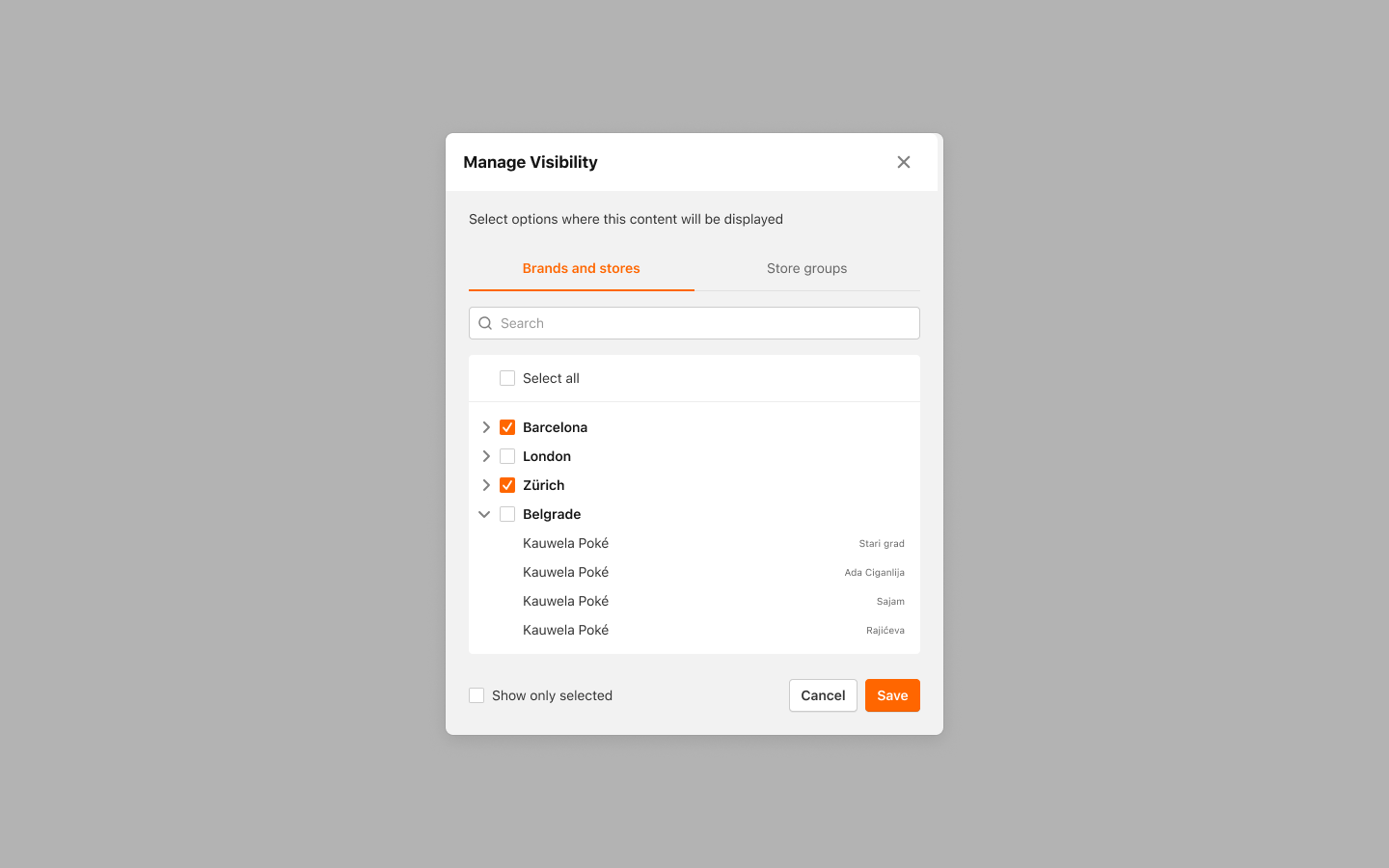
Modifier Visibility:
- Select the Brands/Stores/Store Groups you want to apply the new price to
- Click Save to confirm your selection