How to Change Modifier?
| User Role | Store Group | Store |
|---|---|---|
| Brand Manager | ✅ | ❌ |
| Area Manager | ✅ | ❌ |
| Store Manager | ❌ | ❌ |
Local Manager of a Store can only change Price and Delivery Price of a Modifier. For more information on that, please go to How to change Modifier price? article.
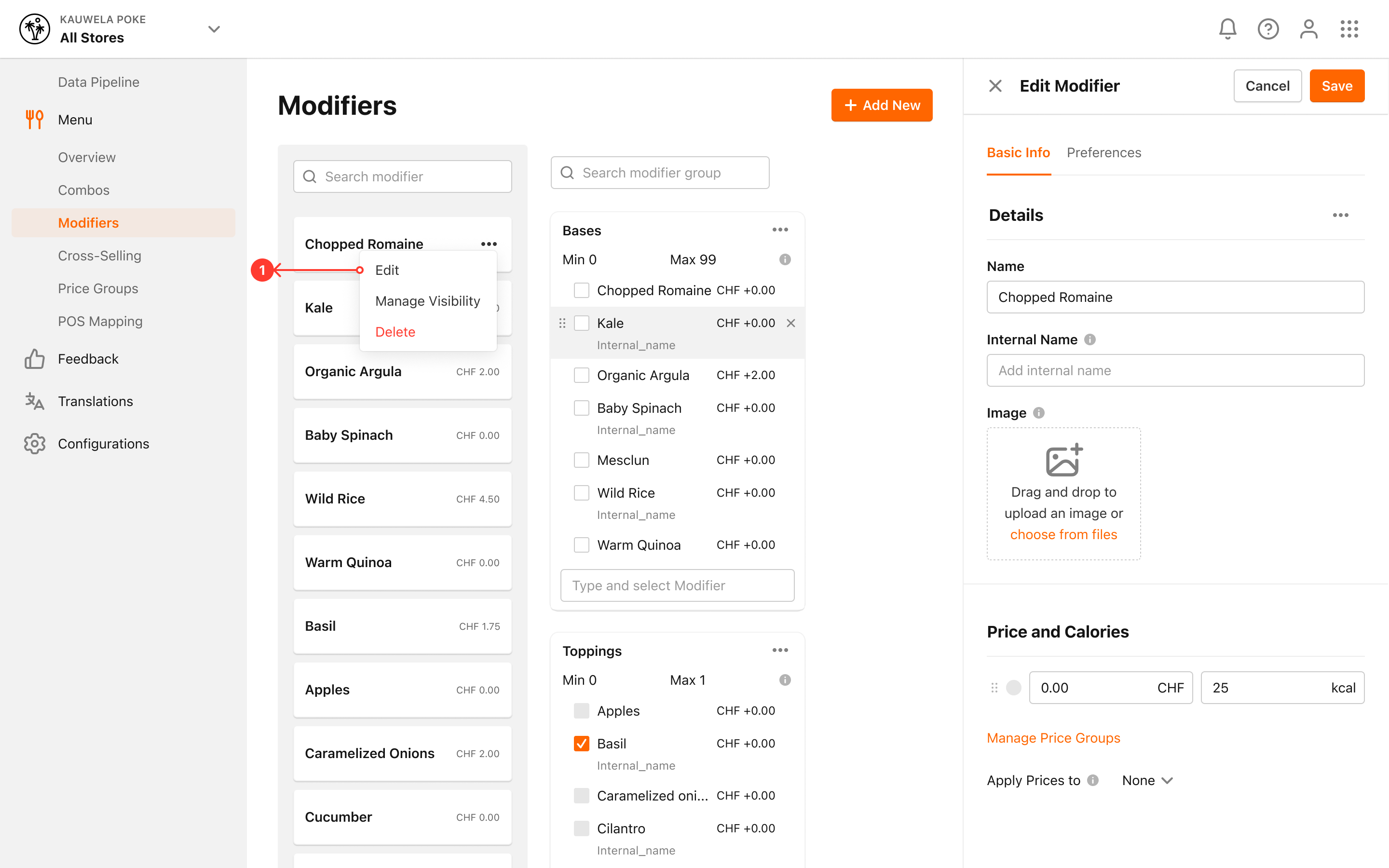
You can easily edit an existing Modifier in the Management Center:
-
Click Modifiers in the left navigation bar
-
Modifier page appears
-
Locate the Modifier that you want to edit
-
Click on the three dots for the Modifier
-
Click on Edit
-
Edit Modifier modal appears
-
Name: The name of the Modifier visible to Customer
-
Price: Price charged to the Customer when ordering with the Modifier included. How to change Modifier price?
-
Calories: Calorie count for the Modifier visible to Customer
-
Image (recommended): Image of a Modifier. We would recommend you to add an image to every Modifier, especially if you have Kiosks.
-
Click Save to save the changes for the Modifier
