Creating and Assigning Routes to Drivers or DSP
Intro
Here's how to create and assign Routes to Drivers or DSP, in detail.
How do I do it?
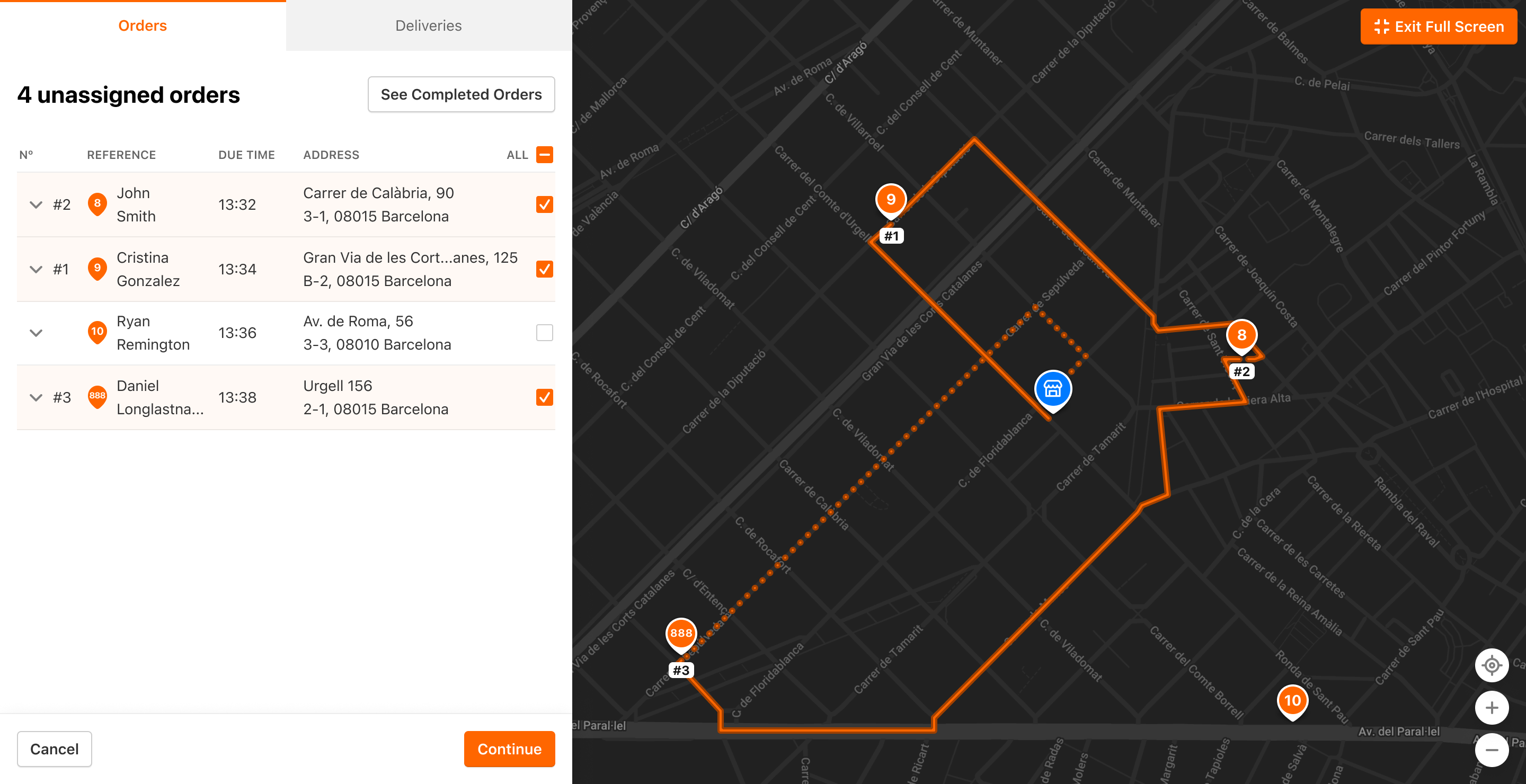
The User will have a possibility to create the Route by clicking the Orders in the delivery sequence desired. Every click will update the Route that is being created:
Once the User is ready with the selection - they are redirected to Route preview page, where they will be able to select the Driver or the DSP that will execute the Delivery:
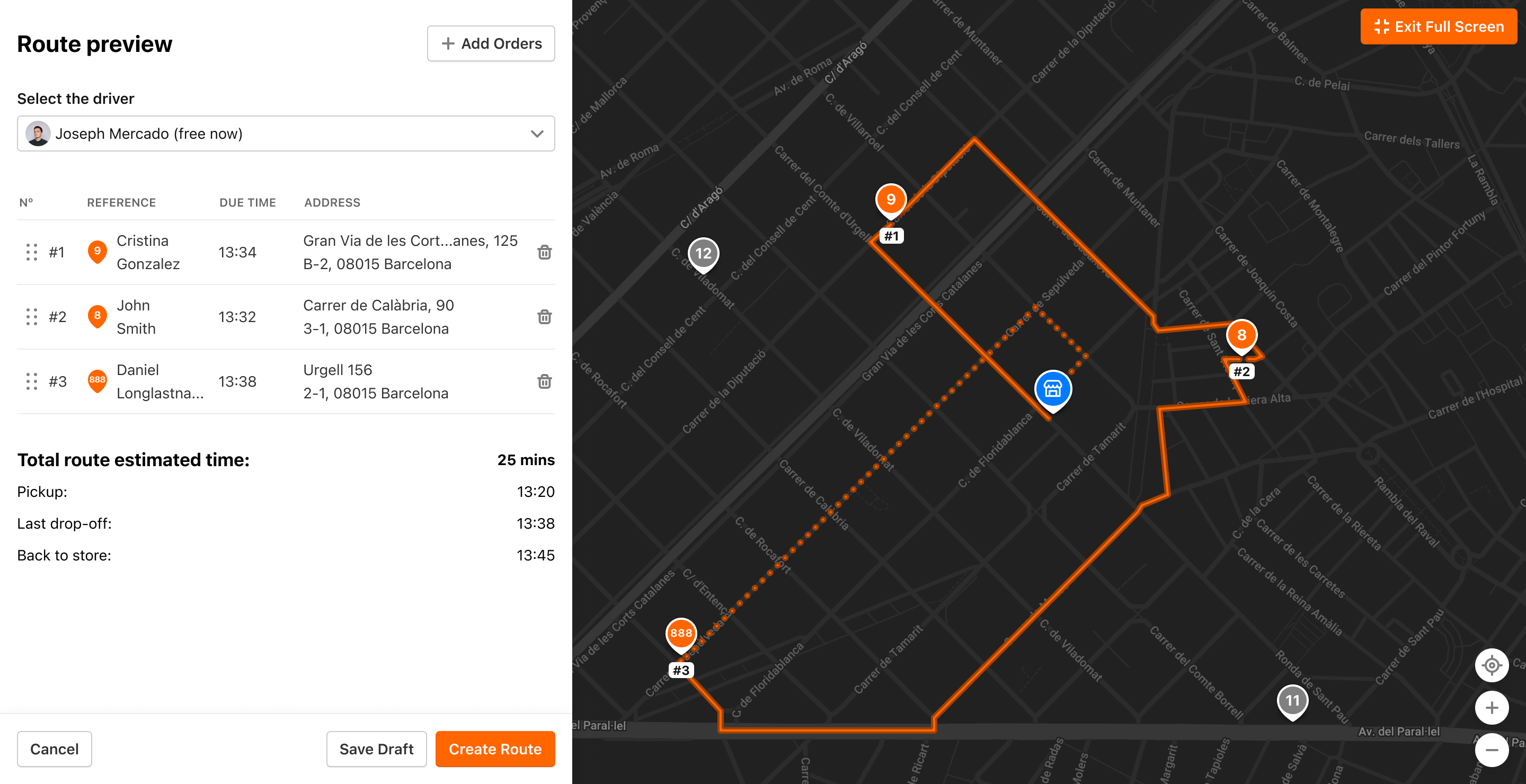
When the User clicks Create Route - the Delivery is created and displayed in Deliveries mode.
