How to Assign Payment Method to Store?
You, as an Administrator, are able to assign multiple Payment Methods that the Customers can use (choose from) to pay for their Orders.
Payment Methods available are:
- Credit Card (Visa, MasterCard, Amex, Maestro)
- Apple Pay
- Google Pay
- Gift Card
- Paypal
- House Accounts
- GCash
To assign Payment Method to your Store:
- Select Venue from Venue list
- Select Payment Methods tab
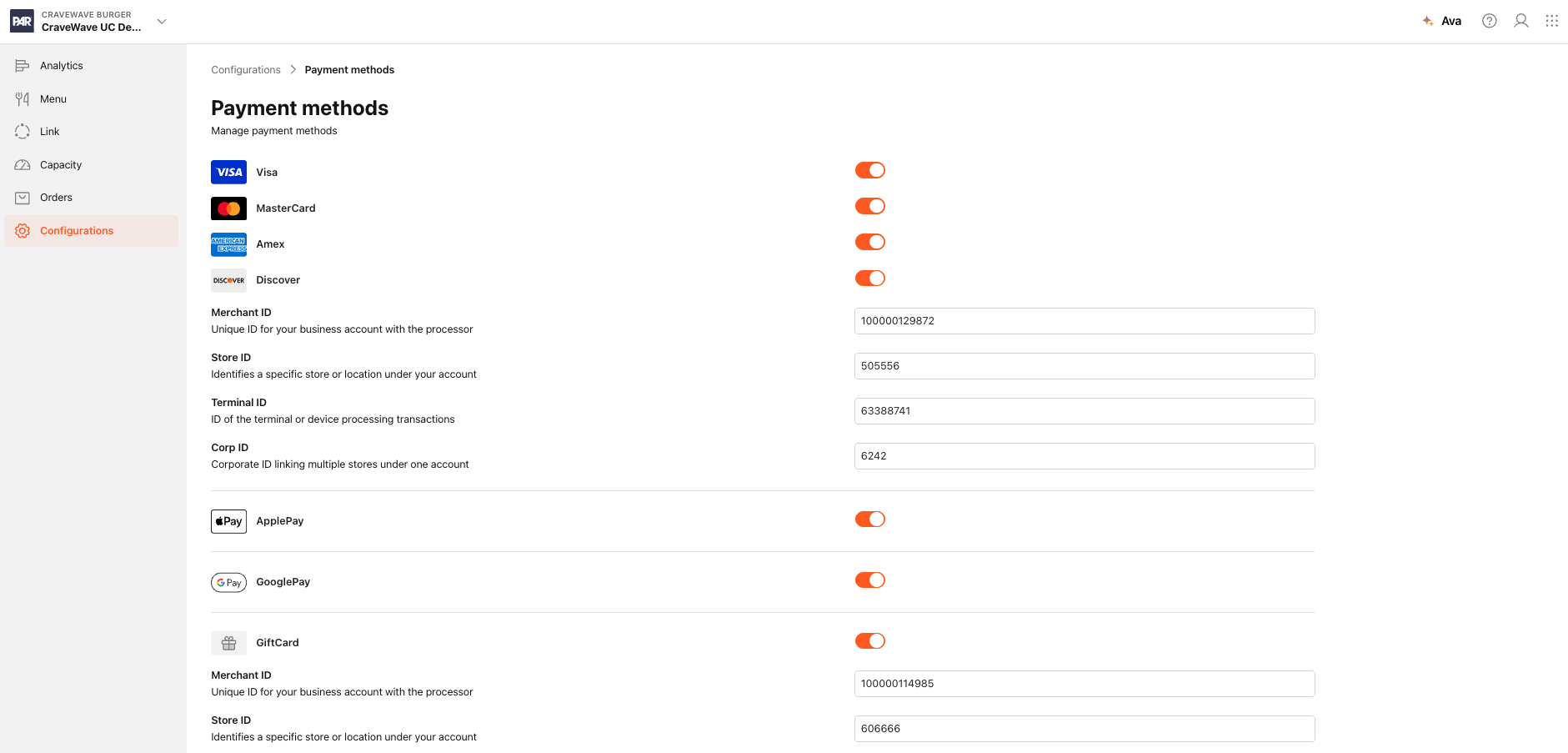
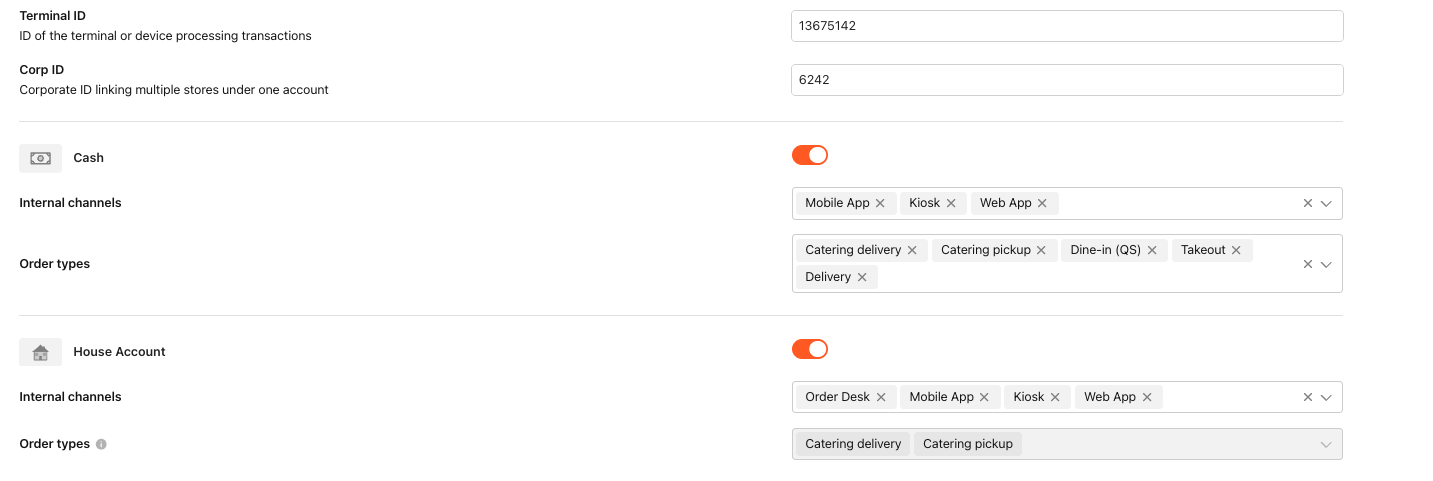
In Payment Methods screen select Payment Method Type, Processor and Payment Method Brand (right Method) column you would like to be at the Customers' disposal to use.
The selected Payment Methods can now be used by Customers to pay for Orders in this restaurant Store.
For more information on how to assign Payment Methods to your Brand, please check out How to assign Payment Method to Brand? article.
