How to Assign Payment Method to Brand?
You, as an Administrator, can enable Payment Methods for the Brand that are subsequently listed as available Payment Methods that Customers can use (choose from) to pay for their Orders in the Venue that belongs to this Brand.
Payment Methods available in the PAR Ordering ecosystem are:
- Credit Card (Visa, MasterCard, Amex, Maestro)
- Apple Pay
- Google Pay
- PayPal (PayPal Direct)
- Gift Cards
- House Accounts
- GCasg
To assign Payment Method to your Brand:
- In Configurations > Payment Methods
- Select Payment Methods tab
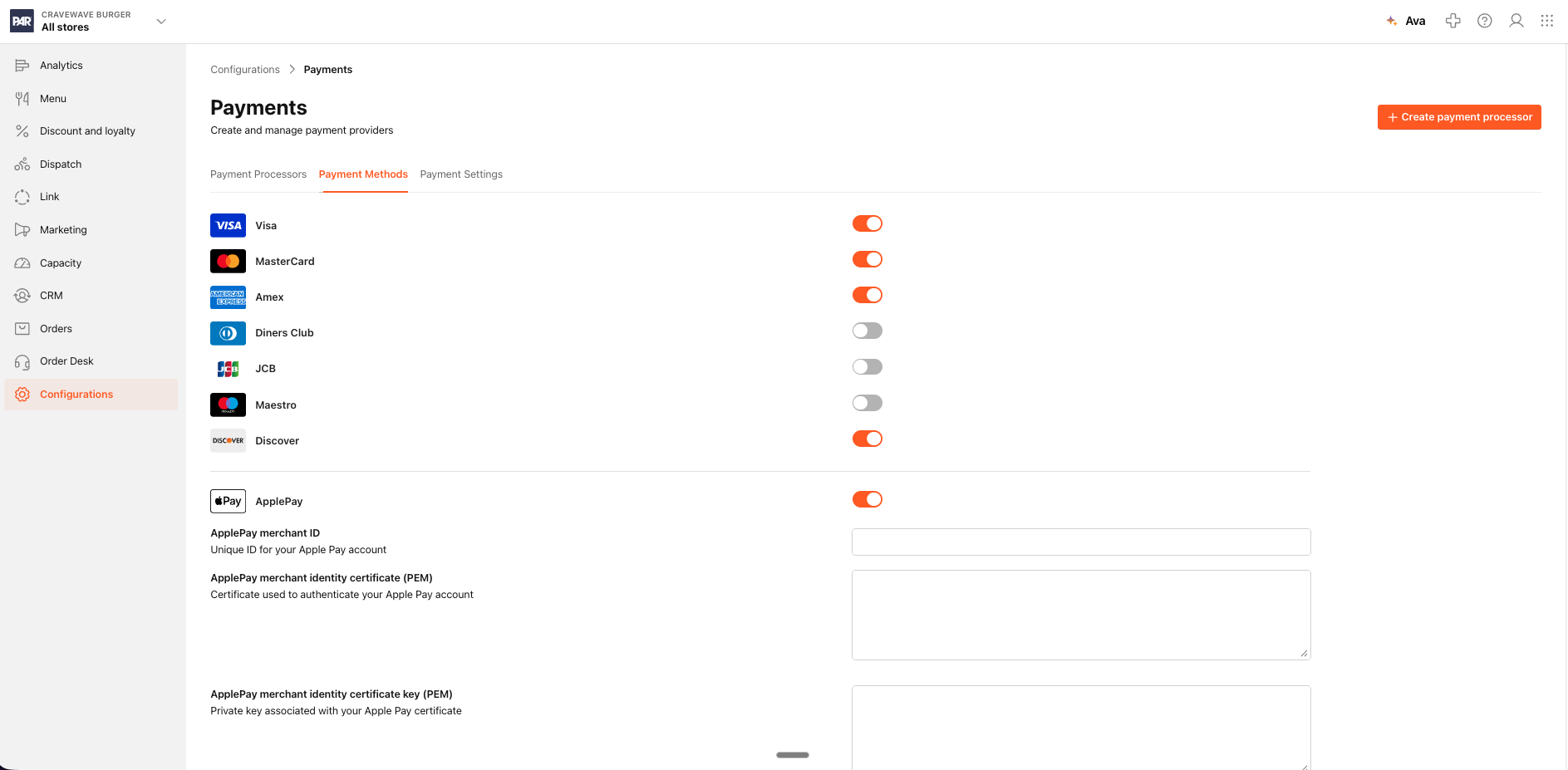
In Payment Methods screen select Payment Method Type and Payment Method Brand you would like to be at the Customers' disposal to use.
Once you select Payment Method Type, Payment Method Brand will subsequently be enabled for you to select, as well (e.g. Credit Card selected Type, then Visa, MasterCard, Amex or Maestro can be selected).
The selected Payment Methods can now be used by Customers to pay for Orders in all the restaurant Venues included in the Brand.
For more information on how to assign Payment Methods to your Venue, please check out How to assign Payment Method to Store?article.
