GrubHub
Pull a single CSV report from the GrubHub Merchant Portal.
-
Log in to Merchant Portal using admin credentials.
-
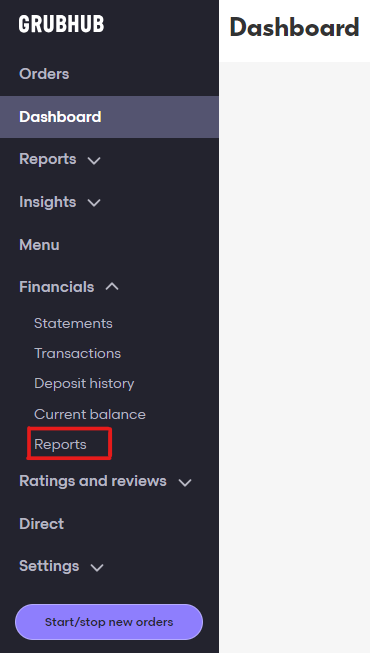
In the navigation bar on the left side of the screen, click the Financials dropdown and then select Reports.
-
On the Reports page, click Request CSV report in the top right corner.

-
Apply the following settings to the report builder:
- Locations — click Select all to the right of the word City.
- Date range — select a full month.
- Report name — name the report.
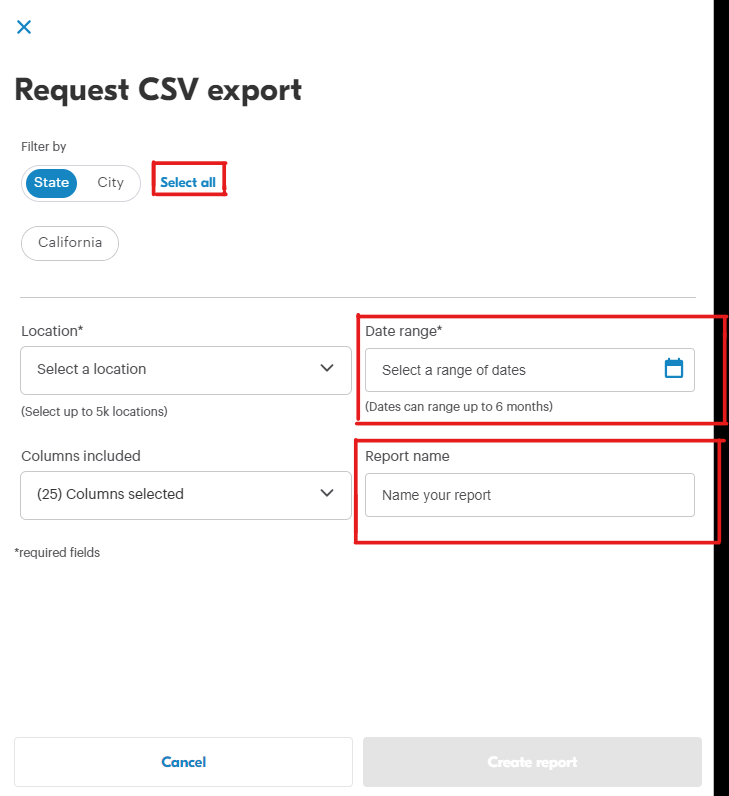
The Create report button will turn blue. Click this button to generate the report.

-
Retrieve your newly created report from the Reports tab by clicking the icon under Download.
