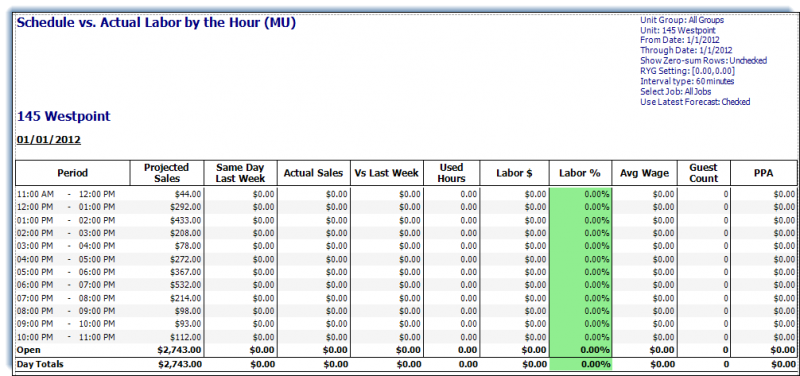
Labor Hourly Performance Schedule Report
Use this report to view the scheduled vs. actual labor by selected time increments for a specified date range. This can be based on the latest forecast, can create color-coded alerts based on the [RYG Setting] parameter for the ‘Labor %’ column, and can be viewed by job.
Parameters
-
Unit Group: Select Unit Group to view.
-
Unit: Select Unit to view.
-
From Date: Starting Date.
-
Through Date: Ending Date.
-
Show Zero-Sum Rows: Check to display rows for the ‘Projected Sales’ column summed at zero.
-
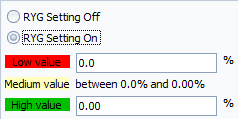
RYG Setting: Select the [RYG Setting On] radio button to define color conditions for ‘Labor %’ column.
-
Interval Type: Select time interval for 15,30, or 60 minutes.
-
Select Job: Select job(s).
-
Use Latest Forecast: Check to use the latest forecast.