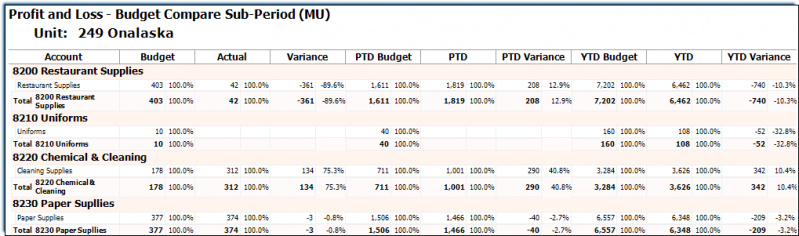
PnL Budget Comparison Sub Report
Use this report to view the budget details vs. actual details for the sup period, period to date and year to date vs last year.
Parameters
- Unit Group: Select Unit Group to view.
- Unit: Select Unit to view.
- Calendar: Select the calendar to use.
- Sub-Period: Select the sub period to view.
- Format: Select a P and L format.
- Budget Type: Select Original Budget or Revised Budget.
- Show Empty Lines: Put a check in this box to show all lines in the selected format even those with a zero value.
- Common Currency: Put a check in this box to show the common currency measure.
- Smart Rollup: Select None, Group 3, Group 2, Group 1 or Sum All.