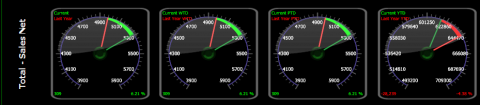
Daily Business Summary Trend Formatted
Use this report to show current day vs. last year, current week to date vs. last year, current period to date vs. last year, and current year to date vs. last year numbers for the format specified.
Parameters
- Unit Group: Select Unit Group to view
- Unit: Select Unit to view
- Calendar: Select the calendar to use.
- As of Date: Date to report.
- Format: Enter the Daily Sales format.
- LastYear: Enter the amount of years to go back.
- Smart Rollup (Unit): Select the level for data to roll-up based on the Smart Group hierarchy associated with the Unit Group field. None will show unit detail without the ability to organize by group.
- Show Comps Only: Put a check to show only comp units.
- Store Open Days: Enter a value to limit units who have been open for a certain amount of days.
- Exclude Missing Days: Put a check to limit the view to only show days that have information.
- Contrast Options: Check the contrast options to streamline your view.
- All: Select to see the breakdown by all contrast options.
- Same Day: Select to see the numbers for the same day.
- Sub-Period: Select to see the numbers for the sub-period.
- Period: Select to see the numbers for the period.
- Year: Select to see the numbers for the year.
- Use Common Currency: Put a check to use the common currency.