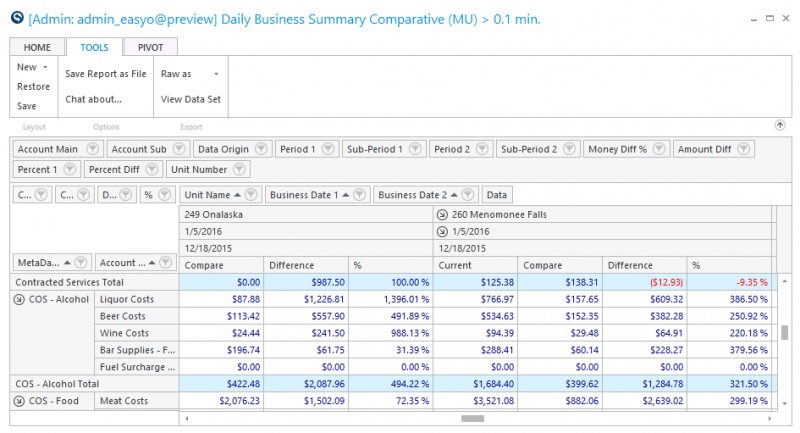
Daily Business Summary Pivot Ext Report
Use this report to report on an account value, comparative value, difference in dollars and difference in percent.
Parameters
- Unit Group: Select Unit Group to view
- Unit: Select Unit to view
- Calendar: Select the calendar to use
- From Date: Select Start Date to view from
- Through Date: Select End Date to view through
- Contrasting Date From: Enter the date to compare values to
- Meta Account: Select the Meta Account to view
- Account Reporting Groups: Select the Account Reporting Group to view
- Account: Select the account to view
- Smart Rollup (Unit): Select the level for data to roll-up based on the Smart Group hierarchy associated with the Unit Group field. None will show unit detail without the ability to organize by group.
- Date Rollup: Enter the level to drill down date information
- Show Comps Only: Put a check to show only comp units
- Exclude Missing Days: Put a check to limit the view to only show days that have information
- Use Common Currency: Put a check to use the common currency
- Sum data by Origin: Put a check to sum values by origin
- Store Open Days: Enter a value to limit units who have been open for a certain amount of days